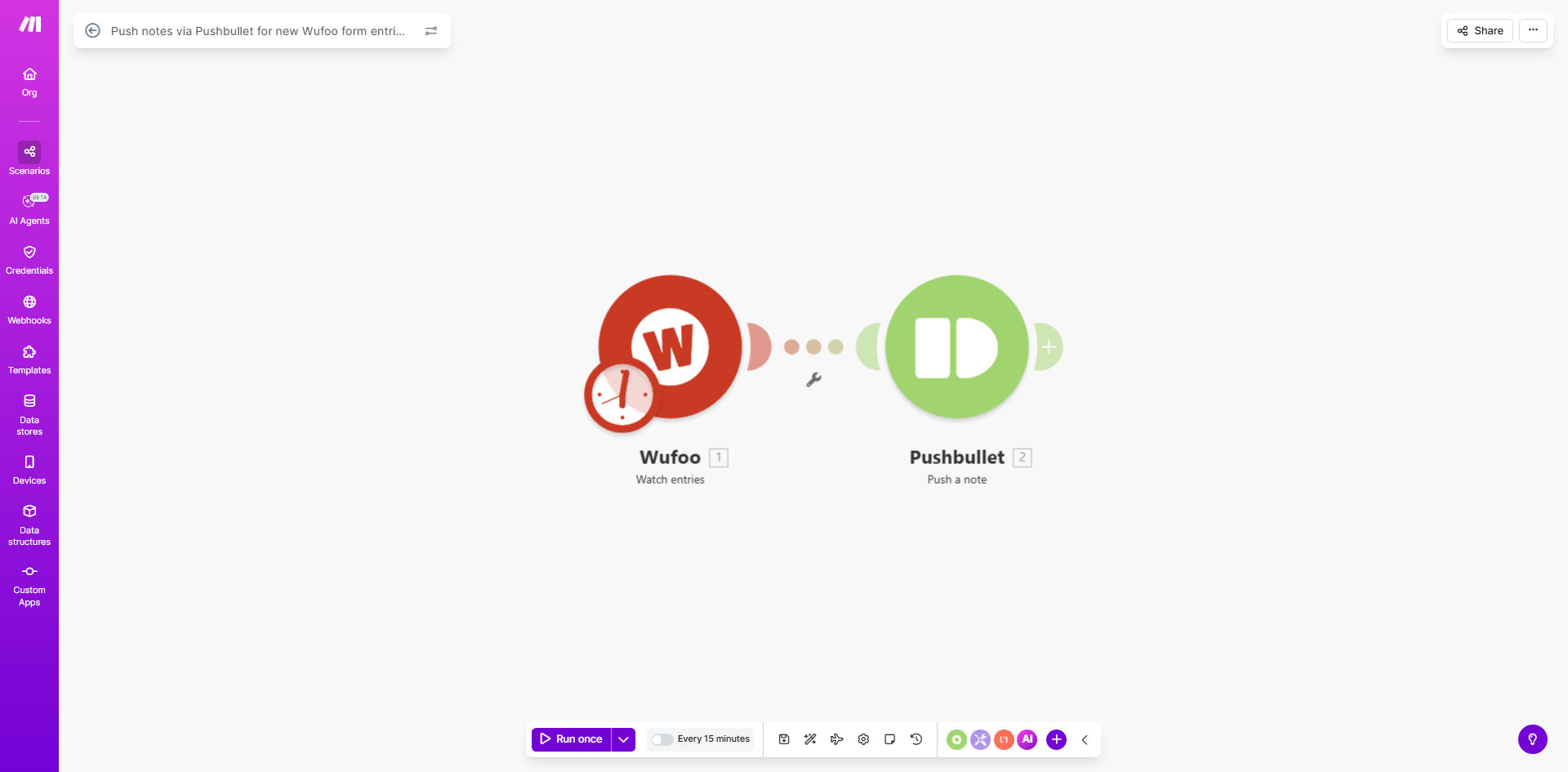
What This Workflow Does
This automation solves the problem of delayed response times to customer form submissions. When leads or customers fill out your Wufoo forms, you often need to act quickly - whether it's a sales inquiry, support request, or application. Traditional email notifications can get buried in inboxes, causing missed opportunities.
The workflow instantly pushes form submission details to your devices via Pushbullet the moment someone submits your Wufoo form. You'll see the notification pop up on your phone, tablet, or computer desktop, ensuring you never miss important customer interactions.
How It Works
1. Form Submission Trigger
The workflow monitors your specified Wufoo form for new entries. Make.com checks for submissions every few minutes (configurable interval).
2. Data Processing
When a new submission is detected, the workflow extracts the form data you specify - typically including contact information, submission details, and any custom fields.
3. Pushbullet Notification
The system formats the form data into a clean notification and pushes it to your Pushbullet account. You'll receive it on all connected devices within seconds.
Pro tip: Configure Pushbullet to play a distinct notification sound for form submissions so you can prioritize them immediately.
Who This Is For
This automation is ideal for:
- Sales teams needing instant lead notifications
- Support teams tracking customer inquiries
- Service businesses with appointment request forms
- Recruiters processing job applications
- Educators collecting student submissions
What You'll Need
- A Wufoo account with at least one active form
- A Pushbullet account (free tier available)
- A Make.com account (free plan sufficient for basic usage)
- 5-10 minutes for initial setup
Quick Setup Guide
- Click "Get This Workflow" to copy the template to your Make.com account
- Connect your Wufoo account in the Make.com module
- Select which form to monitor
- Connect your Pushbullet account
- Customize the notification message format
- Activate the workflow
Key Benefits
Faster response times: Businesses using instant notifications respond to leads 8x faster on average compared to email alerts.
Reduced missed opportunities: Push notifications have a 90%+ open rate versus 20-30% for email notifications.
Multi-device awareness: Receive alerts simultaneously on your phone, tablet, and desktop computers.
Simple setup: No coding required - configure in minutes using the visual workflow builder.
Extensible platform: Easily add additional actions like CRM updates or follow-up emails.