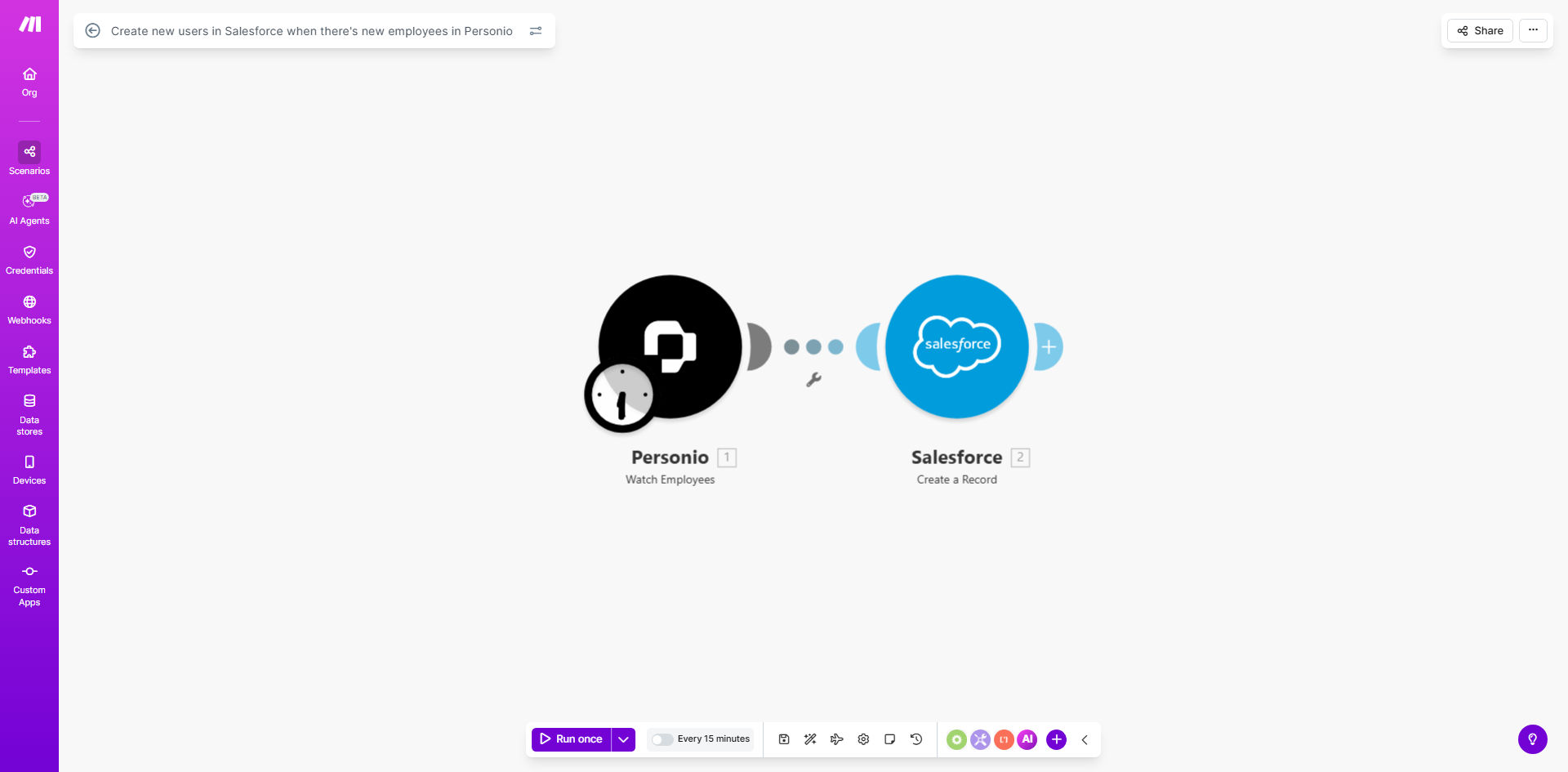
What This Workflow Does
This automation solves a common challenge for growing businesses: ensuring new employees automatically get Salesforce access without IT or admin intervention. When HR adds someone to Personio, the workflow instantly creates their Salesforce user account with all necessary permissions.
Manual user provisioning creates delays and errors. HR teams often don't have Salesforce access, while Salesforce admins may not know about new hires until days later. This gap slows down onboarding and creates security risks when temporary credentials are shared.
How It Works
1. Personio Triggers the Workflow
The automation monitors Personio for new employee records. When HR adds someone, the workflow captures all relevant details including name, email, department, and job title.
2. Data Transformation
The workflow maps Personio fields to Salesforce user requirements. It formats names correctly, sets default values where needed, and ensures all mandatory Salesforce fields are populated.
3. Salesforce User Creation
Using Salesforce's API, the workflow creates the new user account with appropriate permissions based on the employee's department or role. It can assign profiles, permission sets, and add users to relevant groups.
4. Confirmation and Logging
The system logs successful creations and sends confirmation to HR or IT teams. If errors occur (like duplicate emails), it alerts the right people for manual resolution.
Who This Is For
This automation benefits:
- Companies using both Personio and Salesforce
- HR teams tired of manual access requests
- Salesforce admins overwhelmed by user management
- Organizations with frequent hiring
- Companies prioritizing security and compliance
What You'll Need
- Active Personio account with API access
- Salesforce admin credentials to configure connected app
- Make.com account (free tier works)
- List of required Salesforce user fields
- Mapping of Personio departments to Salesforce profiles
Quick Setup Guide
- Install the template in your Make.com account
- Connect your Personio account via OAuth
- Configure Salesforce API connection
- Map Personio fields to Salesforce user fields
- Set department-to-profile assignments
- Test with a dummy employee record
- Activate the workflow
Pro tip: Create a dedicated Salesforce integration user with minimal permissions to run this workflow, following the principle of least privilege.
Key Benefits
Eliminate onboarding delays: New hires get Salesforce access the same day they're added to Personio, often within minutes.
Reduce IT workload: Automating this process saves 30-60 minutes per new employee that would normally be spent on manual setup.
Improve data accuracy: Automated field mapping eliminates typos and inconsistencies between HR and CRM systems.
Enhance security: Removes the need for temporary credentials or shared logins during onboarding.
Standardize permissions: Ensures consistent access levels based on department or role, following company policies.