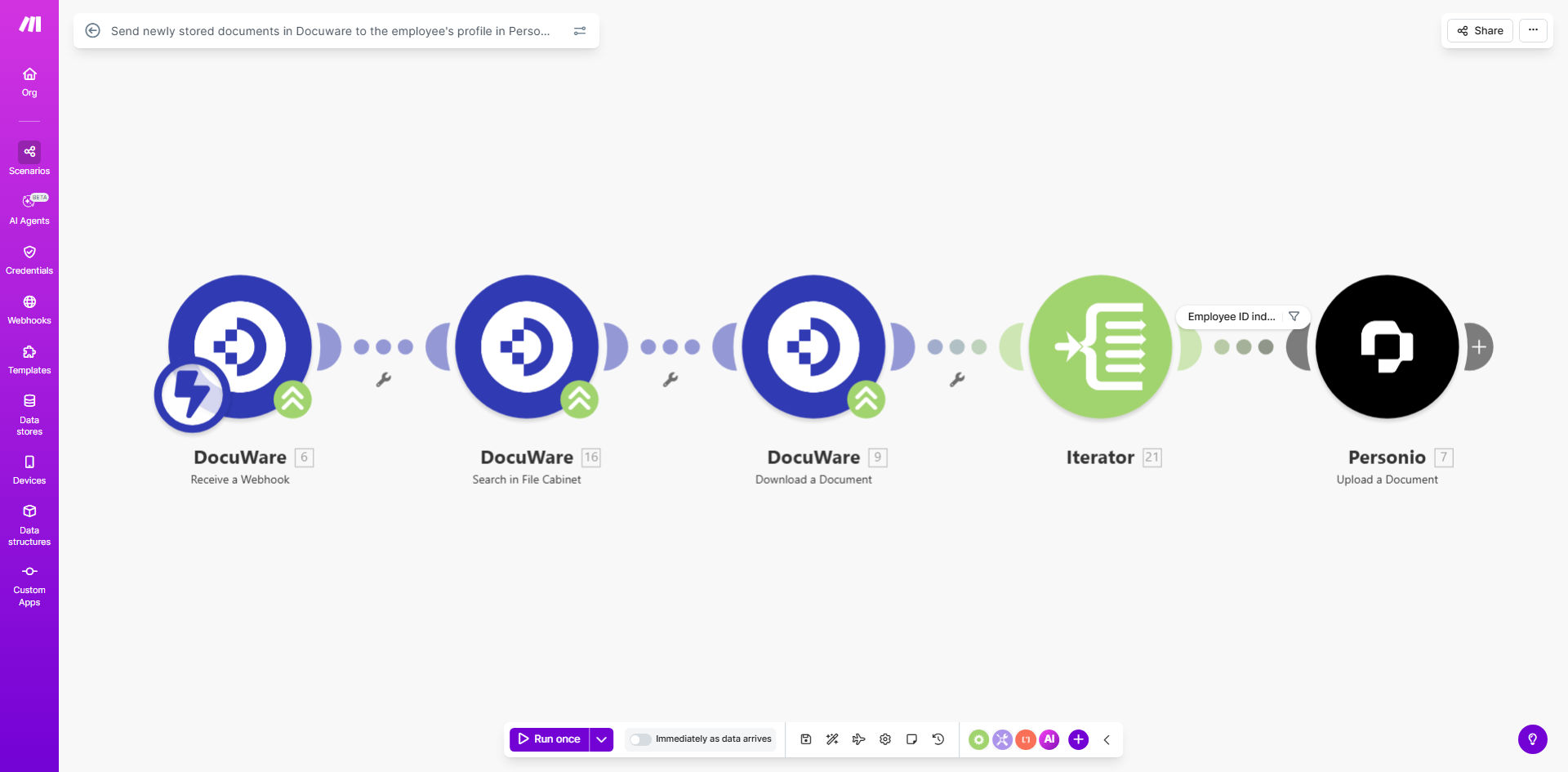
What This Workflow Does
This automation solves a critical pain point for HR teams managing employee documents across multiple systems. When new documents like contracts, performance reviews, or certifications are stored in Docuware, they often need to be manually uploaded to the corresponding employee's profile in Personio. This workflow eliminates that manual step entirely.
The automation monitors Docuware for newly stored documents, identifies the correct employee in Personio using matching criteria you define, and automatically attaches the document to their profile. This ensures all employee documents are instantly available where HR teams need them, while maintaining proper access controls and audit trails.
How It Works
1. Document detection in Docuware
The workflow continuously monitors specified Docuware cabinets or folders for new documents. It can be configured to watch specific document types or all employee-related files.
2. Employee identification
Using metadata from the document (like employee ID in the filename or document properties), the system matches the document to the correct employee profile in Personio.
3. Secure document transfer
The document is securely transferred from Docuware to Personio while maintaining all original access permissions and security settings.
4. Profile attachment
The document is attached to the correct employee profile in the appropriate document category within Personio, with optional notifications to HR staff.
Pro tip: Configure the workflow to add standardized naming conventions to transferred documents, making them easier to find later in Personio.
Who This Is For
This automation is ideal for:
- HR teams managing employee documents across multiple systems
- Companies using Docuware for document management and Personio as their HRIS
- Organizations looking to reduce manual data entry and document handling
- Businesses that need better compliance with document retention policies
- Teams wanting to give employees self-service access to their documents
What You'll Need
- Active Docuware account with administrator access
- Personio account with API access enabled
- Make.com account (free tier works for basic setup)
- Employee identifier that exists in both systems (like employee ID or email)
- Document naming convention or metadata standard (recommended)
Quick Setup Guide
- Connect your Docuware account in Make.com using API credentials
- Connect your Personio account similarly
- Specify which Docuware cabinets/folders to monitor
- Define how to match documents to Personio profiles (ID, email, etc.)
- Set document categories for different file types in Personio
- Test with sample documents to verify matching works correctly
- Activate the workflow for continuous monitoring
Key Benefits
Eliminates 80% of manual document handling between systems, freeing HR staff to focus on strategic work rather than file management.
Reduces document errors by automatically matching files to the correct employee profile every time.
Improves compliance by ensuring all documents are properly stored in the HR system with complete audit trails.
Saves 5-10 hours per week for HR teams that previously managed documents manually.
Provides instant document availability in Personio, improving employee self-service capabilities.