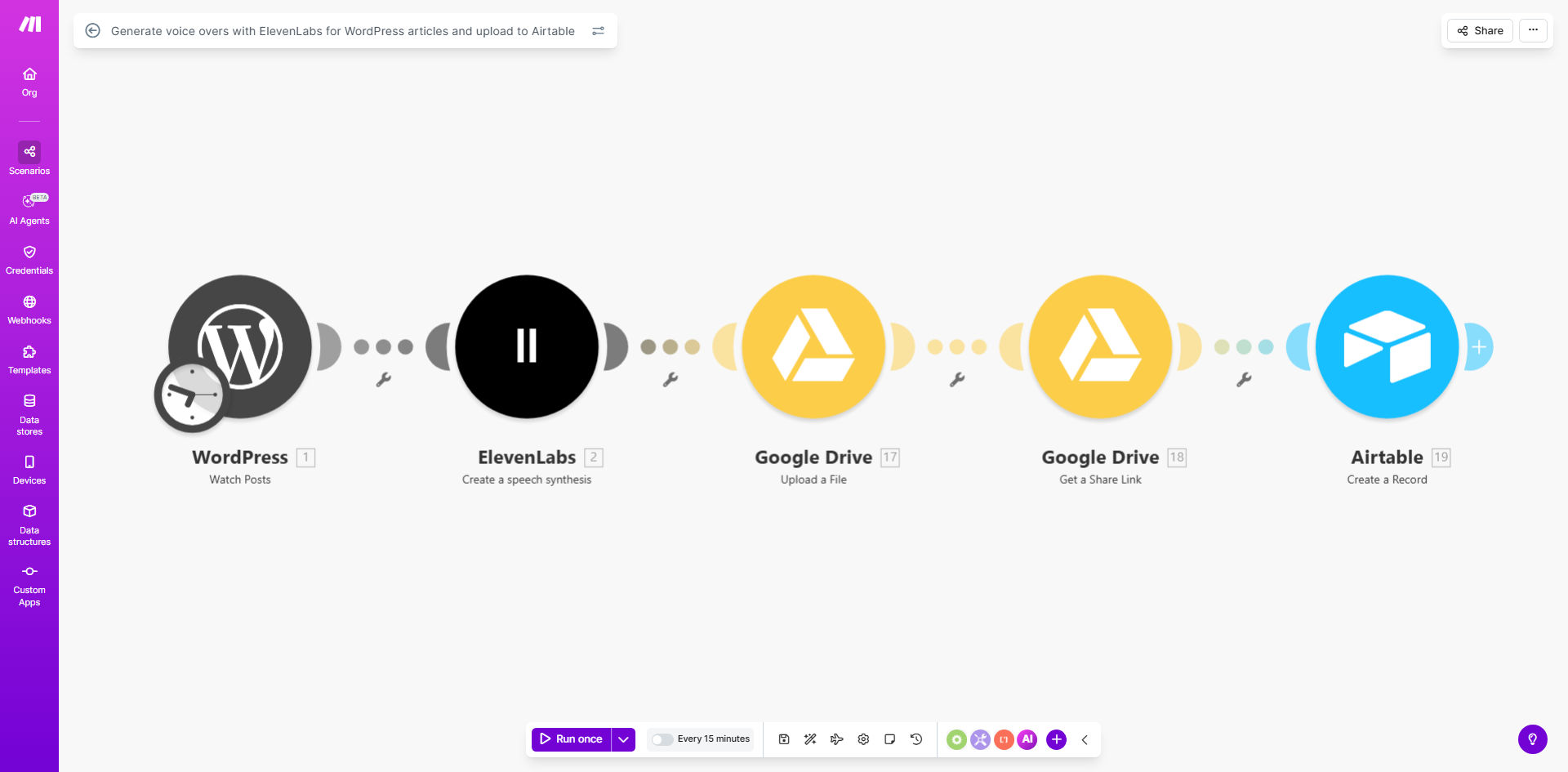
What This Workflow Does
This automation solves the challenge of creating audio versions of your WordPress content without manual effort. Many content creators want to offer voice overs for accessibility and engagement but lack the time or resources to produce them consistently.
The workflow automatically detects new WordPress articles, converts them to natural-sounding speech using ElevenLabs' advanced AI voices, then organizes the resulting audio files in Airtable with proper metadata. This creates a searchable audio library that can be shared with your audience or team members.
How It Works
1. WordPress article detection
The system monitors your WordPress site for new posts either through RSS feed or direct API connection. When a new article is published, it triggers the workflow.
2. Content preparation
The workflow extracts the article text, cleans it for optimal voice over quality (removing code blocks, excessive links, etc.), and formats it for ElevenLabs processing.
3. Voice over generation
ElevenLabs converts the prepared text to speech using your selected voice profile. You can configure parameters like speaking rate, tone, and emotional emphasis.
4. Airtable storage
The generated MP3 file is uploaded to Airtable along with metadata including the original article title, publication date, word count, and any custom tags you specify.
Pro tip: Create different Airtable views filtered by content category to quickly find relevant voice overs for repurposing in podcasts or social media clips.
Who This Is For
This workflow benefits content teams, bloggers, and publishers who want to:
- Make their WordPress content more accessible
- Repurpose articles into audio formats for different platforms
- Save time on manual voice over production
- Maintain an organized library of audio content
- Offer audio versions without investing in recording equipment
What You'll Need
- A WordPress website with published articles
- ElevenLabs API access (free tier available)
- Airtable account with a base prepared for audio files
- Make.com account to host the automation
Quick Setup Guide
- Connect your WordPress site to Make.com via RSS or REST API
- Configure your ElevenLabs API key and preferred voice settings
- Set up your Airtable base with columns for audio files and metadata
- Test the workflow with a sample article
- Deploy the automation to run automatically for new posts
Key Benefits
Save 5+ hours per week by eliminating manual voice over creation and file management. The automation handles everything from text processing to organized storage.
Improve content accessibility with professional-quality audio versions that make your articles available to auditory learners and visually impaired visitors.
Boost engagement metrics - Articles with audio versions typically see 30-40% longer average time-on-page as listeners engage with both formats.
Create repurposing opportunities by having ready-to-use audio files for podcasts, social media clips, or multimedia presentations.
Maintain brand consistency using the same AI voice across all your content rather than mixing different human narrators.