Make.com Email Marketing Lead Capture Typeform MailerLite

Automatically Add Typeform Respondents to MailerLite

Turn every form submission into an email subscriber instantly, saving hours of manual data entry while growing your list faster.

Get This Workflow Make.com · Email Marketing · Free Template
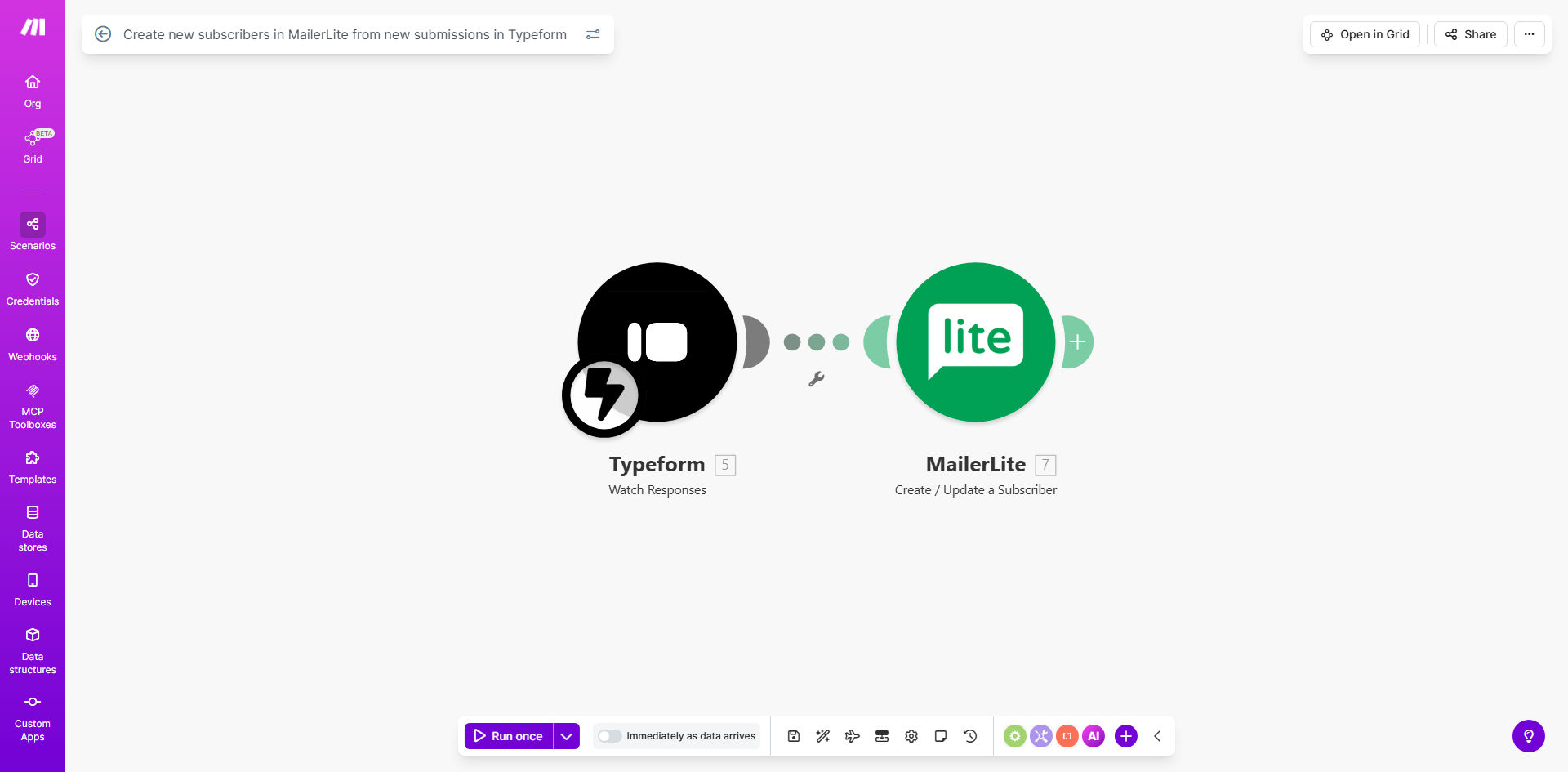
Typeform to MailerLite integration workflow diagram

What This Workflow Does

This automation solves the common problem of form responses getting stuck in spreadsheets instead of becoming active leads in your email marketing system. Every time someone completes your Typeform, their information automatically flows into MailerLite as a new subscriber.

The workflow eliminates manual copying and pasting of email addresses while ensuring no potential customer falls through the cracks. It works instantly, adding subscribers within seconds of form submission so you can begin nurturing them immediately with automated email sequences.

How It Works

1. Trigger: New Typeform Submission

The workflow starts when someone submits your Typeform. The automation watches for new responses in real-time.

2. Extract Form Data

The system pulls all relevant fields from the submission, including email address (required) plus any additional information like name, company, or custom answers.

3. Create MailerLite Subscriber

The workflow maps the Typeform fields to corresponding MailerLite subscriber fields, then creates a new contact in your list with all the collected data.

4. Optional: Group Assignment

Based on form responses, the automation can assign subscribers to specific groups in MailerLite for targeted email campaigns.

5. Success Confirmation

The system verifies the subscriber was added successfully and can optionally log the result or notify your team.

Who This Is For

This automation is perfect for:

  • Marketers collecting leads through Typeform surveys, registrations, or contact forms
  • Business owners running webinars or events who need to add attendees to email sequences
  • Course creators using Typeform for enrollment who want students in their MailerLite nurture flow
  • Any team spending hours manually transferring form responses to their email marketing system

What You'll Need

  1. An active Typeform account with at least one form collecting email addresses
  2. A MailerLite account with API access enabled
  3. Make.com account (free tier works for basic usage)
  4. 5-10 minutes to connect the services and map your form fields

Quick Setup Guide

  1. Copy this template to your Make.com account
  2. Connect your Typeform account in the first module
  3. Connect your MailerLite account in the subscriber creation module
  4. Map your Typeform fields to corresponding MailerLite subscriber fields
  5. Test with a real form submission to verify everything works
  6. Turn on the automation and start growing your list automatically

Key Benefits

Never miss a lead: Every form respondent becomes a subscriber instantly, eliminating manual transfer errors or forgotten submissions.

Faster email nurturing: New contacts enter your MailerLite sequences immediately when their interest is highest.

Better segmentation: Use all collected form data (not just email) to create targeted subscriber groups.

Hours saved weekly: No more copying/pasting email addresses or managing spreadsheets of form responses.

Scalable lead capture: Handle hundreds or thousands of form submissions without additional work.

Pro tip: Add a hidden field in Typeform to track the lead source, then use this in MailerLite to segment subscribers by which form or campaign they came from.

Frequently Asked Questions

Common questions about Typeform and MailerLite integration

Connecting Typeform to MailerLite saves hours of manual data entry while ensuring no leads fall through the cracks. Every form submission automatically becomes a subscriber in your email marketing system, letting you nurture leads immediately with automated email sequences.

This integration is particularly valuable for time-sensitive campaigns like webinar registrations or product launches where quick follow-up improves conversion rates.

Beyond just email addresses, you can sync any form field data like name, company, preferences, or custom answers. This lets you segment subscribers in MailerLite based on their form responses for more targeted email campaigns.

For example, if your Typeform asks "What's your biggest challenge?", you can use that answer to send relevant content recommendations in your MailerLite sequences.

The workflow triggers instantly when someone submits your Typeform, typically adding them to MailerLite within seconds. This real-time sync means you can start emailing new leads while their interest is highest.

Unlike manual imports that might happen weekly, this automation ensures no delay between someone showing interest and receiving your follow-up.

Yes! The automation can assign subscribers to different groups based on their Typeform answers. For example, webinar registrants could go to an 'Events' group while product feedback respondents join a 'Customer Research' segment.

This automatic segmentation lets you send hyper-relevant content without manually organizing subscribers after they join.

The workflow can be configured to either update existing subscriber records or skip duplicates entirely. This prevents your list from having multiple entries for the same person while keeping their information current.

For most use cases, we recommend updating existing records so any changed information (like a new job title or phone number) stays accurate in MailerLite.

While MailerLite offers a basic integration, this automation provides more control over field mapping, conditional logic, and error handling. You can also add extra steps like data validation or connecting to other apps in your stack.

The Make.com workflow gives you complete flexibility to customize exactly how and when subscribers are added, with options that aren't available in the native integration.

Absolutely! Our team at GrowwStacks specializes in building tailored automation solutions. We can create custom workflows that match your specific form fields, segmentation needs, and email marketing strategy.

Whether you need advanced conditional logic, integration with additional apps, or specialized error handling, we'll design an automation system that fits your exact requirements.

  • Custom field mapping for complex forms
  • Multi-step subscriber journeys
  • Integration with your CRM or other tools

Need a Custom Typeform-MailerLite Automation?

This free template is a starting point. Our team builds fully tailored automation systems for your specific business needs.