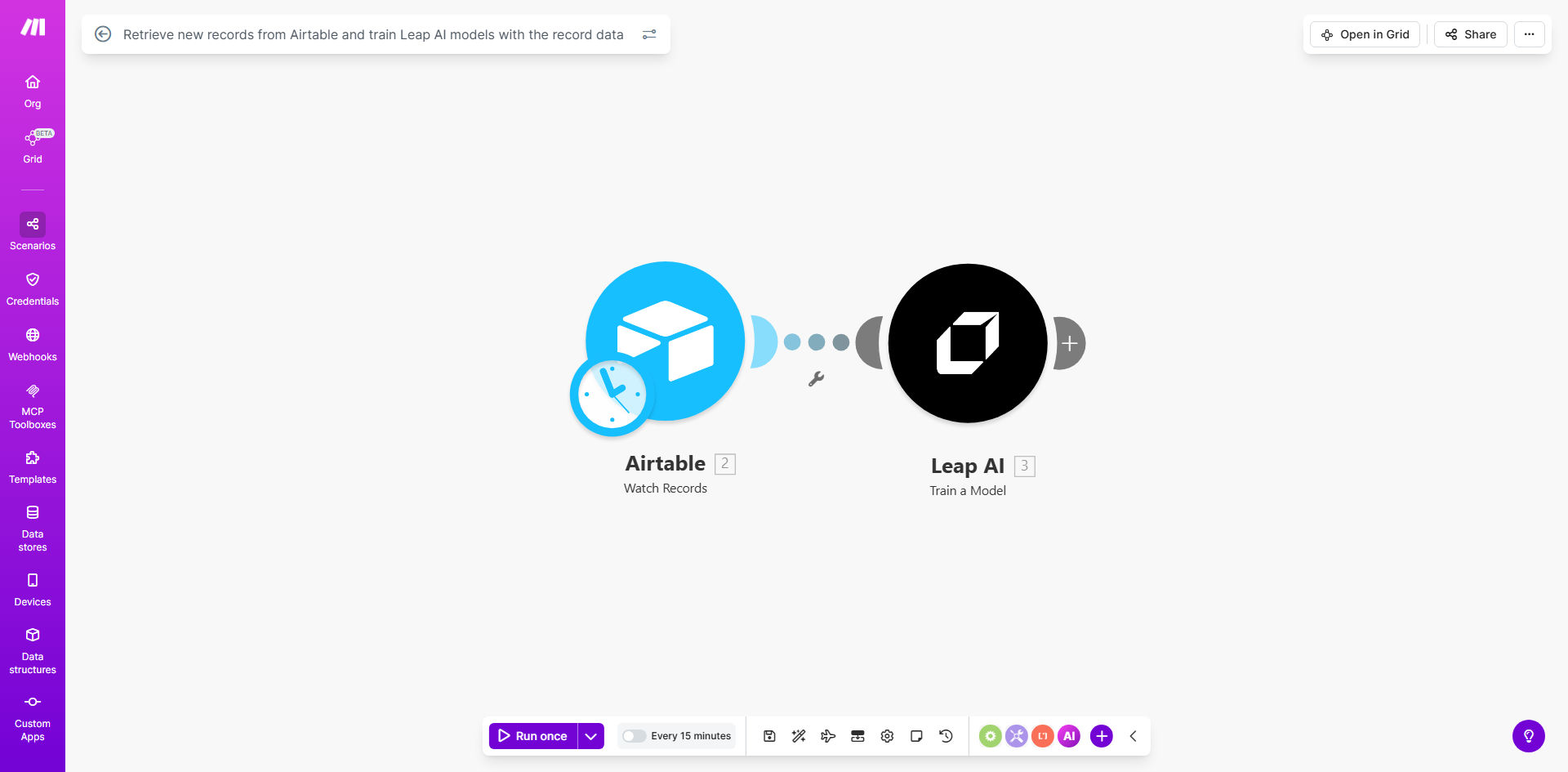
Airtable AI Training Automation Make.com

Retrieve new records from Airtable and train Leap AI models with the record data

Automate AI model training by retrieving Airtable records - streamline data workflows and enhance AI capabilities

Get This Workflow → Make.com · Free Template
Diagram showing Airtable records flowing into AI model training process

What This Workflow Does

This automation bridges Airtable and Leap AI to create a continuous training pipeline for your machine learning models. Whenever new records are added to your Airtable base, the workflow automatically processes this data and uses it to train or update your AI models in Leap.

For businesses leveraging AI, manually transferring data between systems creates bottlenecks and delays. This solution eliminates those friction points by establishing a real-time connection between your operational data in Airtable and your analytical capabilities in Leap AI.

How It Works

1. New Record Detection

The workflow monitors your specified Airtable base for new records or updates to existing ones, triggering the automation whenever changes occur.

2. Data Preparation

Records are formatted and validated to meet Leap AI's input requirements, with options to exclude sensitive fields or anonymize personal data.

3. Model Training Initiation

The prepared data automatically triggers a new training job in your Leap AI account, using your predefined model configuration.

4. Result Notification

Upon completion, the workflow can notify your team via email or Slack with training metrics and model performance updates.

Pro tip: Schedule regular "full retrain" triggers alongside the incremental updates to maintain model accuracy as your data evolves.

Who This Is For

This solution benefits teams that:

  • Maintain customer, product, or operational data in Airtable
  • Use AI models for predictions, classifications, or recommendations
  • Need to keep models current with frequently updated information
  • Want to reduce manual data transfer between systems

What You'll Need

  1. An Airtable account with the base containing your training data
  2. A Leap AI account with API access
  3. Make.com account (free tier available)
  4. Basic understanding of your AI model's data requirements

Quick Setup Guide

  1. Connect your Airtable account in Make.com
  2. Specify which table and fields contain training data
  3. Configure your Leap AI model parameters
  4. Set up notification preferences for training results
  5. Test with sample data before full deployment

Key Benefits

Reduced operational overhead: Eliminates hours spent manually exporting, formatting, and uploading data for AI training.

Fresher insights: Models train on the latest data automatically, improving prediction accuracy for time-sensitive decisions.

Scalable architecture: Handles increasing data volumes without additional staff time as your business grows.

Audit trail: Automatic logging of training data sources and model versions for compliance and reproducibility.

Frequently Asked Questions

Common questions about AI training automation with Airtable

Automating the connection between Airtable and AI models eliminates manual data transfers, reducing setup time from hours to minutes. The workflow automatically processes new records as they arrive, ensuring your AI models are always trained on the latest data without human intervention.

For example, marketing teams can automatically train customer segmentation models with fresh CRM data, while product teams can update recommendation engines as inventory changes.

  • Eliminates CSV exports and manual uploads
  • Processes data during off-hours
  • Reduces risk of human error in data transfer

Classification and prediction models benefit most from structured Airtable data. The consistent format of Airtable records provides ideal training data for customer segmentation, content categorization, and predictive analytics models when connected to AI platforms like Leap AI.

Common use cases include lead scoring models trained on sales pipeline data, defect prediction models using product quality records, and content recommendation systems based on engagement metrics.

  • Structured data works best for supervised learning
  • Tabular format ideal for feature-based models
  • Works with both numerical and categorical data

Retrain models whenever significant new data accumulates (typically weekly or monthly). This workflow can automatically trigger retraining when records reach a threshold you define, balancing model accuracy with computational costs.

For rapidly changing data like customer behavior, more frequent updates (even daily) may be valuable. For stable datasets like product catalogs, less frequent updates suffice.

  • Monitor model drift metrics
  • Balance cost vs. accuracy needs
  • Schedule full retrains periodically

The workflow maintains Airtable's existing permissions and can anonymize sensitive fields before training. Data is transmitted securely between systems, and you control which fields are used for model training versus those kept private.

For healthcare or financial data, additional measures like field-level encryption or on-premises deployment options are available in custom implementations.

  • Field-level access controls
  • Optional data anonymization
  • Encrypted transmissions

Yes, the template can be duplicated and modified for different bases. Each workflow instance can connect a specific Airtable base to a dedicated AI model, allowing separate training pipelines for different business functions.

For example, you might have separate workflows for customer support ticket analysis, inventory forecasting, and marketing campaign optimization - all pulling from different Airtable bases into specialized models.

  • Create workflow clones for each use case
  • Maintain separation of concerns
  • Scale horizontally as needed

Key metrics include model accuracy improvements over time, reduction in manual data processing hours, and faster iteration cycles. The workflow can log these metrics to a dashboard showing ROI from automation.

Business impact metrics might include increased conversion rates from better-targeted campaigns, reduced operational costs from improved predictions, or higher customer satisfaction from more accurate recommendations.

  • Track time saved per training cycle
  • Monitor model performance metrics
  • Measure business outcome improvements

Absolutely. Our team specializes in building tailored AI automation systems that connect your specific data sources to machine learning models. We'll design a solution matching your unique data structure and business objectives.

We can create custom implementations with additional features like data quality checks, model performance monitoring, and integration with your existing BI tools - all while maintaining the ease-of-use of this template.

  • Custom data preprocessing
  • Enterprise-grade security
  • Ongoing support and optimization

Need a Custom AI Training Automation?

This free template is a starting point. Our team builds fully tailored automation systems for your specific business needs.