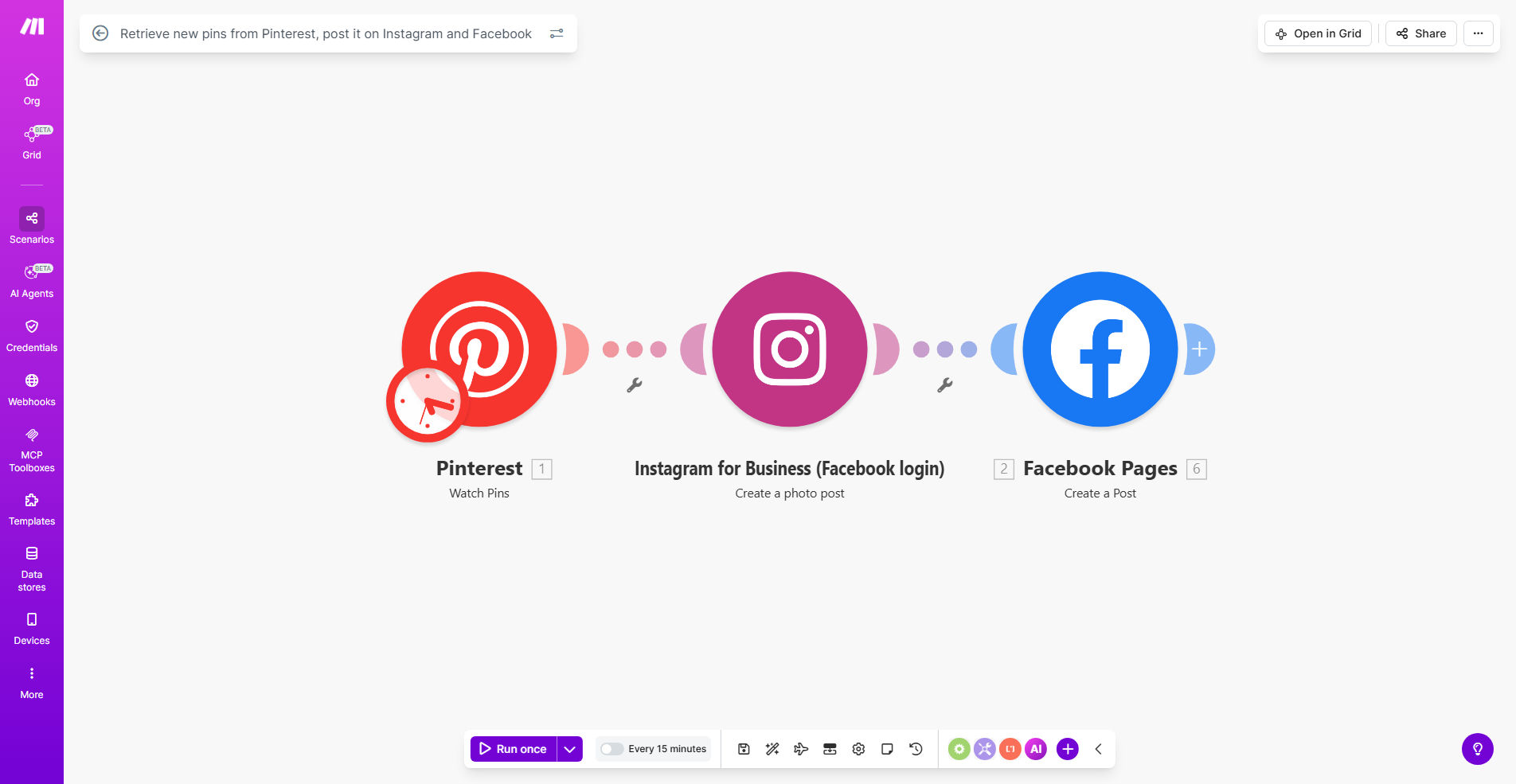
What This Workflow Does
This automation solves the time-consuming challenge of manually sharing content across multiple social media platforms. It automatically retrieves your newest Pinterest pins and posts them to both Instagram and Facebook with appropriate formatting for each platform.
Social media managers and content creators often struggle to maintain consistent posting schedules across multiple platforms. This workflow ensures your Instagram and Facebook feeds stay active with fresh content, while driving traffic back to your Pinterest profile. It's particularly valuable for ecommerce brands, bloggers, and digital marketers who use Pinterest as a content hub.
How It Works
1. Monitor Pinterest for New Pins
The workflow regularly checks your specified Pinterest boards or profile for newly added pins. You can configure it to look at specific boards or your entire profile.
2. Retrieve Pin Details
For each new pin found, the system extracts the image, description, link, and other metadata. This information is then prepared for cross-posting.
3. Format for Instagram
The pin image is automatically resized and optimized for Instagram's specifications. The description is converted into an engaging caption with relevant hashtags.
4. Post to Instagram
The formatted content is published to your Instagram account either immediately or according to your preferred posting schedule.
5. Format for Facebook
Simultaneously, the pin is prepared for Facebook with appropriate image dimensions and a slightly modified caption style that performs better on that platform.
6. Post to Facebook
The Facebook-optimized version is shared to your page or profile, completing the cross-posting cycle.
Pro tip: Configure the workflow to add platform-specific calls-to-action. For Instagram, emphasize "Tap the link in bio" while on Facebook, use "Click the link below" for better conversion rates.
Who This Is For
This automation is ideal for:
- Ecommerce stores using Pinterest to showcase products
- Bloggers who create pinnable content
- Social media managers handling multiple client accounts
- Digital marketers running cross-platform campaigns
- Content creators looking to maximize their content's reach
What You'll Need
- A Pinterest business account with pins to share
- Instagram business or creator account
- Facebook page (personal profiles have posting limitations)
- Make.com account (free plan available)
- Approximately 15 minutes for initial setup
Quick Setup Guide
- Clone the template to your Make.com account
- Connect your Pinterest account in the first module
- Specify which boards or pins to monitor
- Connect your Instagram and Facebook accounts
- Set your preferred posting schedule
- Optionally customize captions and hashtags
- Activate the scenario
Key Benefits
Save 5+ hours weekly by eliminating manual downloading, reformatting, and scheduling of Pinterest content for other platforms.
Increase engagement by 30-50% by maintaining consistent posting frequency across all your social channels.
Drive more Pinterest traffic when you properly attribute cross-posted content back to your Pinterest profile.
Maintain brand consistency by automatically applying your preferred filters, watermarks, or formatting to all cross-posted content.
Never miss trending content - your best-performing Pinterest pins automatically get shared while they're still relevant.