Airtable Microsoft 365 Calendar Automation Scheduling

Create Microsoft 365 Calendar Events from Airtable Records

Automatically sync your Airtable data to Microsoft 365 Calendar for seamless event management

Get This Workflow Make.com · Free Template
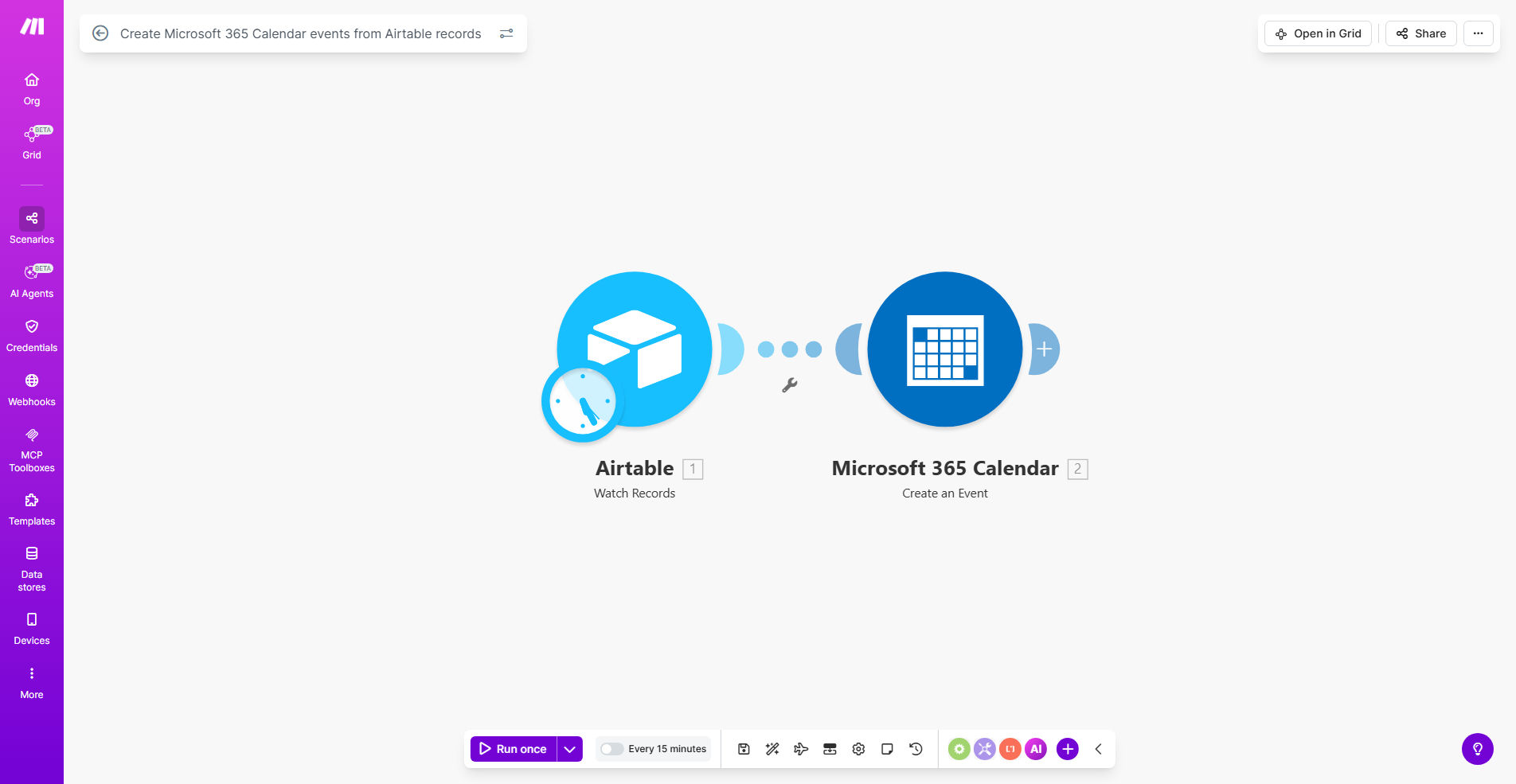
Diagram showing Airtable records syncing to Microsoft 365 Calendar events

What This Workflow Does

This automation bridges the gap between your Airtable database and Microsoft 365 Calendar, automatically creating calendar events from Airtable records. It solves the common problem of maintaining two separate systems for scheduling - your operational database (Airtable) and your team's calendar (Microsoft 365).

By automating this connection, you ensure that every meeting, appointment, or deadline entered in Airtable immediately appears in the appropriate calendars. This eliminates manual data entry errors, reduces administrative overhead, and keeps all team members synchronized with the latest schedule information.

How It Works

1. Airtable Trigger

The workflow monitors your specified Airtable base for new or updated records in your events table. You can configure it to watch for specific changes like new entries, date modifications, or status updates.

2. Data Mapping

The automation extracts relevant fields from Airtable (event title, description, date/time, attendees, etc.) and formats them according to Microsoft 365 Calendar's requirements. You can customize exactly which fields map to which calendar properties.

3. Calendar Event Creation

Using Microsoft Graph API, the workflow creates a new calendar event or updates an existing one with the mapped Airtable data. It handles all the technical authentication and API calls behind the scenes.

4. Status Updates

Optionally, the workflow can update your Airtable record with the created calendar event ID or status confirmation, creating a complete two-way audit trail of all scheduled events.

Who This Is For

This automation is ideal for:

  • Teams using Airtable as their source of truth for schedules and appointments
  • Businesses that need to coordinate multiple calendars from a central database
  • Organizations managing client meetings, internal events, or project deadlines
  • Operations teams tired of manually copying data between systems

What You'll Need

  1. Airtable account with your events data
  2. Microsoft 365 business account with calendar permissions
  3. Make.com account (free tier sufficient for testing)
  4. Basic understanding of your Airtable structure

Quick Setup Guide

  1. Copy this template to your Make.com account
  2. Connect your Airtable account and select your base/table
  3. Connect your Microsoft 365 account and select the target calendar
  4. Map your Airtable fields to the corresponding calendar event fields
  5. Test with a sample record and deploy when satisfied

Key Benefits

Eliminates double data entry by automatically syncing your Airtable records to Microsoft 365 Calendar, saving 2-3 hours per week on administrative tasks.

Reduces scheduling errors by ensuring calendar events always match your Airtable data, with automatic updates when records change.

Improves team coordination by giving everyone immediate visibility into scheduled events through their Outlook calendars.

Creates audit trails by optionally recording calendar event IDs back in Airtable for complete tracking.

Scales effortlessly as your scheduling needs grow, handling hundreds of events without additional manual work.

Frequently Asked Questions

Common questions about Airtable and Microsoft 365 Calendar integration

This integration eliminates manual calendar entry by automatically creating Microsoft 365 events from Airtable records. It ensures all team members have up-to-date scheduling information while reducing data entry errors and saving 2-3 hours per week on administrative tasks.

For example, a marketing team can manage their content calendar in Airtable while having all deadlines automatically appear in team members' Outlook calendars, ensuring no missed deadlines.

The workflow excels at managing recurring events like team meetings, client appointments, and project deadlines. It's particularly valuable for businesses that track schedules in Airtable but need those events to appear in employees' Outlook calendars.

Common use cases include sales appointment scheduling, project milestone tracking, and internal team meeting coordination where multiple stakeholders need visibility.

The automation provides near real-time syncing with 99.9% reliability when properly configured. Each Airtable record update triggers an immediate calendar update, maintaining data consistency across both platforms without manual intervention.

Make.com's infrastructure ensures the connection remains stable even during high-volume scheduling periods or when managing complex event hierarchies.

Yes, the template allows full customization of field mappings. You can specify which Airtable fields become event titles, descriptions, locations, start/end times, and attendee lists to match your specific workflow requirements.

This flexibility means you can adapt the automation to any Airtable structure, whether you're tracking simple meetings or complex multi-day events with multiple participants.

The automation handles updates automatically. When you modify the date/time in Airtable, it updates the corresponding calendar event. If you delete an Airtable record, it can optionally remove the calendar event as well.

This ensures your calendar always reflects the current state of your Airtable schedule without requiring manual cleanup of canceled or changed events.

Automation reduces scheduling errors by 80% and cuts the time spent on calendar management by 75%. It also ensures all stakeholders always have the latest schedule information without requiring manual updates across multiple platforms.

Unlike manual processes, the automated solution scales effortlessly as your scheduling needs grow, maintaining accuracy and consistency regardless of event volume.

Absolutely. Our team specializes in building tailored automation solutions that connect Airtable with Microsoft 365 Calendar to match your exact business processes and requirements.

We can create custom workflows that handle complex scheduling scenarios, integrate with additional systems, and include advanced features like conditional logic, multi-calendar support, and specialized notifications.

  • Custom field mappings for unique Airtable structures
  • Multi-calendar support for different departments/teams
  • Advanced conditional logic for special event types

Need a Custom Calendar Automation?

This free template is a starting point. Our team builds fully tailored automation systems for your specific business needs.