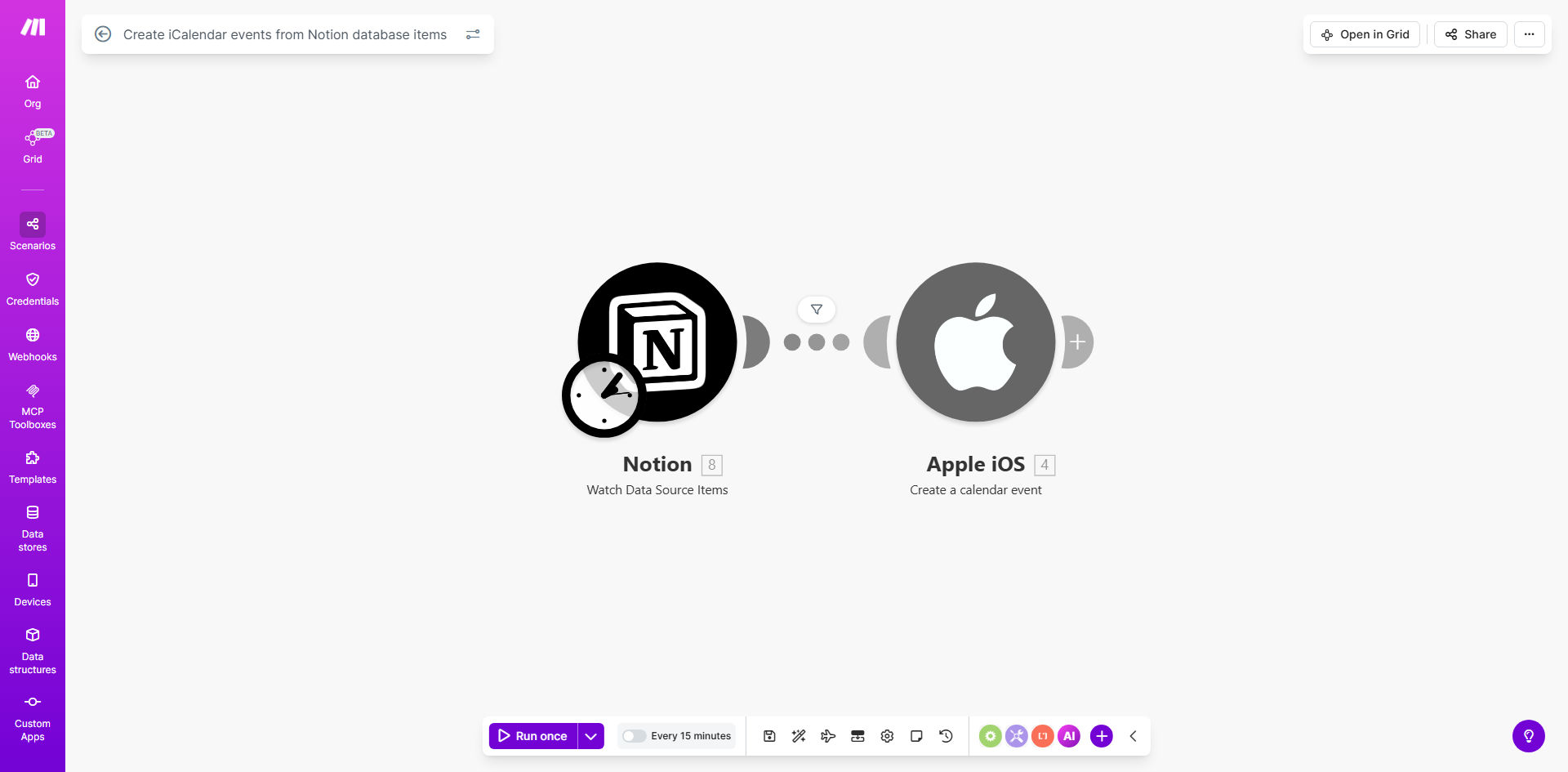
What This Workflow Does
This automation bridges the gap between your Notion task management system and your calendar applications by automatically converting database items into iCalendar (.ics) events. It solves the common problem of having important dates and tasks trapped in Notion while your calendar remains disconnected.
The workflow monitors your specified Notion database for new or updated items, extracts relevant information like event titles, dates, and descriptions, then generates standardized iCalendar files that can be imported into any calendar application (Google Calendar, Outlook, Apple Calendar, etc.). This creates a seamless two-way system where your Notion workspace becomes the single source of truth for scheduling.
How It Works
1. Notion Database Trigger
The workflow starts by monitoring your specified Notion database for changes. You can configure it to watch for new items, updates to existing items, or both.
2. Data Extraction
For each qualifying database item, the workflow extracts the relevant properties you've mapped - typically including title, date/time, description, and any other fields you want included in the calendar event.
3. iCalendar Generation
The system converts the extracted data into the standard iCalendar format, creating .ics files with proper event metadata that calendar applications can understand.
4. Output Delivery
The generated calendar events can be delivered through multiple channels: emailed as attachments, saved to cloud storage, or sent directly to calendar applications via API.
Pro tip: Use Notion's "Last edited time" property to ensure you only process recently updated items, reducing unnecessary automation runs.
Who This Is For
This workflow is ideal for Notion power users who manage schedules, deadlines, or appointments within their databases. It's particularly valuable for:
- Project managers tracking milestones and deadlines
- Freelancers managing client appointments and deliverables
- Teams coordinating meetings and collaborative work sessions
- Students organizing class schedules and assignment due dates
- Anyone who wants their Notion tasks visible in their daily calendar view
What You'll Need
- A Notion account with a database containing date fields
- A Make.com account (free tier available)
- Integration access between Notion and Make.com
- A calendar application that supports .ics file imports
Quick Setup Guide
- Connect your Notion account to Make.com using the integration
- Select the database you want to monitor for calendar events
- Map your Notion properties to corresponding calendar event fields
- Configure how often the workflow should check for updates
- Set your preferred delivery method for the generated .ics files
- Test with a sample Notion item to verify the calendar event appears correctly
Key Benefits
Eliminates manual calendar entry: Save 5-10 minutes per event by automating what would otherwise be a tedious copy-paste process between apps.
Reduces scheduling errors: Automated mapping ensures event details transfer accurately from Notion to your calendar, minimizing human error in transcription.
Creates system visibility: Team members who don't use Notion regularly can still stay informed through their preferred calendar application.
Works across all calendar platforms: The iCalendar standard ensures compatibility with Google Calendar, Outlook, Apple Calendar, and most other calendar services.
Maintains a single source of truth: All scheduling originates in Notion, preventing version control issues that arise when managing events in multiple places.