Make.com Fakturoid Google Sheets CRM Automation Data Sync

Add new Fakturoid contacts to a Google Sheets spreadsheet

Automatically sync customer data between your invoicing system and spreadsheets with zero manual work

Get This Workflow → Make.com · Fakturoid · Free Template
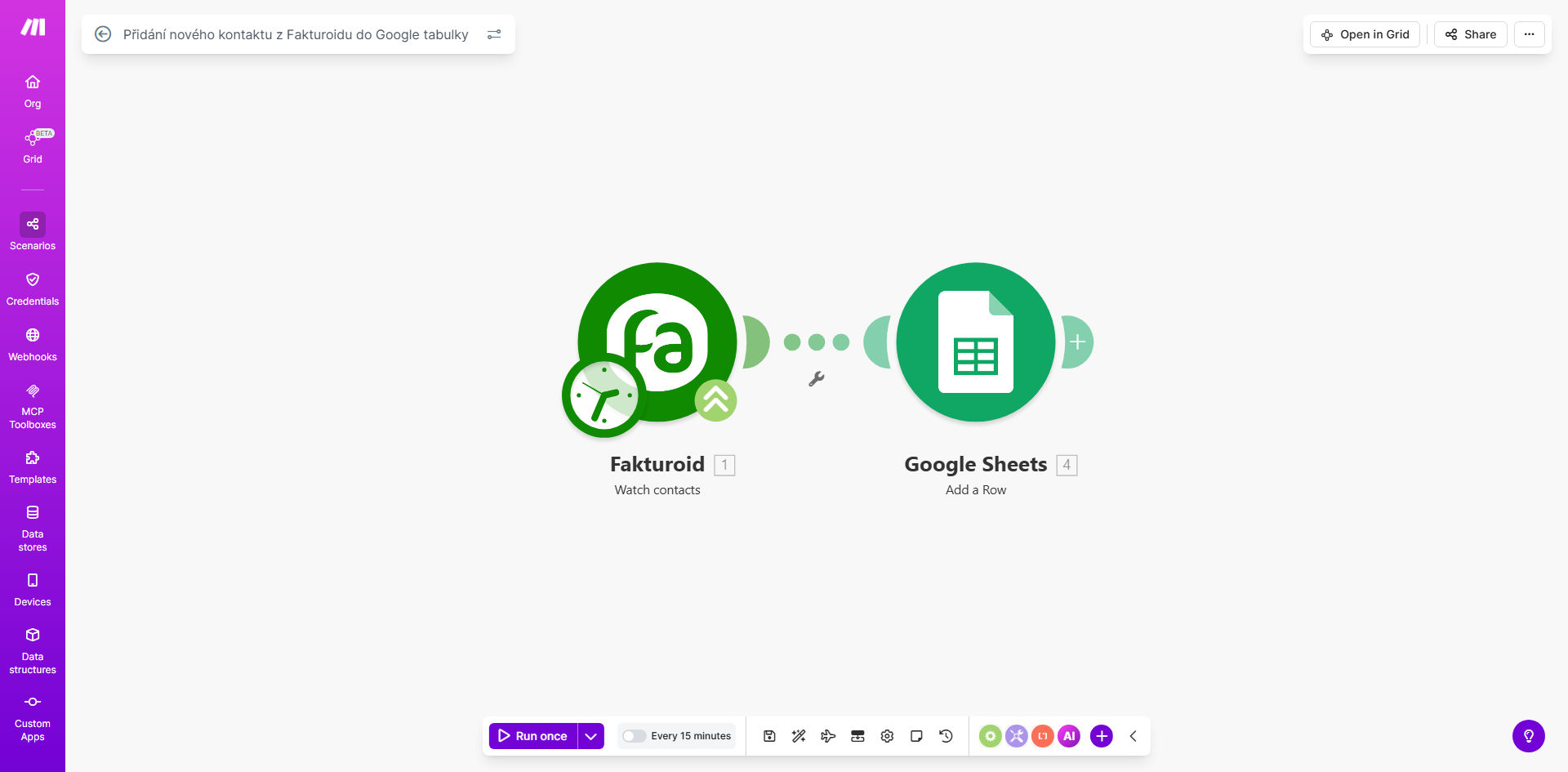
Fakturoid to Google Sheets automation workflow diagram

What This Workflow Does

This automation solves the tedious manual process of copying customer information from Fakturoid (a popular invoicing and accounting platform) into Google Sheets for reporting, analysis, or sharing with team members. Every time a new contact is created in your Fakturoid account, the workflow automatically adds that contact's complete details as a new row in your designated Google Sheet.

The template eliminates human error in data transfer and ensures your spreadsheet always reflects the latest customer information. It's particularly valuable for businesses that need to:

  • Maintain a backup of customer data outside Fakturoid
  • Share customer information with team members who don't have Fakturoid access
  • Perform custom reporting or analysis that's not possible within Fakturoid
  • Integrate customer data with other systems that connect to Google Sheets

How It Works

1. Trigger: New Fakturoid Contact

The workflow starts whenever a new contact is created in your Fakturoid account. Make.com monitors your Fakturoid instance in real-time through API connections.

2. Data Extraction

The automation retrieves all available contact information including name, email, phone number, address, and any custom fields you've defined in Fakturoid.

3. Google Sheets Preparation

The workflow checks your designated Google Sheet to ensure proper column headers exist and prepares the new row structure.

4. Data Mapping

Contact fields from Fakturoid are mapped to corresponding columns in your Google Sheet according to your preferred format.

5. Row Addition

The complete contact record is appended as a new row at the bottom of your spreadsheet, with all data properly formatted.

Who This Is For

This automation is ideal for:

  • Small businesses using Fakturoid for invoicing who need better customer data accessibility
  • Accounting teams that require spreadsheet backups of client information
  • Sales teams who need customer data in Google Sheets for CRM purposes
  • Business owners who want to analyze customer demographics or purchasing patterns
  • Service providers who share client lists with subcontractors or team members

What You'll Need

  1. An active Fakturoid account with contacts
  2. A Google Sheets spreadsheet (new or existing)
  3. A Make.com account (free plan sufficient for basic use)
  4. Editor access to the Google Sheet you want to populate
  5. Approximately 15 minutes for initial setup

Quick Setup Guide

  1. Click "Get This Workflow" to copy the template to your Make.com account
  2. Connect your Fakturoid account in Make.com's Fakturoid module
  3. Connect your Google account and select your target spreadsheet
  4. Map the Fakturoid contact fields to your desired Google Sheet columns
  5. Test the workflow by creating a new contact in Fakturoid
  6. Activate the scenario to begin automatic syncing

Key Benefits

Save 2-5 hours per week by eliminating manual data entry between systems. No more copying and pasting customer details.

100% data accuracy with automated transfers that prevent human errors in transcription or formatting.

Real-time updates ensure your spreadsheet always reflects your current customer base without refresh delays.

Customizable fields let you choose exactly which contact information to include in your spreadsheet.

Scalable solution that works whether you add 5 or 500 new contacts per month.

Frequently Asked Questions

Common questions about Fakturoid and Google Sheets automation

Syncing Fakturoid contacts to Google Sheets creates a centralized customer database that's easily accessible for reporting, analysis, and sharing with team members who may not have Fakturoid access. It provides backup protection for your contact data and enables custom data manipulation that isn't possible within Fakturoid alone.

For example, marketing teams can create mail merges directly from the spreadsheet, while management can generate pivot tables to analyze customer demographics or purchasing patterns without needing Fakturoid expertise.

The workflow updates your Google Sheet in real-time whenever a new contact is created in Fakturoid. There's no delay - as soon as the contact appears in Fakturoid, it's immediately added to your spreadsheet with all relevant details.

Make.com polls Fakturoid's API continuously, typically detecting new contacts within seconds. The actual transfer to Google Sheets then happens near-instantaneously, depending on your internet connection speed.

By default, the template transfers all standard Fakturoid contact fields including name, email, phone, address, and custom fields. You can easily customize which fields are included to match your specific reporting or CRM needs.

The template is designed to be modified - you might choose to exclude sensitive data like tax IDs, or add calculated fields like customer lifetime value that combine Fakturoid data with other sources.

Yes, the automation appends new contacts as rows to your existing spreadsheet without modifying current data. You can run historical exports from Fakturoid first if you need to populate past contacts before activating the automation.

For businesses transitioning to this automated system, we recommend:

  • Exporting your full Fakturoid contact list as CSV
  • Importing that CSV to your Google Sheet
  • Then activating the automation for future contacts

The template can be duplicated and modified to send contacts to different spreadsheets based on criteria like contact type, region, or custom tags. This allows for segmented contact management across departments or business units.

For instance, you might route:

  • B2B clients to your sales team's spreadsheet
  • Retail customers to marketing's list
  • International contacts to your global operations sheet

Make.com workflows have enterprise-grade reliability with error handling and retry mechanisms. For mission-critical operations, we recommend adding validation steps and periodic manual checks until you're confident in the automation's performance.

Key reliability features include:

  • Automatic retries for failed transfers
  • Error notifications via email or Slack
  • Detailed execution logs for troubleshooting

Absolutely. GrowwStacks specializes in building tailored automation solutions that connect Fakturoid with Google Sheets and other business tools. Our consultants can design workflows that match your exact data structure and business processes.

Custom solutions might include:

  • Two-way sync between systems
  • Advanced data validation rules
  • Integration with additional platforms like your CRM or email marketing tool

Need a Custom Fakturoid Automation?

This free template is a starting point. Our team builds fully tailored automation systems for your specific business needs.