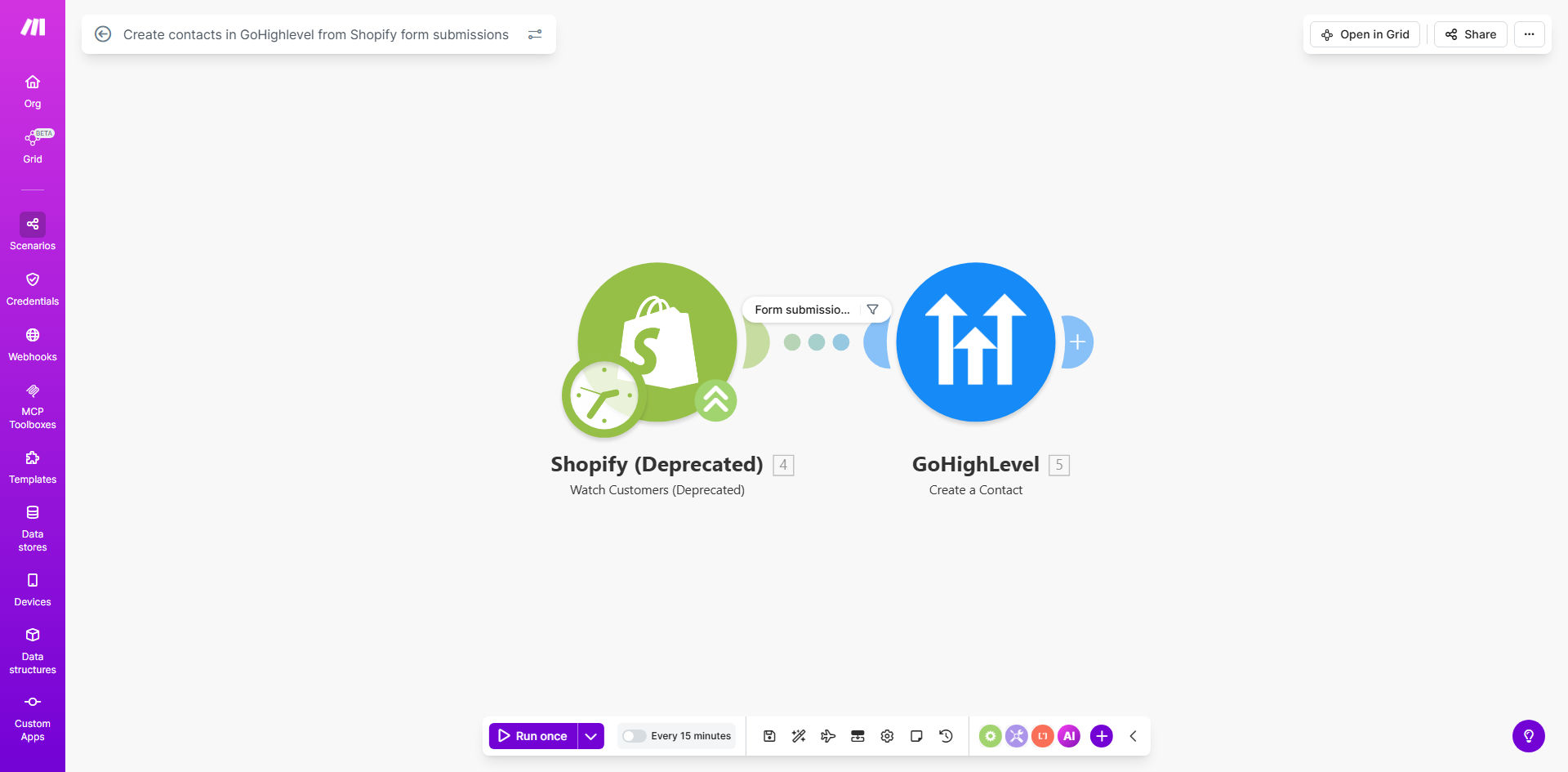
What This Workflow Does
This automation solves the common problem of disconnected customer data between Shopify stores and CRM systems. When customers submit forms on your Shopify store (contact forms, lead capture forms, etc.), their information often gets stuck in Shopify without flowing into your marketing systems. This creates missed opportunities for follow-up and relationship building.
The workflow automatically creates GoHighLevel contacts whenever a form is submitted on your Shopify store. It maps all form field data to the corresponding GoHighLevel contact fields, ensuring your sales and marketing teams have immediate access to new leads. This eliminates manual data entry, reduces errors, and accelerates your ability to engage new contacts with targeted campaigns.
How It Works
1. Shopify Form Submission Trigger
The workflow monitors your Shopify store for new form submissions. Whenever a customer submits any form (contact, lead capture, product inquiry, etc.), the automation is triggered.
2. Data Extraction and Mapping
The system extracts all submitted form fields (name, email, phone, custom fields) and prepares them for transfer to GoHighLevel. You can configure which Shopify fields map to which GoHighLevel contact properties.
3. Contact Creation in GoHighLevel
The workflow creates a new contact in GoHighLevel with all the submitted data. It can also apply tags, add to specific lists, or trigger automation sequences based on the form type.
4. Error Handling and Notifications
If any issues occur during the transfer (like duplicate contacts or validation errors), the system can notify your team or attempt alternative processing methods.
Who This Is For
This workflow is ideal for ecommerce businesses using Shopify that want to:
- Automate lead capture from Shopify forms into their CRM
- Trigger immediate marketing sequences for new leads
- Eliminate manual data entry between systems
- Improve sales follow-up timing and effectiveness
- Create segmented contact lists based on form submissions
What You'll Need
- An active Shopify store with forms enabled
- A GoHighLevel account with API access
- A Make.com account (free tier works for basic setups)
- List of which Shopify form fields should map to which GoHighLevel properties
Quick Setup Guide
- Install the template in your Make.com account
- Connect your Shopify store API credentials
- Connect your GoHighLevel API credentials
- Map your Shopify form fields to GoHighLevel contact properties
- Configure any additional rules (tags, lists, sequences)
- Test with sample form submissions
- Activate the workflow for live use
Key Benefits
Eliminate manual data entry - Save 5-15 minutes per form submission that would otherwise require copying data between systems.
Faster lead response times - New contacts appear in GoHighLevel within seconds, allowing immediate marketing automation triggers.
Improved data accuracy - Automated transfers eliminate human errors in copying contact information.
Enhanced segmentation - Different form types can trigger different GoHighLevel tags and sequences for targeted marketing.
Scalable lead management - Handle hundreds or thousands of form submissions without additional staff time.
Pro tip: Use this workflow in combination with GoHighLevel's automation sequences to send immediate follow-up emails when high-intent forms (like product inquiries) are submitted.