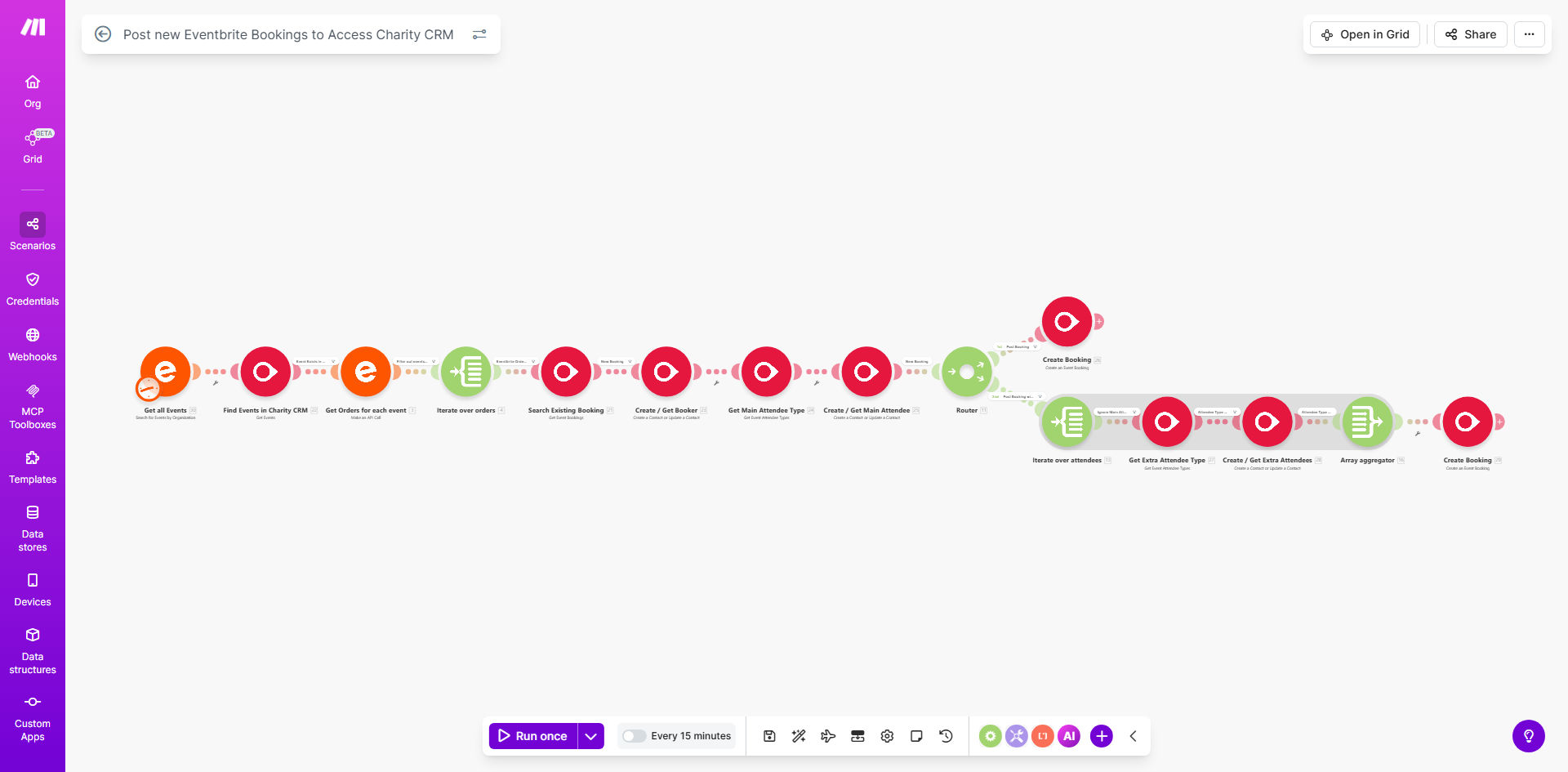
What This Workflow Does
This automation solves a critical pain point for charities and nonprofits that host events through Eventbrite while managing donor relationships in Access Charity CRM. Manually transferring attendee data between these systems consumes valuable staff time and introduces potential errors.
The workflow automatically checks for new Eventbrite bookings every 15 minutes (configurable) and creates corresponding records in Access Charity CRM. It captures all essential attendee information including contact details, ticket types, payment status, and any custom questions answered during registration.
How It Works
1. Scheduled Eventbrite Check
The workflow begins by querying Eventbrite's API for new bookings since the last check. It identifies completed registrations ready for processing.
2. Data Extraction
For each new booking, the system retrieves attendee details, event information, order history, and any custom registration form responses.
3. CRM Record Creation
The workflow transforms the Eventbrite data into the appropriate format and creates a new contact or updates an existing record in Access Charity CRM.
Pro tip: Configure custom field mappings to ensure all your essential event data flows into the correct CRM fields, including any special tracking codes or segmentation tags.
Who This Is For
This automation is ideal for:
- Nonprofits using Eventbrite for event registration
- Charities that track donor journeys in Access Charity CRM
- Fundraising teams needing real-time attendee data
- Organizations running multiple events annually
- Teams wanting to eliminate manual data entry errors
What You'll Need
- Active Eventbrite account with organizer permissions
- Access Charity CRM login credentials
- Make.com account (free tier available)
- API access enabled for both systems
- Field mapping plan between Eventbrite and CRM fields
Quick Setup Guide
- Copy the template to your Make.com account
- Connect your Eventbrite account via OAuth
- Configure your Access Charity CRM API connection
- Map Eventbrite fields to corresponding CRM fields
- Set your preferred sync frequency (default: 15 minutes)
- Test with a recent event registration
- Activate the automation
Key Benefits
Save 5-10 hours per event by eliminating manual data entry between systems. Staff can focus on donor engagement rather than administrative tasks.
Reduce registration errors by 90% with automated data transfer that avoids typos and missed fields common in manual processes.
Enable real-time donor follow-up as new attendees immediately appear in your CRM system, allowing timely thank-you messages and engagement opportunities.
Maintain complete donor histories by automatically linking event participation to existing contact records in your CRM.
Scale event operations effortlessly as the system handles 10 or 10,000 registrations with equal reliability.