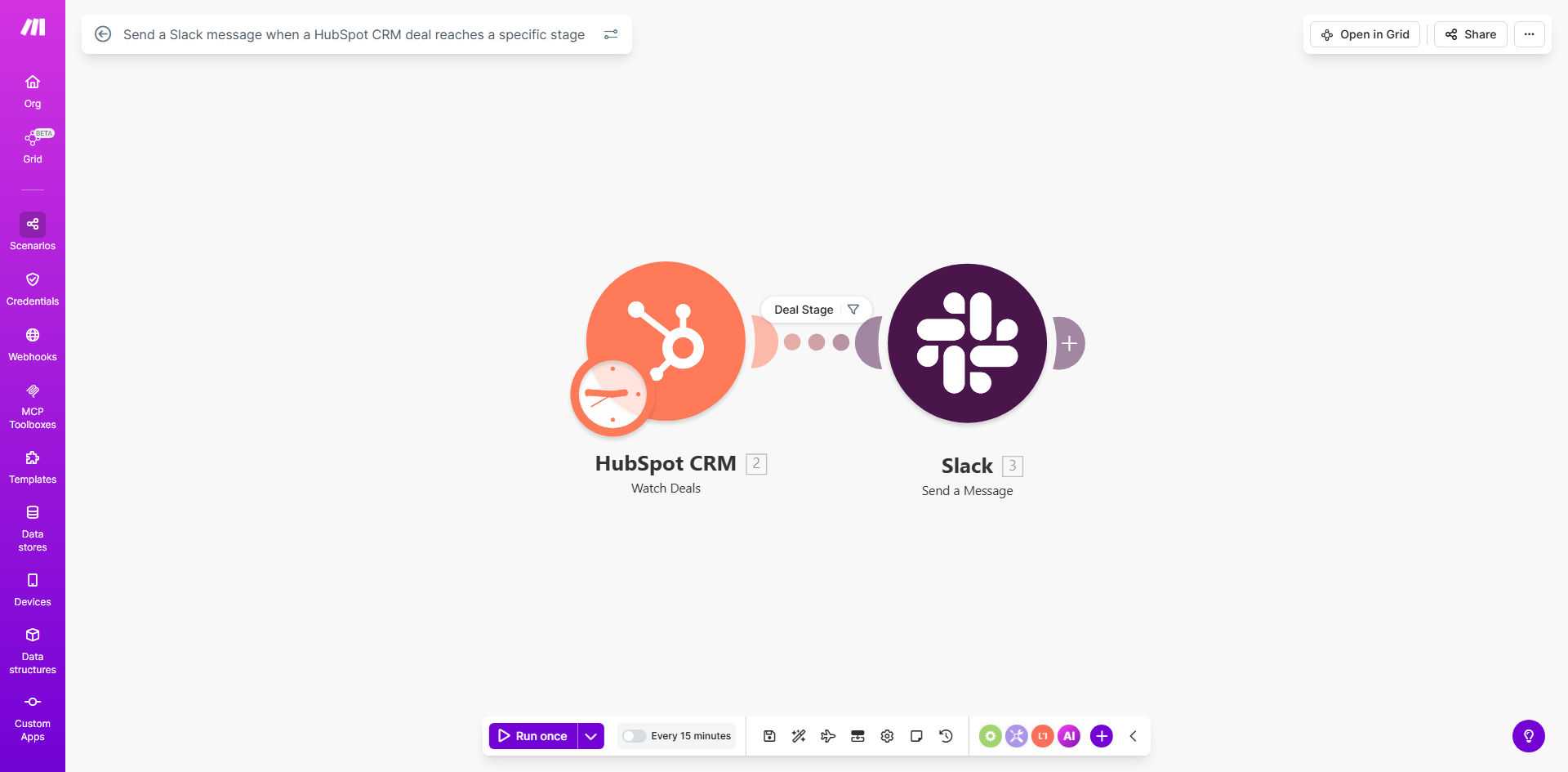
What This Workflow Does
This automation bridges HubSpot CRM and Slack to create real-time notifications when deals progress through your sales pipeline. Whenever a deal changes to a specific stage you define (like "Contract Sent" or "Negotiation"), the workflow automatically posts a customized message to your chosen Slack channel with all relevant deal details.
Sales teams waste hours manually tracking deal movements and notifying stakeholders. This workflow eliminates that friction by instantly alerting the right people when action is needed, helping accelerate deal velocity and improving forecast accuracy through better visibility.
How It Works
1. HubSpot triggers on deal stage changes
The workflow constantly monitors your HubSpot deals for stage changes. When a deal moves to or from a stage you specify, it captures all relevant deal data including amount, owner, company, and previous/new stages.
2. Data processing and message formatting
The workflow extracts key information and formats it into a clean Slack message template you customize. You can include dynamic fields like deal value, expected close date, and even emoji indicators for different stages.
3. Conditional Slack notifications
Based on rules you set, the workflow determines which Slack channel should receive the notification. You can route different deal types or amounts to specific channels, or even send direct messages to deal owners.
Pro tip: Add @mentions for deal owners in your Slack messages to ensure immediate visibility and accountability for stage transitions.
Who This Is For
This workflow delivers the most value for sales teams using HubSpot CRM who need better visibility into deal movements. It's particularly useful for:
- Sales managers tracking team pipelines
- Account executives managing complex deals
- Sales ops teams monitoring process adherence
- Customer success teams preparing for onboarding
- Executives wanting high-level deal visibility
What You'll Need
- An active HubSpot CRM account with deals configured
- A Slack workspace with appropriate channel access
- A Make.com account (free tier works for basic usage)
- Admin access to connect both apps to Make.com
- Your defined deal stages from HubSpot
Quick Setup Guide
- Clone the template in your Make.com account
- Connect your HubSpot and Slack accounts
- Map your HubSpot deal stages to the workflow
- Customize the Slack message template
- Set your target Slack channels
- Test with sample deal movements
- Activate the workflow
Key Benefits
Reduce deal slippage by 20-30% with immediate notifications prompting timely follow-ups when deals reach critical stages.
Save 5+ hours per week per sales rep by eliminating manual deal tracking and status update meetings.
Improve forecast accuracy by creating visibility into exactly when and why deals move between stages.
Accelerate team collaboration with centralized deal updates that keep all stakeholders informed automatically.
Enhance process consistency by ensuring every stage change triggers standardized notifications and next steps.