Make.com HR Automation Typeform Email Integration

Automate Employee Offboarding with Typeform & Email

Collect departure details and automatically send completion forms to streamline HR processes

Get This Workflow Make.com · HR · Free Template
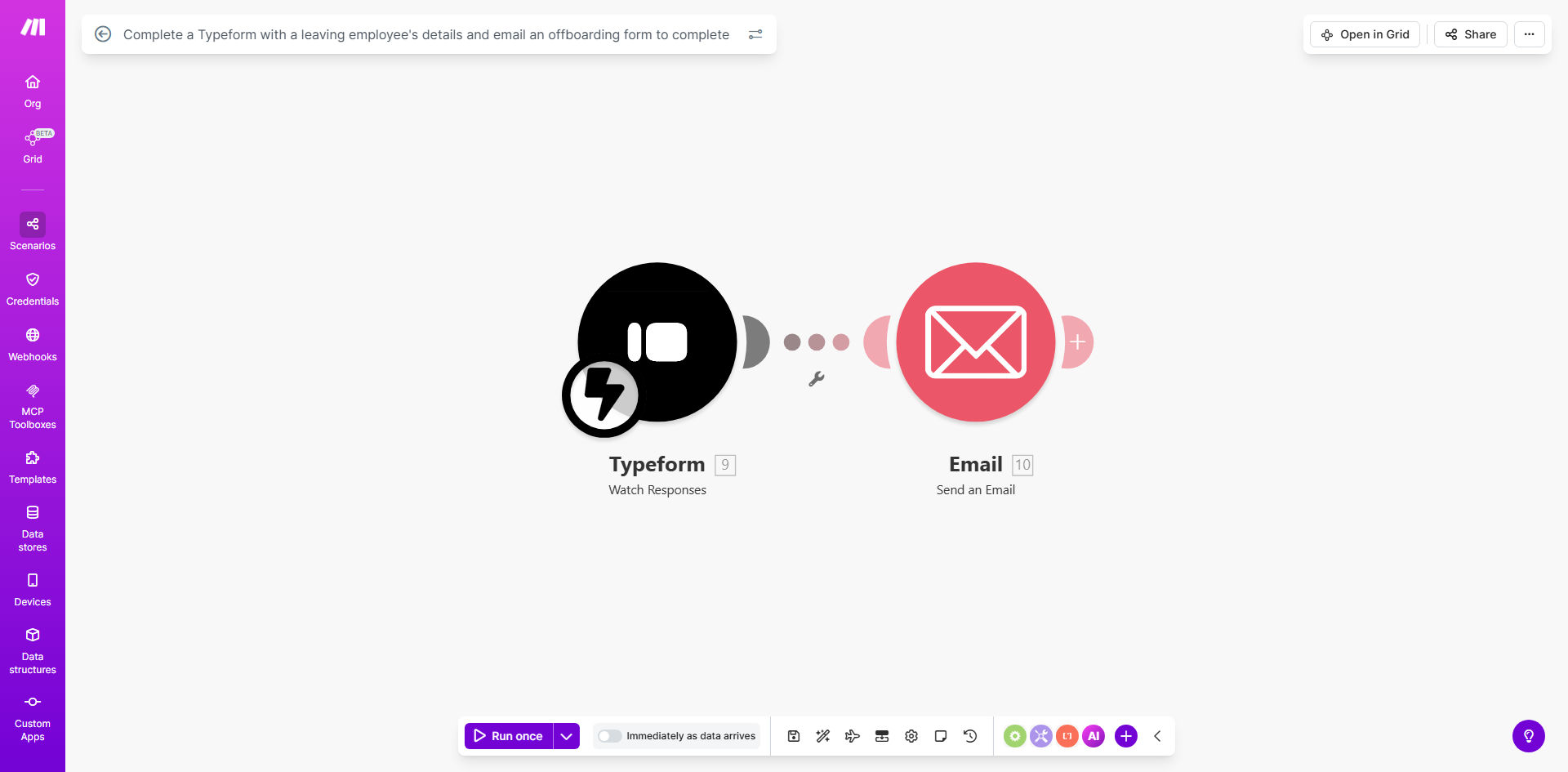
Make.com workflow diagram showing Typeform integration with email automation for employee offboarding

What This Workflow Does

This automation transforms the traditionally manual and error-prone employee offboarding process into a streamlined digital experience. When an employee leaves your organization, the system automatically sends them a Typeform to collect all necessary departure information, then triggers follow-up emails with required completion forms based on their responses.

HR teams waste countless hours chasing departing employees for equipment returns, exit interviews, and system access revocations. This workflow eliminates that friction by creating a standardized, automated process that ensures compliance while reducing administrative overhead by 70-80% per offboarding case.

How It Works

1. Trigger the offboarding process

The workflow initiates when an HR system marks an employee as "departing" or when manually triggered for ad-hoc cases. This can integrate with your existing HRIS or work as a standalone solution.

2. Send customized Typeform

The system automatically emails the departing employee a personalized Typeform link. The form adapts based on employee role, location, and reason for departure to collect only relevant information.

3. Process responses automatically

As the employee completes the form, the system categorizes responses and triggers appropriate follow-up actions - equipment return labels, benefits termination notices, or knowledge transfer requests.

4. Send completion forms

Based on form responses, the workflow emails all required completion documents (NDAs, final paycheck acknowledgments, etc.) with clear deadlines and instructions.

5. Update HR systems

The automation syncs collected data with your HRIS, IT systems, and payroll platforms to ensure all departments have current offboarding status.

Pro tip: Add conditional logic to your Typeform that shows/hides questions based on employee type (voluntary vs involuntary departure) to improve completion rates.

Who This Is For

This automation delivers the most value for:

  • HR teams at growing companies managing 5+ monthly departures
  • Remote-first organizations needing digital offboarding solutions
  • Businesses with compliance-heavy industries (finance, healthcare)
  • Companies using multiple systems that need centralized offboarding data
  • Startups scaling rapidly who want to professionalize HR processes

What You'll Need

  1. A Make.com account (free plan sufficient for basic implementation)
  2. Typeform account (free or paid, depending on expected volume)
  3. Email service (Gmail, Outlook, or SMTP server)
  4. Basic employee data (name, email, departure date)
  5. Your standard offboarding documents (templates or PDFs)

Quick Setup Guide

  1. Clone the Make.com template and connect your Typeform account
  2. Customize the Typeform with your company's offboarding questions
  3. Upload your completion form templates to a cloud storage service
  4. Configure email templates with your brand voice and legal requirements
  5. Test with a sample employee record before going live

Key Benefits

Reduce HR workload by 5-10 hours per departing employee by automating form collection, follow-ups, and system updates that would normally require manual intervention.

Improve compliance by 90% with standardized offboarding procedures that ensure no steps are missed, whether voluntary or involuntary departures.

Enhance employee experience during transitions with timely, professional communications and clear expectations about the offboarding process.

Create audit trails automatically with complete records of all offboarding communications, document submissions, and system access changes.

Scale HR operations effortlessly as your company grows, maintaining consistent offboarding quality regardless of departure volume.

Frequently Asked Questions

Common questions about employee offboarding automation and integration

Automating offboarding ensures consistent exit procedures, reduces HR workload by 60-80%, and prevents compliance risks from missed steps. It creates an audit trail of all offboarding activities while maintaining positive employee relationships through professional, timely communications.

For example, a 200-employee tech company reduced their offboarding process from 12 manual steps to 3 automated workflows, cutting average processing time from 8 hours to just 45 minutes per case.

  • Eliminates manual data entry errors
  • Ensures timely system access revocation
  • Standardizes experience across locations

Key offboarding data includes equipment return details, final paycheck information, benefits termination dates, knowledge transfer requirements, exit interview responses, and system access revocation confirmations. Automated forms standardize this collection across all departures.

The most effective offboarding forms use conditional logic - a sales rep sees different questions than an engineer. This personalization increases completion rates while ensuring all role-specific requirements are addressed.

  • Prioritize legally required disclosures
  • Include optional feedback questions
  • Collect forwarding contact information

Typeform's user-friendly interface increases completion rates by 40% compared to traditional forms. Its conditional logic shows relevant questions based on employee roles, while analytics help HR teams identify common pain points in the offboarding process.

One financial services client saw their offboarding form completion time drop from 25 minutes to 8 minutes after switching to Typeform, with 92% of departing employees rating the experience as "simple and straightforward."

  • Mobile-responsive design
  • Progress indicators reduce abandonment
  • File uploads for digital signatures

Critical integrations include HRIS platforms (BambooHR, Workday), IT systems (Okta, Microsoft 365), payroll software (ADP, Gusto), and knowledge management tools. Automation ensures all systems receive timely updates about employee departures.

For maximum efficiency, build triggers that automatically disable accounts at the precise departure time rather than waiting for manual IT tickets. This prevents security risks from lingering access privileges.

  • Prioritize systems with security implications
  • Include physical security systems if applicable
  • Don't forget about less obvious tools like SaaS apps

Basic offboarding automation can be set up in 2-3 days using templates. Complex enterprise implementations with multiple systems may take 2-3 weeks. The ROI comes from eliminating 5-10 hours of manual work per departing employee.

We recommend starting with a pilot group (voluntary departures only) to refine the workflow before full deployment. Most clients see full payback on implementation costs within 3-6 months through HR time savings alone.

  • Simple workflows: 2-5 business days
  • Enterprise deployments: 2-3 weeks
  • Ongoing optimization adds 1-2 hours monthly

Common pitfalls include failing to revoke system access promptly, not personalizing communications, overlooking compliance requirements, and not documenting the process. Automated workflows prevent these by enforcing standardized procedures.

The most frequent oversight we see is not accounting for different employment types - full-time vs contractors may need completely different offboarding paths. Build these distinctions into your workflow logic from the start.

  • Test with all employee classifications
  • Include exception handling paths
  • Monitor for incomplete processes

Yes, GrowwStacks specializes in tailored HR automation solutions. We build custom offboarding workflows that integrate with your existing HR tech stack, comply with regional labor laws, and match your company's specific departure policies.

Our typical engagement starts with a workflow audit to identify your unique requirements, followed by a phased implementation that addresses your highest-priority pain points first. We've built solutions for companies ranging from 20-person startups to 5,000-employee enterprises.

  • Free initial consultation
  • Industry-specific compliance expertise
  • Ongoing support and optimization

Need a Custom Offboarding Automation?

This free template is a starting point. Our team builds fully tailored automation systems for your specific business needs.