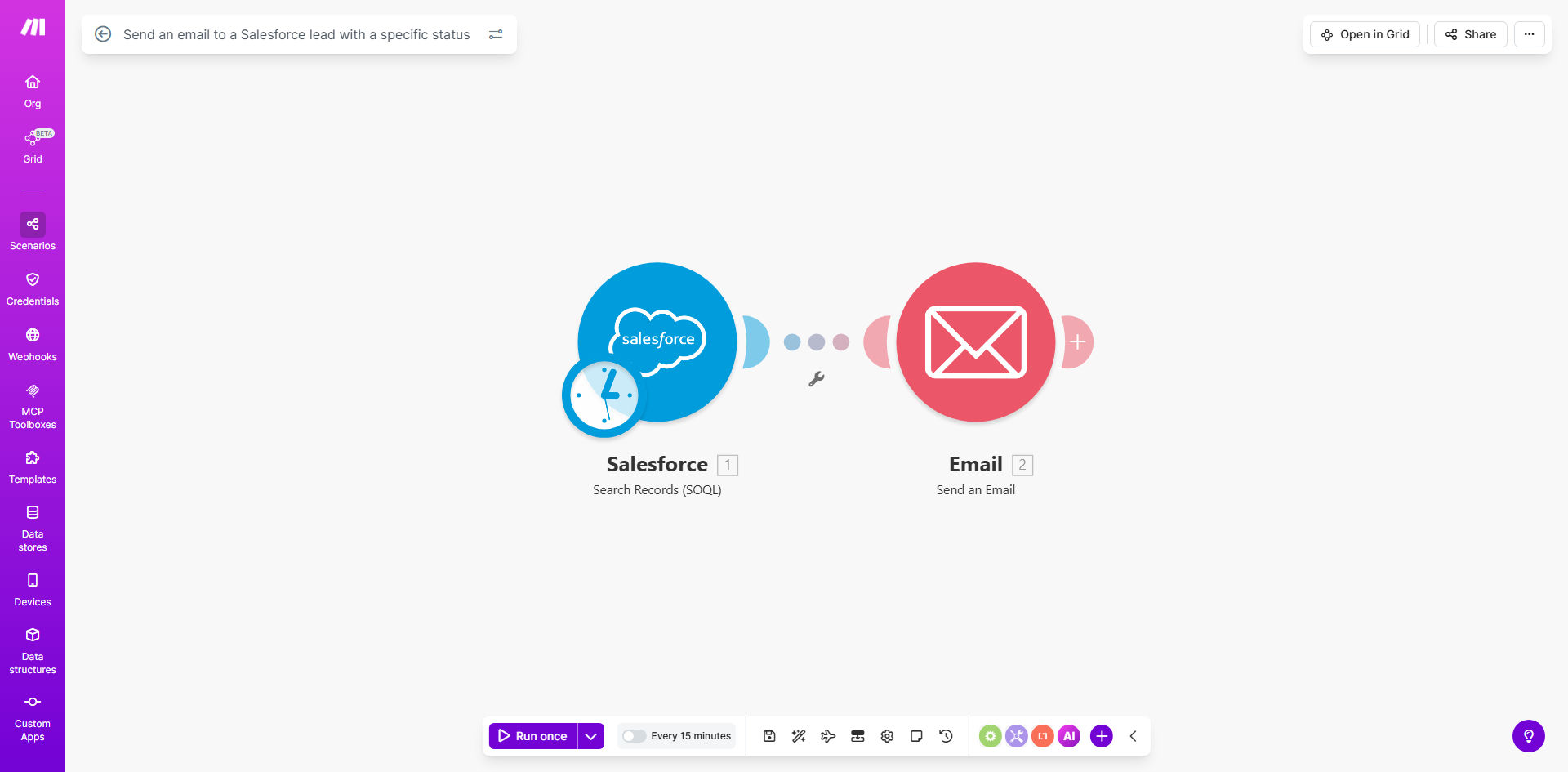
What This Workflow Does
This automation solves the challenge of manually sending status-specific emails to Salesforce leads, which often leads to inconsistent follow-ups and missed opportunities. By automatically triggering personalized emails when a lead's status changes in Salesforce, you ensure timely, relevant communication that moves prospects through your sales funnel.
The workflow monitors your Salesforce leads for status changes, then sends customized email content based on whether the lead is new, warm, qualified, or at another defined stage. This eliminates the need for sales reps to manually track status changes and compose emails, freeing up their time for higher-value activities.
How It Works
1. Monitor Salesforce for lead status changes
The workflow continuously checks your Salesforce instance for any updates to lead records, specifically watching for changes to the status field.
2. Filter leads by specific status values
When a status change is detected, the automation checks whether it matches one of your predefined status categories that should trigger an email.
3. Retrieve lead details for personalization
The system pulls relevant lead information from Salesforce to customize the email content, including name, company, and any other fields you want to reference.
4. Send status-appropriate email
Based on the lead's new status, the workflow selects and sends the corresponding pre-written email template through your connected email service.
Pro tip: Create different email templates for each major status category (e.g., "New Inquiry," "Product Demo Scheduled," "Negotiation Stage") to maximize relevance.
Who This Is For
This automation is ideal for:
- Sales teams managing high volumes of Salesforce leads
- Marketing teams implementing lead nurturing campaigns
- Businesses with defined sales pipelines and status categories
- Organizations wanting to improve lead response times
- Teams looking to reduce manual email tasks for sales reps
What You'll Need
- A Make.com account (formerly Integromat)
- Salesforce account with API access
- Email service provider connected to Make (Gmail, Outlook, Mailchimp, etc.)
- Predefined lead status values in Salesforce
- Email templates for each status category
Quick Setup Guide
- Connect your Salesforce account to Make.com
- Set up the lead monitoring module to watch for status changes
- Configure filters for each status value that should trigger an email
- Connect your email service and upload your template variations
- Map Salesforce fields to email personalization tokens
- Test with sample lead records before going live
Key Benefits
Improve response times by 80%+ by automatically emailing leads immediately when their status changes, rather than waiting for manual follow-up.
Increase conversion rates with status-specific messaging that addresses each prospect's current position in your sales funnel.
Save 5+ hours per week per sales rep by eliminating manual email composition and sending for common status transitions.
Ensure consistent messaging across your team with standardized email templates for each lead status.
Gain visibility into engagement by tracking which status-based emails generate the most responses and conversions.