What This Workflow Does
This automation solves a critical challenge for businesses using Facebook lead generation: how to respond quickly with personalized messages that convert leads into customers. Generic "thanks for contacting us" responses often get ignored, while manually crafting unique messages for each lead doesn't scale.
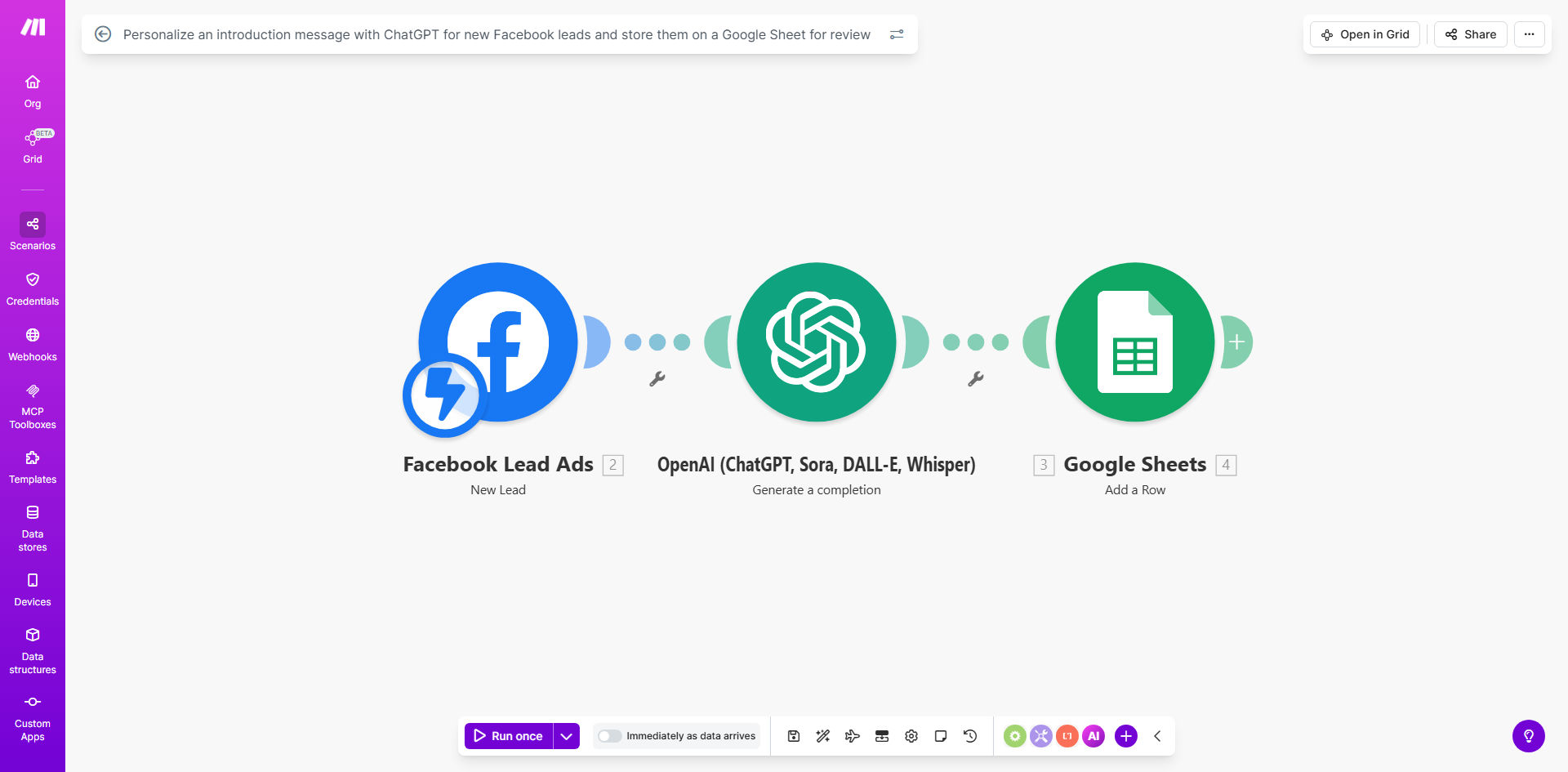
The workflow automatically generates human-like, contextually relevant introduction messages using ChatGPT whenever a new lead comes through Facebook. It analyzes available lead information to craft messages that reference specific details about how the lead found you or what they're interested in. These personalized messages are then stored in a Google Sheet where your team can review them before sending or use them for follow-up sequences.
How It Works
1. New Facebook lead trigger
The workflow starts when someone submits a lead form on your Facebook page or clicks your call-to-action button. The system captures all available information about the lead including their name, contact details, and any custom form responses.
2. ChatGPT message generation
The lead information is sent to ChatGPT with your customized prompt template. ChatGPT analyzes the data and generates a warm, professional introduction message tailored to this specific lead. You control the tone, length, and key points to include.
3. Google Sheets storage
The personalized message along with all lead details are automatically recorded in your designated Google Sheet. The sheet organizes leads by date with columns for the message, lead source, and status (pending review, sent, etc.).
4. Optional approval step
Before messages are sent, your team can review them in the Google Sheet and make any adjustments. This ensures quality control while still saving the bulk of the creative work.
Pro tip: Add a second ChatGPT step to generate follow-up message ideas based on how the lead responds to your initial contact. This creates a complete nurturing sequence.
Who This Is For
This automation is ideal for:
- Service businesses that get leads through Facebook (consultants, agencies, contractors)
- Ecommerce stores running Facebook lead ads for promotions or waitlists
- Real estate agents generating property inquiries through Facebook
- Coaches and educators who book discovery calls via Facebook
- Any business that wants to stand out with personalized lead responses
What You'll Need
- A Facebook Business account with lead ads configured
- A Make.com account (formerly Integromat)
- ChatGPT API access or OpenAI account
- A Google Sheet prepared with your desired column structure
- 10 minutes to set up the template
Quick Setup Guide
- Copy the template to your Make.com account
- Connect your Facebook Lead Ads account
- Add your OpenAI API key and customize the ChatGPT prompt
- Link your Google Sheet and map the columns
- Test with sample lead data and adjust as needed
- Activate the scenario and start receiving personalized messages
Key Benefits
35-50% higher response rates from leads who receive personalized messages versus generic templates. Personalization makes leads feel valued from the first contact.
5-7 minutes saved per lead compared to manual message writing. For 50 weekly leads, that's 4-6 hours saved every week just on initial outreach.
Consistent brand voice across all communications. ChatGPT maintains your preferred tone while adapting messages to each lead's context.
Centralized lead tracking in Google Sheets gives your team full visibility into all lead interactions and follow-up status.
Scalable personalization that grows with your lead volume. The system handles 10 or 10,000 leads with the same quality and attention to detail.