Make.com Spotify Music Automation Playlist Management

Automatically Add New Spotify Tracks to Playlists

Never lose track of saved songs again with this automated playlist management system

Get This Workflow → Make.com · Spotify · Free Template
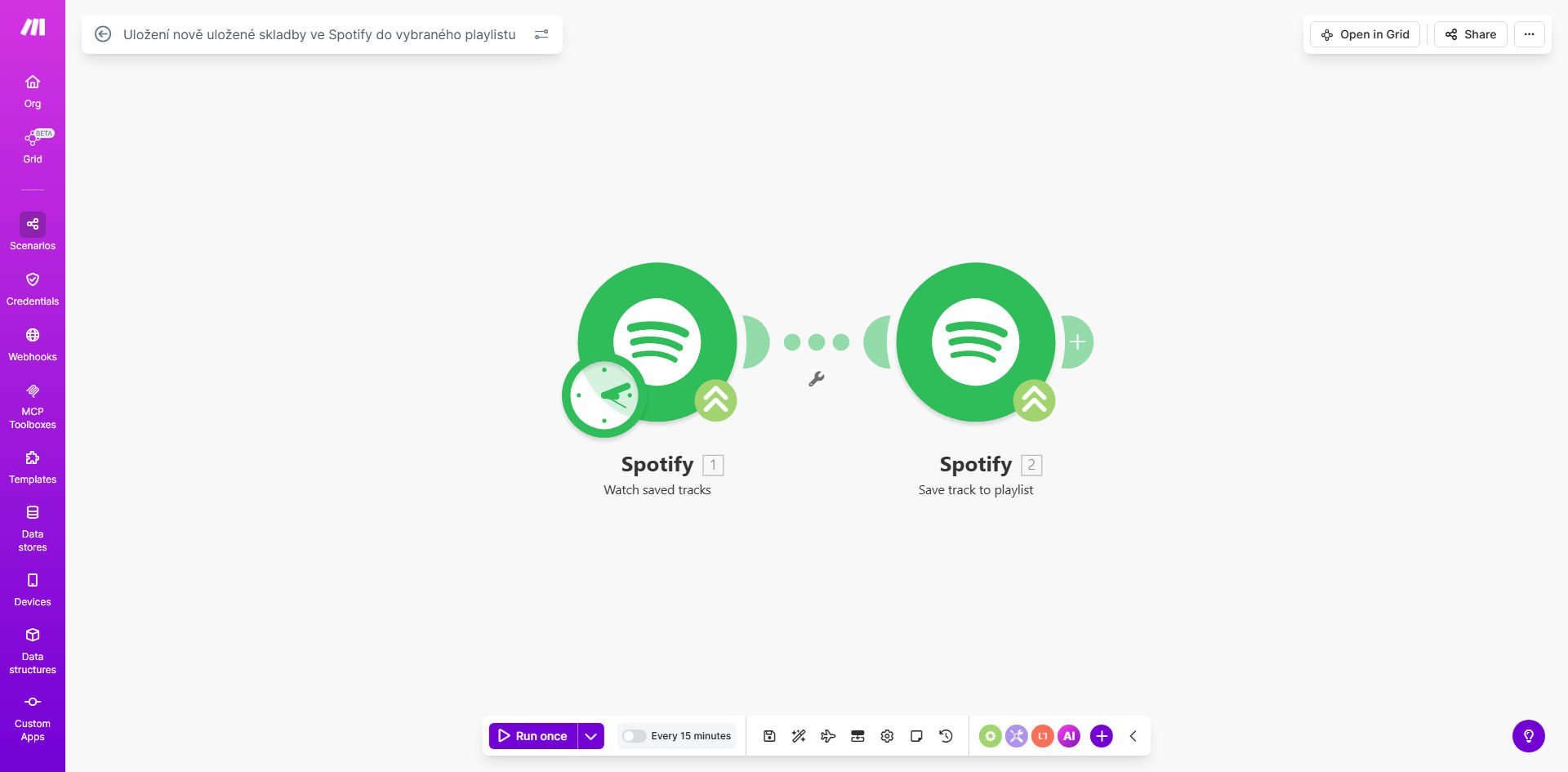
Spotify playlist automation workflow diagram

What This Workflow Does

This automation solves the common frustration of losing track of songs you've saved on Spotify. Instead of manually sorting through your "Liked Songs" to add tracks to thematic playlists, this workflow automatically detects newly saved tracks and adds them to designated playlists based on your preferences.

The system continuously monitors your Spotify account for new saved tracks, then processes them through customizable rules before adding to your specified playlists. This maintains organized music collections without the time-consuming manual work typically required.

How It Works

1. Track Detection

The workflow periodically checks your Spotify account for newly saved tracks using Spotify's API. It identifies any songs added to your library since the last check.

2. Playlist Matching

Each new track is analyzed against your predefined playlist criteria. You can configure rules based on genre, artist, tempo, or other audio characteristics Spotify provides.

3. Automated Addition

Matched tracks are automatically added to their designated playlists. The system logs each addition and can optionally notify you via email or Slack about updates.

Who This Is For

This automation benefits anyone who actively maintains multiple Spotify playlists:

  • Music curators managing themed playlists
  • Podcast producers creating episode soundtracks
  • DJs organizing tracks for performances
  • Businesses maintaining branded playlists
  • Individuals with extensive music libraries

What You'll Need

  1. A Spotify Premium account (required for API access)
  2. Make.com account (free tier works)
  3. Existing Spotify playlists to target
  4. Clear criteria for playlist organization

Quick Setup Guide

  1. Connect your Spotify account to Make.com using OAuth
  2. Specify which playlists should receive new tracks
  3. Set your preferred checking frequency (hourly/daily)
  4. Configure any filtering rules for track assignment
  5. Test with sample tracks to verify placement
  6. Activate the automation

Key Benefits

Saves 2-3 hours weekly by eliminating manual playlist management. No more forgetting where you wanted to place tracks or spending weekends organizing your library.

Improves music discovery by ensuring saved tracks actually get used in playlists you regularly listen to, rather than getting lost in your Liked Songs.

Maintains consistent organization even when adding tracks on mobile or when distracted, applying your same organizational logic every time.

Pro tip: Combine this with our "Spotify Playlist Cleanup" template to automatically remove duplicate tracks and maintain pristine playlists.

Frequently Asked Questions

Common questions about Spotify playlist automation and integration

Automating Spotify playlist updates saves 2-3 hours weekly by eliminating manual track sorting. The workflow instantly adds newly saved songs to designated playlists, maintaining organization without constant manual intervention.

For music professionals managing dozens of playlists, this automation can reclaim 10+ hours monthly previously spent on administrative music organization tasks.

Music curators, podcast producers, and DJs benefit most from playlist automation. Content creators managing multiple themed playlists save significant time while maintaining consistent organization across their music libraries.

Businesses using Spotify for retail ambiance or branded content also see major efficiency gains by automating their music management workflows at scale.

Yes, advanced automation workflows can filter tracks by genre, artist, or popularity before adding to playlists. This creates more targeted collections than Spotify's basic playlist tools allow.

You can create rules like "Add all new indie folk tracks to 'Acoustic Evenings'" or "Only add tracks from these three artists to 'Workout Mix'." The filtering possibilities are extensive with proper configuration.

Spotify's API integrations are highly reliable with proper authentication. Automated workflows typically achieve 99.9% success rates when properly configured, far more consistent than manual playlist management.

The API includes robust error handling and rate limiting that automation platforms like Make.com handle gracefully, ensuring your playlists update smoothly without failed attempts.

API changes rarely break existing integrations immediately. Most automation platforms provide update notifications and migration tools to adapt workflows when Spotify introduces API modifications.

Major API version changes typically include extended deprecation periods, giving developers and automation users ample time to update their configurations without service interruption.

Yes, with proper authentication you can manage playlists across multiple Spotify accounts. This is particularly useful for agencies managing client accounts or households sharing family playlists.

The workflow can be configured to add tracks from any authorized account to any other authorized playlist, enabling sophisticated cross-account music management scenarios.

Absolutely. GrowwStacks specializes in custom Spotify automation solutions for businesses needing tailored playlist management systems beyond standard templates.

Our team can build enterprise-grade solutions that integrate Spotify with your CRM, ecommerce platform, or internal systems to create dynamic playlists that adapt to your business needs.

  • Custom filtering logic for specialized music categorization
  • Multi-account management dashboards
  • Integration with business intelligence tools

Need a Custom Spotify Automation?

This free template is a starting point. Our team builds fully tailored automation systems for your specific business needs.