What This Workflow Does
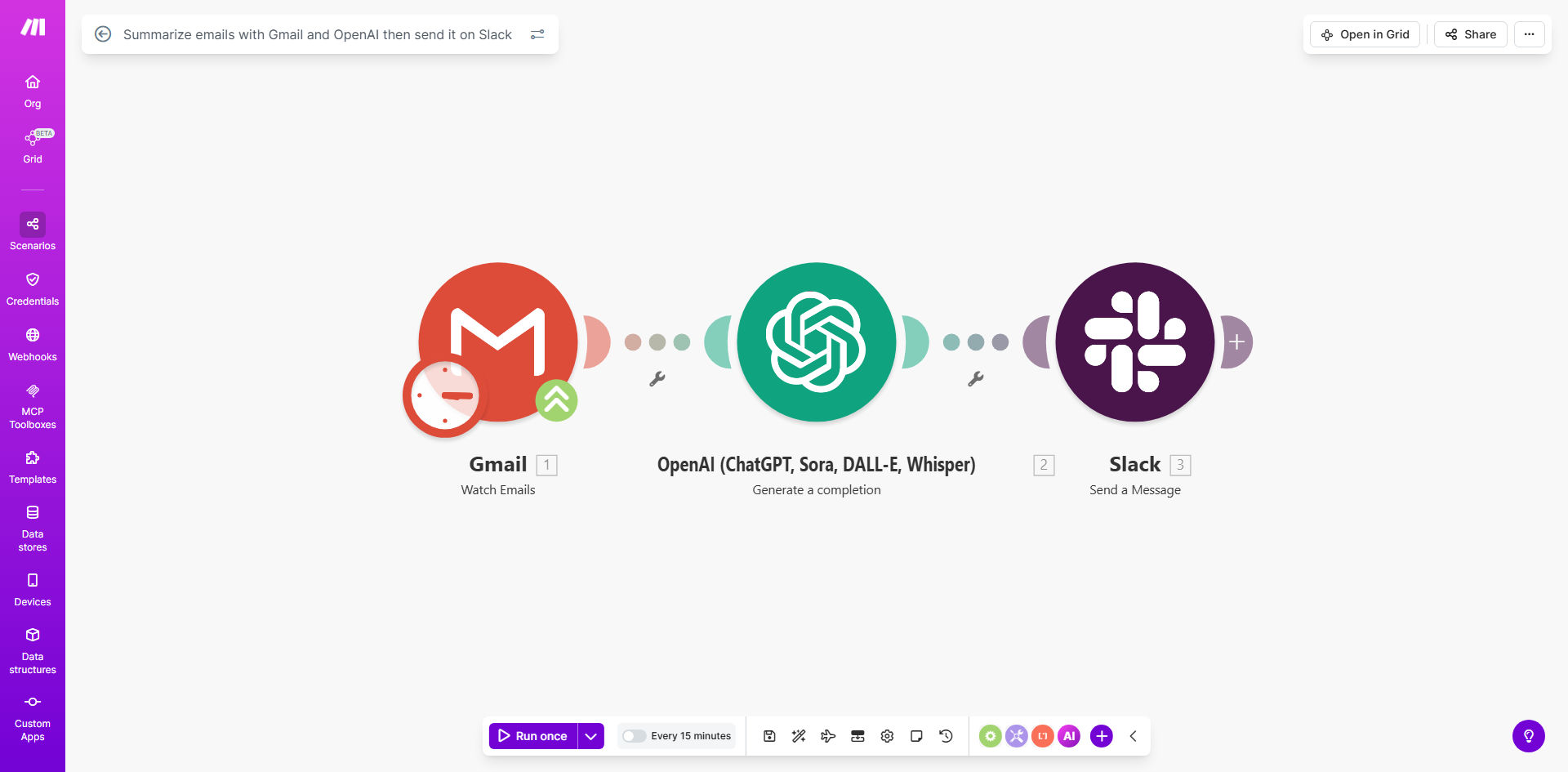
This automation solves the growing problem of email overload by using AI to extract key information from your Gmail messages and share concise summaries with your team on Slack. Instead of forwarding entire email chains or wasting time manually summarizing content, the system automatically processes incoming messages through OpenAI's natural language processing to identify and highlight the most important points.
The workflow is particularly valuable for teams managing multiple projects, executives receiving high volumes of email, or any business that needs to quickly disseminate important updates. By converting lengthy emails into bullet-point summaries, you reduce reading time by 60-70% while improving information retention and actionability.
How It Works
1. Email Trigger
The workflow monitors your Gmail account for new messages matching your specified criteria (specific senders, labels, or keywords). You can configure it to process all incoming emails or only those marked as important.
2. Content Extraction
When a matching email arrives, the system extracts the full message content while preserving formatting, attachments, and metadata. It cleans the text by removing signatures, disclaimers, and repetitive content before sending it for processing.
3. AI Summarization
OpenAI's language model analyzes the email content to identify key themes, action items, decisions, and important details. The AI generates a concise summary (configurable length) that captures the essence of the message while filtering out less critical information.
4. Slack Delivery
The final summary is formatted with clear headings and bullet points, then posted to your specified Slack channel. The message includes a link back to the original email for reference, and can be configured to @mention relevant team members when specific keywords are detected.
Pro tip: Configure different summary styles for different types of emails - brief bullet points for updates, more detailed analysis for strategic discussions, and special formatting for urgent messages.
Who This Is For
This workflow delivers the most value for:
- Busy executives who need to quickly process high volumes of email
- Project managers coordinating multiple teams and stakeholders
- Customer support leads monitoring team inboxes
- Remote teams across different time zones
- Any organization where critical information gets buried in long email threads
What You'll Need
- A Make.com account (free plan available)
- Gmail account with API access enabled
- OpenAI API key (GPT-3.5 or higher)
- Slack workspace with permissions to post messages
- 5-10 minutes for initial configuration
Quick Setup Guide
- Clone the template from Make.com to your account
- Connect your Gmail account via OAuth
- Add your OpenAI API key in the settings
- Specify your target Slack channel and optional formatting preferences
- Test with sample emails and adjust summary length as needed
- Activate the scenario and monitor initial summaries
Key Benefits
Save 5-7 hours per week per team member by eliminating manual email processing and forwarding. The AI handles the reading so your team can focus on action.
Improve meeting preparation with automatically summarized pre-read materials and follow-ups. No more scrambling to review lengthy email chains before discussions.
Create a searchable knowledge base in Slack of all important email decisions and updates. The summaries are more findable and actionable than buried emails.
Reduce information overload by filtering out non-essential content. Team members get just the key points they need without wading through paragraphs of text.
Scale executive attention by giving leaders concise overviews of important developments without requiring them to read every message.