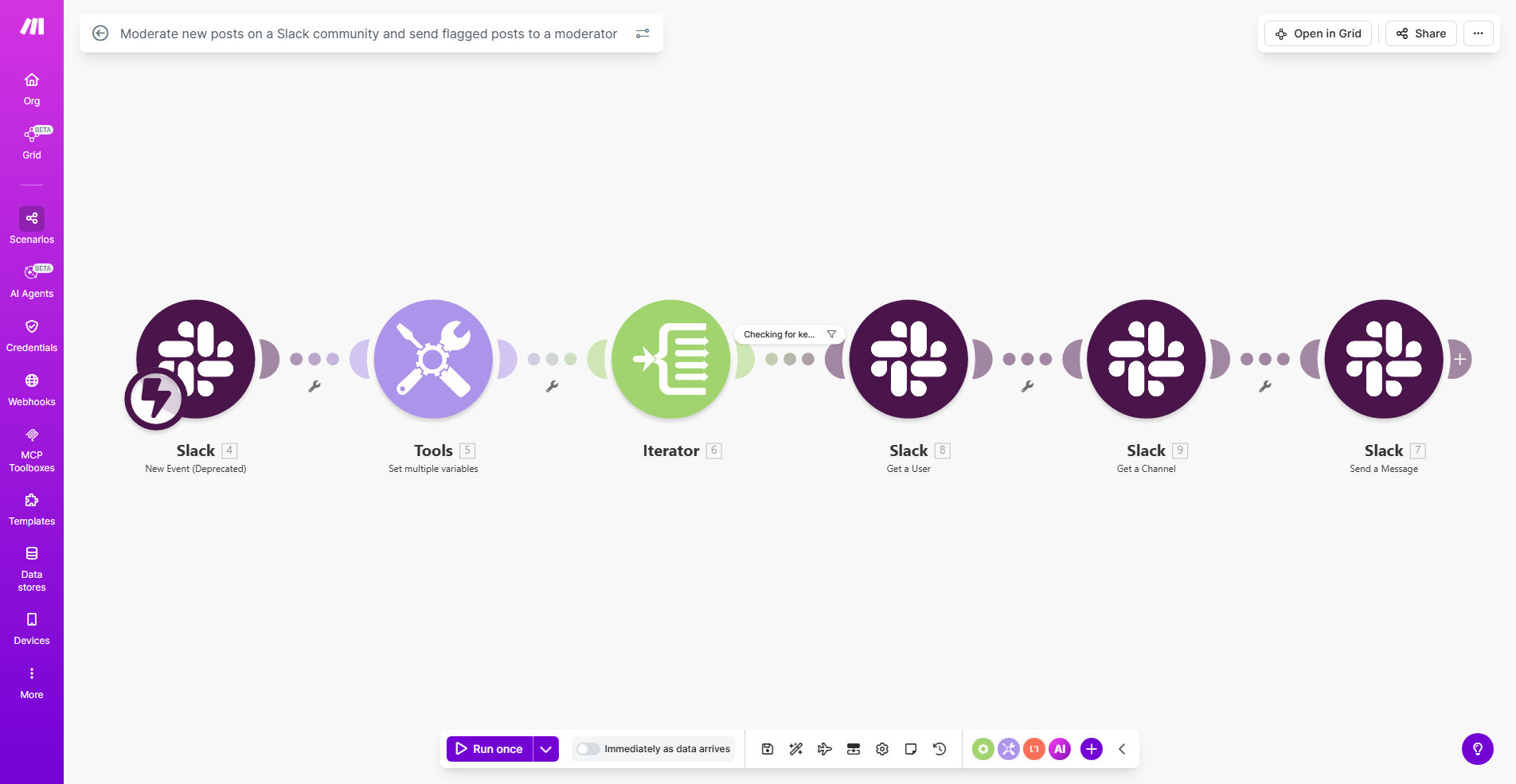
What This Workflow Does
This automation solution helps community managers maintain healthy Slack environments by automatically monitoring new posts for potential violations. It scans messages for predefined red flags (like offensive language, spam, or off-topic content) and instantly routes concerning posts to a dedicated moderator channel for review.
Unlike manual moderation that relies on member reports, this system proactively identifies issues before they escalate. It reduces moderator workload by filtering out false positives and providing context for each flagged post, enabling faster, more consistent enforcement of community guidelines.
How It Works
1. Continuous Slack Monitoring
The workflow constantly watches specified Slack channels for new messages, analyzing content in real-time without disrupting normal conversations.
2. Automated Content Analysis
Each post is checked against your customized rules - detecting keywords, links, patterns, or sentiment that might violate community standards.
3. Intelligent Flagging System
Posts that trigger your criteria are automatically flagged with severity levels and routed to moderators with full context including user history and channel rules.
4. Moderator Alert & Action
Moderators receive organized alerts in a dedicated channel where they can review, discuss, and take appropriate action on each flagged post.
Who This Is For
This automation is ideal for:
- Community managers running large Slack workspaces
- Support teams maintaining customer communities
- Companies with employee resource groups or internal communities
- Online education platforms with student discussion channels
- Any organization needing consistent, 24/7 moderation
Pro tip: Combine this with user reputation scoring to automatically restrict repeat offenders while minimizing false positives on occasional slips.
What You'll Need
- A Slack workspace with admin or owner permissions
- A Make.com account (free tier available)
- List of your community guidelines and prohibited content
- Dedicated moderator team or channel
Quick Setup Guide
- Connect your Slack workspace to Make.com
- Specify which channels to monitor
- Configure your moderation rules and keywords
- Set up the moderator notification channel
- Test with sample messages and refine your filters
Key Benefits
Reduces moderation workload by 60-80% by automatically filtering and prioritizing only posts needing human review.
Improves response times from hours to minutes with instant flagging of potential violations as they occur.
Creates consistent enforcement by applying your rules uniformly across all channels and times of day.
Provides audit trails with timestamps, moderator actions, and decision records for transparency.
Scales with your community from dozens to thousands of members without additional moderator overhead.