Lead Capture CRM Automation Typeform Folk Make.com

Add a new contact to folk from a new submission in Typeform

Automatically create Folk contacts from Typeform submissions to streamline your lead capture process

Get This Workflow → Make.com · Free Template
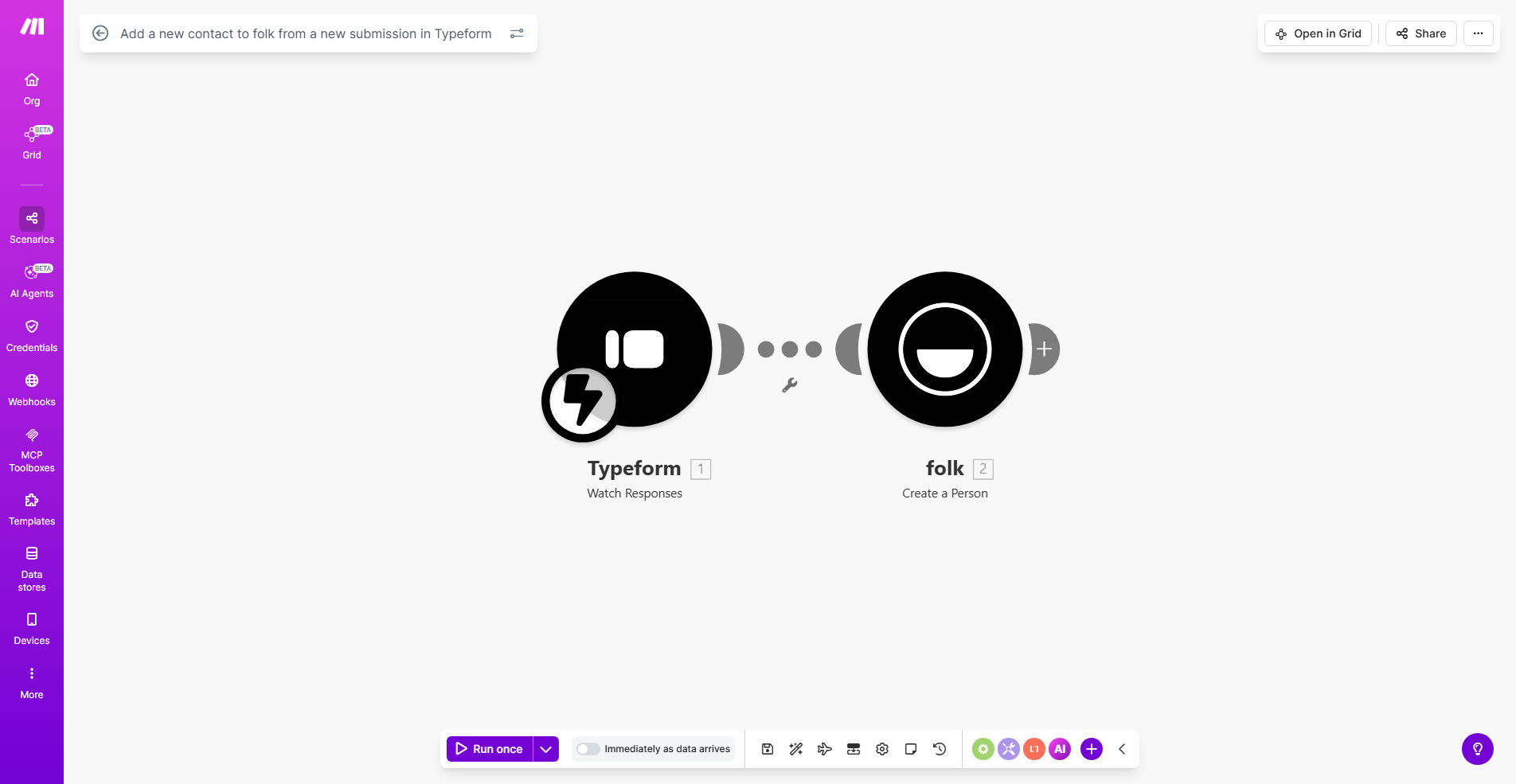
Make.com workflow diagram showing Typeform to Folk contact creation automation

What This Workflow Does

This automation instantly transforms Typeform submissions into organized Folk contacts, eliminating manual data entry. When a prospect completes your Typeform—whether it's a job application, event registration, or product inquiry—their information automatically populates as a fully-formed contact in your Folk CRM.

The workflow ensures no lead falls through the cracks by processing submissions in real-time. It handles all the tedious work of transferring names, emails, phone numbers, and custom form fields while maintaining data consistency across both platforms.

How It Works

1. Trigger: New Typeform Response

The workflow activates immediately when someone submits your Typeform. Make.com monitors your form 24/7 and captures every response as it arrives.

2. Data Parsing

The system extracts all submitted information, including answers to custom questions. It standardizes formats (like phone numbers) and can apply basic validation rules.

3. Contact Creation in Folk

Using Folk's API, the workflow creates a new contact with all relevant details. You can configure exactly which Typeform fields map to which Folk properties, including custom fields.

4. Optional Duplicate Checking

The template can be enhanced to check for existing contacts before creating new ones, preventing duplicates in your CRM.

Who This Is For

This automation delivers the most value for:

  • Sales teams capturing leads through Typeform surveys
  • Recruiters processing job applications
  • Event organizers managing attendee registrations
  • Educational institutions handling program inquiries
  • Any business using Typeform for lead generation that needs CRM organization

What You'll Need

  1. A Typeform account with an active form
  2. A Folk CRM account
  3. A Make.com account (free tier available)
  4. API access enabled for both Typeform and Folk

Pro tip: Before going live, test your workflow with sample submissions to verify all fields map correctly. Create a test contact in Folk first to see exactly how the data will appear.

Quick Setup Guide

  1. Copy this template to your Make.com account
  2. Connect your Typeform and Folk accounts
  3. Map your Typeform fields to Folk contact properties
  4. Set up duplicate checking rules if needed
  5. Turn on the workflow and test with a real submission

Key Benefits

Eliminate manual data entry - Reduce administrative work by automatically transferring form responses to your CRM. What used to take minutes per lead now happens instantly.

Never miss a lead - Automated processing means every submission gets captured, even if your team is busy or offline. The system works 24/7 without supervision.

Improve data accuracy - Automated transfers prevent typos and missing fields that often occur with manual entry. Your CRM stays clean and reliable.

Faster response times - With leads appearing in Folk immediately, your team can follow up while the prospect's interest is highest, improving conversion rates.

Frequently Asked Questions

Common questions about Typeform and Folk automation

Automating Typeform to Folk contacts eliminates manual data entry, reducing processing time from minutes to seconds per lead. This ensures no submissions are missed while freeing your team to focus on relationship-building rather than administrative tasks.

For example, a recruiting firm processing 50 job applications daily could save 10+ hours per week by automating contact creation, allowing recruiters to spend that time interviewing candidates instead of inputting data.

Sales teams, recruiters, and event organizers see the most benefit from Typeform-Folk automation. Any business collecting lead information through forms that needs to track relationships in a CRM will improve efficiency with this workflow.

Marketing agencies use it to manage client inquiries, while educational institutions automate student application processing. The common thread is needing to move form data into a structured CRM environment.

Yes, the Make.com template allows full customization of field mappings. You can match Typeform questions to specific Folk contact fields, add conditional logic, and even enrich data with additional sources before creating the contact.

This means you're not limited to basic name/email/phone transfers. Custom questions about budget, timeline, or preferences can all flow into appropriate Folk fields to create more valuable contact records.

Automated contact creation is more reliable as it eliminates human error in data transcription. The workflow ensures consistent formatting and complete records every time, while manual entry often leads to missing fields or typos that affect CRM usability.

Studies show manual data entry has a 1-4% error rate. For a business processing 1,000 leads monthly, that's 10-40 incorrect records. Automation reduces this to near-zero while maintaining data consistency.

The template can be configured to check for existing contacts before creating new ones. Options include updating existing records, skipping duplicates, or flagging potential matches for manual review - preventing CRM clutter from repeated entries.

For instance, if the same person submits multiple Typeforms (like event RSVPs), the workflow can simply update their existing Folk record with new information rather than creating redundant contacts.

The workflow processes submissions in near real-time, typically within 1-2 minutes of form completion. This instant data transfer means your sales team can follow up with hot leads while their interest is highest, improving conversion rates.

In time-sensitive scenarios like webinar registrations or limited-time offers, this immediate processing ensures you can capitalize on the prospect's moment of interest rather than waiting for manual data entry.

Yes, GrowwStacks specializes in building tailored automation solutions. Our team can create custom Typeform-Folk workflows with advanced features like lead scoring, automated follow-ups, and integration with your other business tools.

We'll analyze your specific lead capture process and design an automation system that fits perfectly with your sales pipeline and CRM practices, going far beyond what standard templates can offer.

Need a Custom Typeform-Folk Automation?

This free template is a starting point. Our team builds fully tailored automation systems for your specific business needs.