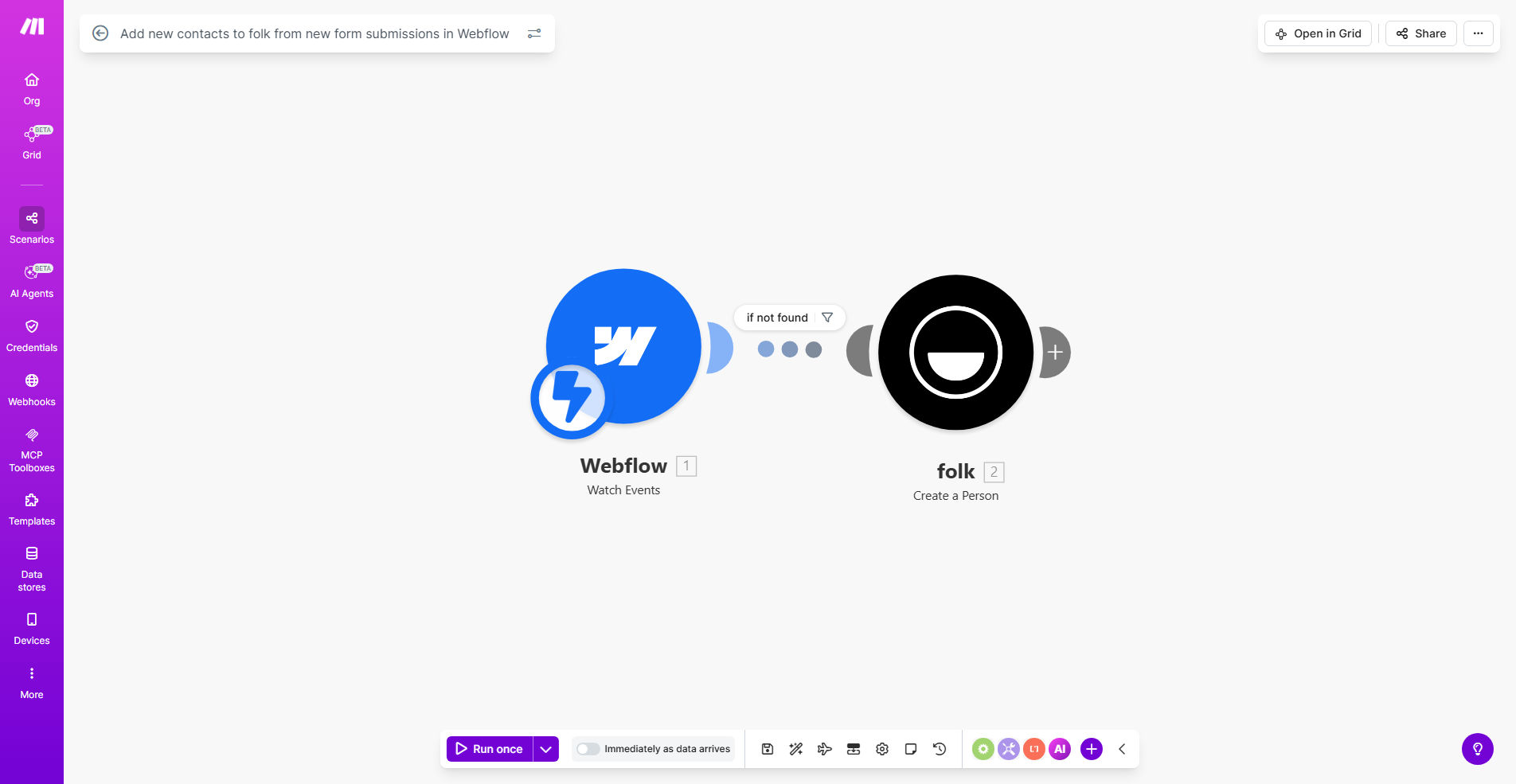
What This Workflow Does
This automation solves a critical problem for businesses using Webflow for their website and Folk as their CRM - the tedious, error-prone process of manually transferring form submissions into their contact database. Every time a potential customer fills out a contact form, request demo, or newsletter signup on your Webflow site, this workflow instantly creates a corresponding contact record in Folk with all submitted information.
The system operates in real-time, ensuring your sales team has immediate access to new leads while they're still engaged. Unlike manual processes that might take hours or days, this automation guarantees no lead slips through the cracks due to human oversight or delay. It also maintains data integrity by eliminating transcription errors that commonly occur with manual entry.
How It Works
1. Webflow Form Submission Trigger
The workflow activates whenever a visitor submits any form on your Webflow site. Make.com detects the new submission through Webflow's API and captures all form field data including custom fields.
2. Data Processing & Validation
The system automatically validates required fields (like email format), standardizes data (capitalizing names), and can apply conditional logic to categorize submissions based on form type or content.
3. Folk Contact Creation
Validated form data is mapped to corresponding Folk contact fields. The workflow checks for existing contacts to prevent duplicates, then creates a new Folk contact with all relevant information from the form submission.
4. Optional Follow-up Actions
You can configure secondary actions like sending welcome emails, assigning leads to sales reps, or triggering internal notifications - all based on the form submission data.
Who This Is For
This workflow is ideal for marketing agencies, SaaS companies, and professional service businesses that:
- Use Webflow for their marketing website
- Manage leads and customer relationships in Folk CRM
- Receive 10+ form submissions weekly
- Want to accelerate sales response times
- Need to eliminate manual data entry errors
Pro tip: Combine this with our Folk to Email/Slack Notification workflow to alert your team immediately when high-value leads come in.
What You'll Need
- A Webflow site with active forms
- A Folk CRM account with admin access
- A Make.com account (free plan sufficient)
- API access enabled for both Webflow and Folk
- List of which Webflow form fields should map to which Folk properties
Quick Setup Guide
- Install the template in your Make.com account
- Connect your Webflow and Folk accounts
- Map form fields to Folk contact properties
- Set duplicate detection rules (update existing or skip)
- Test with a real form submission
- Activate the workflow
Key Benefits
Eliminate 3-5 hours weekly of manual data entry by automatically syncing every form submission to your CRM. No more copying and pasting lead information.
Improve response times by 80% by giving your sales team instant access to new leads while they're still engaged with your content.
Reduce human errors to zero by removing manual transcription from your lead capture process. Every field maps exactly as submitted.
Gain actionable insights by having all lead sources automatically tagged in Folk, helping you identify your highest-converting channels.
Scale your lead capture without adding administrative staff. The system handles 10 or 10,000 submissions with equal reliability.