CRM Automation Calendly Folk Contact Management

Automatically Add Calendly Meeting Attendees to Folk CRM

Eliminate manual data entry by syncing new meeting participants directly to your CRM as contacts

Get This Workflow Make.com · Free Template
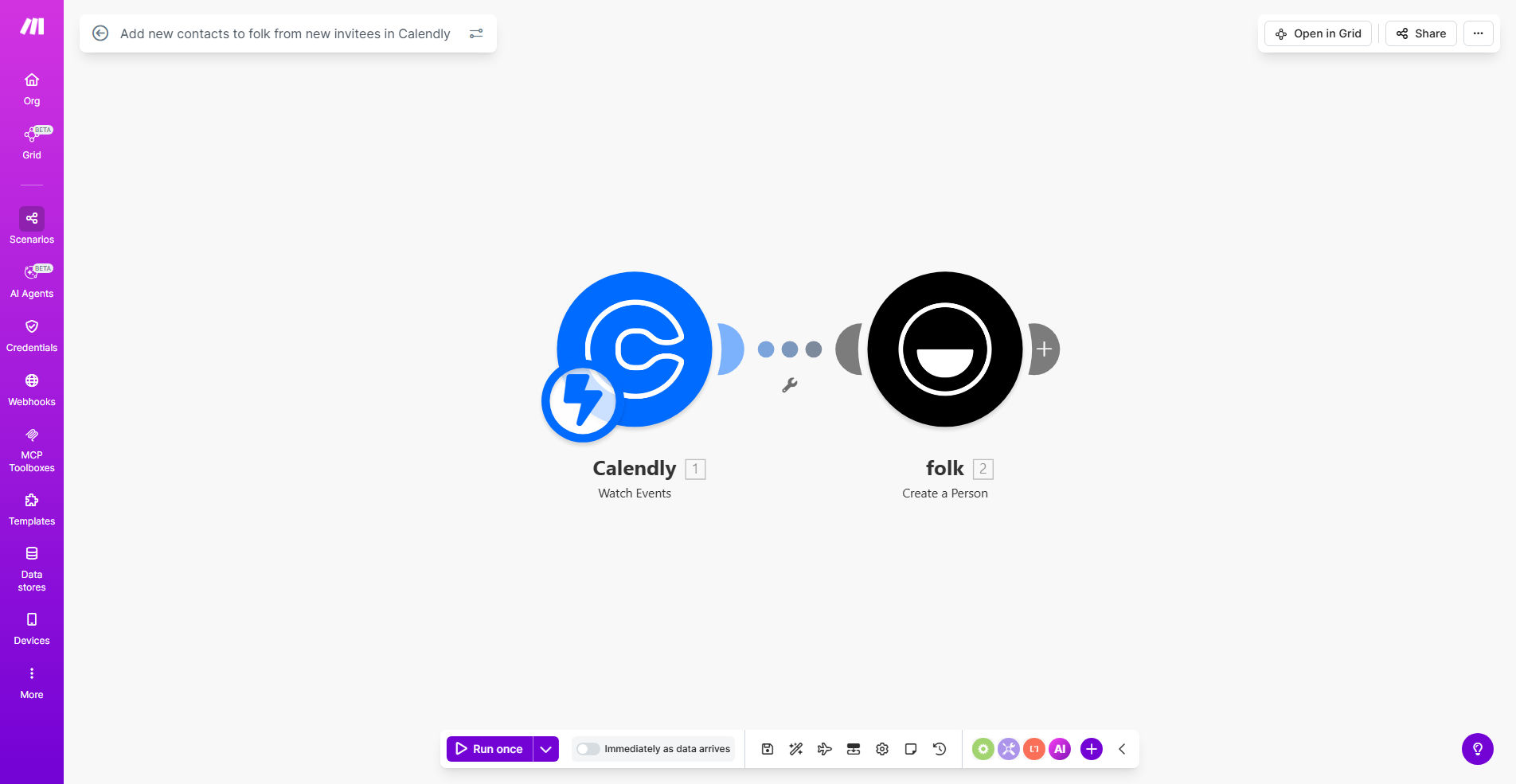
Make.com workflow diagram showing Calendly to Folk CRM integration

What This Workflow Does

This automation solves the common problem of lost or delayed CRM updates after scheduling meetings. When prospects book time through your Calendly link, their contact details often remain trapped in the scheduling tool until someone manually transfers them to your CRM.

The workflow automatically creates a new Folk contact record for every Calendly meeting attendee, capturing their name, email address, and any additional information collected during scheduling. This ensures your sales team has immediate access to complete prospect details without manual data entry.

How It Works

1. New Calendly Invitee Trigger

The workflow monitors your Calendly account for new event invitees. Each time someone schedules a meeting, the automation immediately captures their registration details.

2. Data Processing

The system extracts relevant contact information from the Calendly response, including standard fields like name and email, plus any custom questions you've added to your booking form.

3. Folk Contact Creation

Using the Folk API, the workflow creates a new contact record with the attendee's information. You can configure field mappings to ensure data lands in the correct CRM properties.

Who This Is For

This automation delivers the most value for:

  • Sales teams conducting discovery calls through Calendly
  • Recruiters scheduling candidate interviews
  • Consultants managing client onboarding sessions
  • Any business using Calendly with Folk CRM

What You'll Need

  1. An active Calendly account with admin access
  2. A Folk CRM subscription
  3. A Make.com account (free tier available)
  4. API keys for both Calendly and Folk

Quick Setup Guide

  1. Duplicate the template in your Make.com account
  2. Connect your Calendly and Folk accounts
  3. Configure field mappings between systems
  4. Test with a real Calendly booking
  5. Activate the automation

Key Benefits

Eliminate manual data entry: Save 5-10 minutes per meeting by automating contact creation.

Never miss a lead: Ensure every meeting attendee becomes a tracked prospect in your CRM.

Improve data accuracy: Remove human error from contact information transfers.

Faster follow-ups: Sales teams can initiate outreach immediately after meetings.

Frequently Asked Questions

Common questions about Calendly and Folk CRM integration

Calendly integration eliminates manual data entry by automatically creating CRM contacts from meeting attendees. This saves 5-10 minutes per meeting while ensuring 100% accuracy in contact capture.

For sales teams, this means immediate access to prospect details without waiting for administrative updates. The automation runs 24/7, processing new bookings even outside business hours.

  • Reduces administrative workload by 80%
  • Ensures no leads slip through the cracks
  • Enables real-time sales intelligence

The workflow captures attendee name, email, meeting details, and any custom questions from the Calendly booking form. You can map these fields to corresponding Folk contact properties.

Common transferred data includes phone numbers, company names, meeting topics, and custom qualification answers. The system preserves all original formatting and can handle multiple response types.

  • Standard contact fields transfer automatically
  • Custom fields require one-time mapping
  • Meeting metadata provides context for follow-ups

Yes, you can configure the automation to only process specific Calendly event types or apply rules based on attendee responses before creating Folk contacts.

For example, you might exclude internal meetings or only process bookings that include certain responses to qualification questions. This prevents CRM clutter from irrelevant events.

  • Filter by event type or custom questions
  • Set rules based on response content
  • Maintain a clean, focused CRM database

Sales teams gain instant access to prospect details without manual entry, enabling faster follow-ups. The system ensures no leads fall through the cracks after discovery calls.

By automatically enriching CRM records with meeting context, reps can personalize follow-up communications based on the specific discussion topics and attendee responses from Calendly.

  • Reduces time-to-first-contact by 90%
  • Provides meeting context for personalized outreach
  • Creates complete activity timeline automatically

The workflow can be configured to either update existing contacts with new meeting details or skip duplicates to prevent overwriting existing CRM data.

Most teams choose to update contacts while preserving original data fields, adding the new meeting as an activity record. This maintains complete history without duplication.

  • Choose update or skip behavior during setup
  • Preserve existing CRM data integrity
  • Maintain complete interaction history

Make.com provides enterprise-grade reliability with automatic retries for failed operations. The platform processes thousands of similar integrations daily with 99.9% uptime.

The system includes error handling for common issues like API rate limits or temporary service outages. Failed operations queue for retry, ensuring eventual completion even with intermittent issues.

  • Automatic retry logic handles temporary failures
  • Detailed logs help troubleshoot any issues
  • Email alerts for critical failures

Yes, our team specializes in building tailored automation solutions. We can customize field mappings, add conditional logic, and integrate additional systems to match your specific sales workflow.

For complex requirements, we develop completely custom automations that connect Calendly and Folk with your other tools like email platforms, Slack, or billing systems for end-to-end process automation.

  • Custom field mappings and business logic
  • Integration with additional business systems
  • Ongoing support and optimization

Need a Custom Calendly-Folk Automation?

This free template is a starting point. Our team builds fully tailored automation systems for your specific business needs.