What This Workflow Does
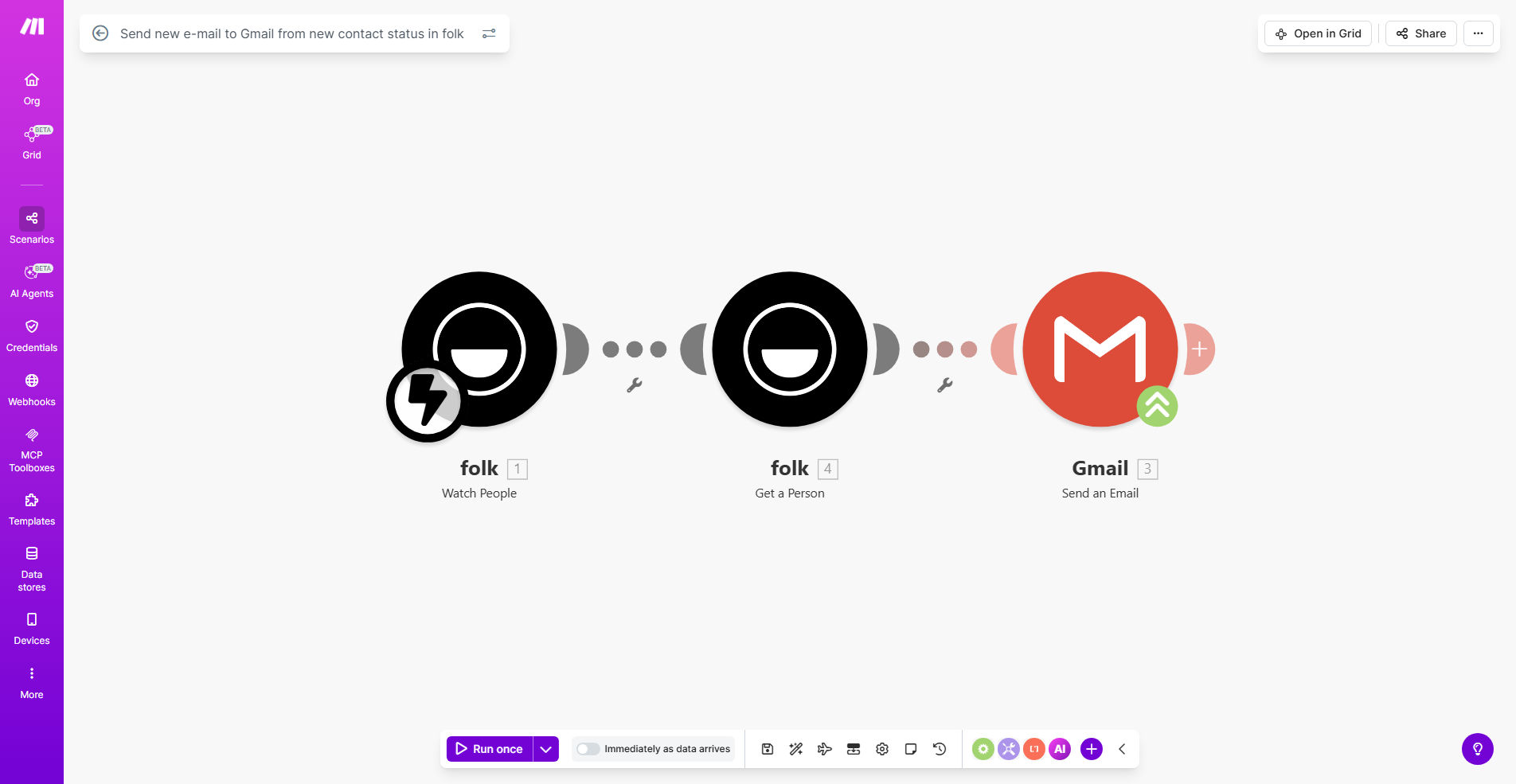
This automation connects your Folk CRM with Gmail to automatically send emails whenever a contact's status changes. Instead of manually tracking status updates and composing follow-up emails, this workflow handles it instantly, ensuring timely communication that matches each contact's current position in your sales pipeline.
For example, when a lead moves from "New" to "Qualified" status, you can automatically send them a personalized email with relevant case studies. Or when a client's status changes to "Renewal Due," they receive a tailored message about contract options. This eliminates manual follow-up tasks while maintaining consistent, personalized communication.
How It Works
1. Folk CRM Status Change Detection
The workflow constantly monitors your Folk CRM for any changes to contact statuses. It can track specific status transitions you define as triggers for email sending.
2. Email Template Selection
Based on the type of status change detected, the system selects the appropriate pre-written email template from your Gmail drafts or a connected template system.
3. Personalization & Sending
The workflow merges contact details from Folk CRM into the email template, personalizing fields like name, company, and specific status-related content before sending through your Gmail account.
Who This Is For
This automation is ideal for:
- Sales teams using Folk CRM who want to automate follow-up emails
- Account managers needing to send timely communications based on client status changes
- Marketing teams creating nurture sequences triggered by CRM status updates
- Small businesses wanting to appear more responsive without manual effort
Pro tip: Combine this with a delay module to send emails at optimal times (e.g., next business day for status changes on weekends).
What You'll Need
- A Folk CRM account with contacts and status tracking set up
- A Gmail or Google Workspace account
- Pre-written email templates for different status change scenarios
- Make.com account (free plan available)
Quick Setup Guide
- Install the template from Make.com and connect your Folk CRM
- Configure which status changes should trigger emails
- Upload or create your email templates in Gmail
- Map Folk contact fields to email personalization tags
- Test with a sample contact before enabling full automation
Key Benefits
Never miss follow-up opportunities by automatically responding to CRM status changes within minutes rather than hours or days.
Maintain consistent messaging across your team with standardized email templates that adapt to each contact's current status.
Save 5-10 hours weekly by eliminating manual status monitoring and email composition for common CRM transitions.
Improve response rates with timely, relevant emails that reference the exact status change that triggered them.
Scale personalized communication as your contact list grows without proportionally increasing administrative work.