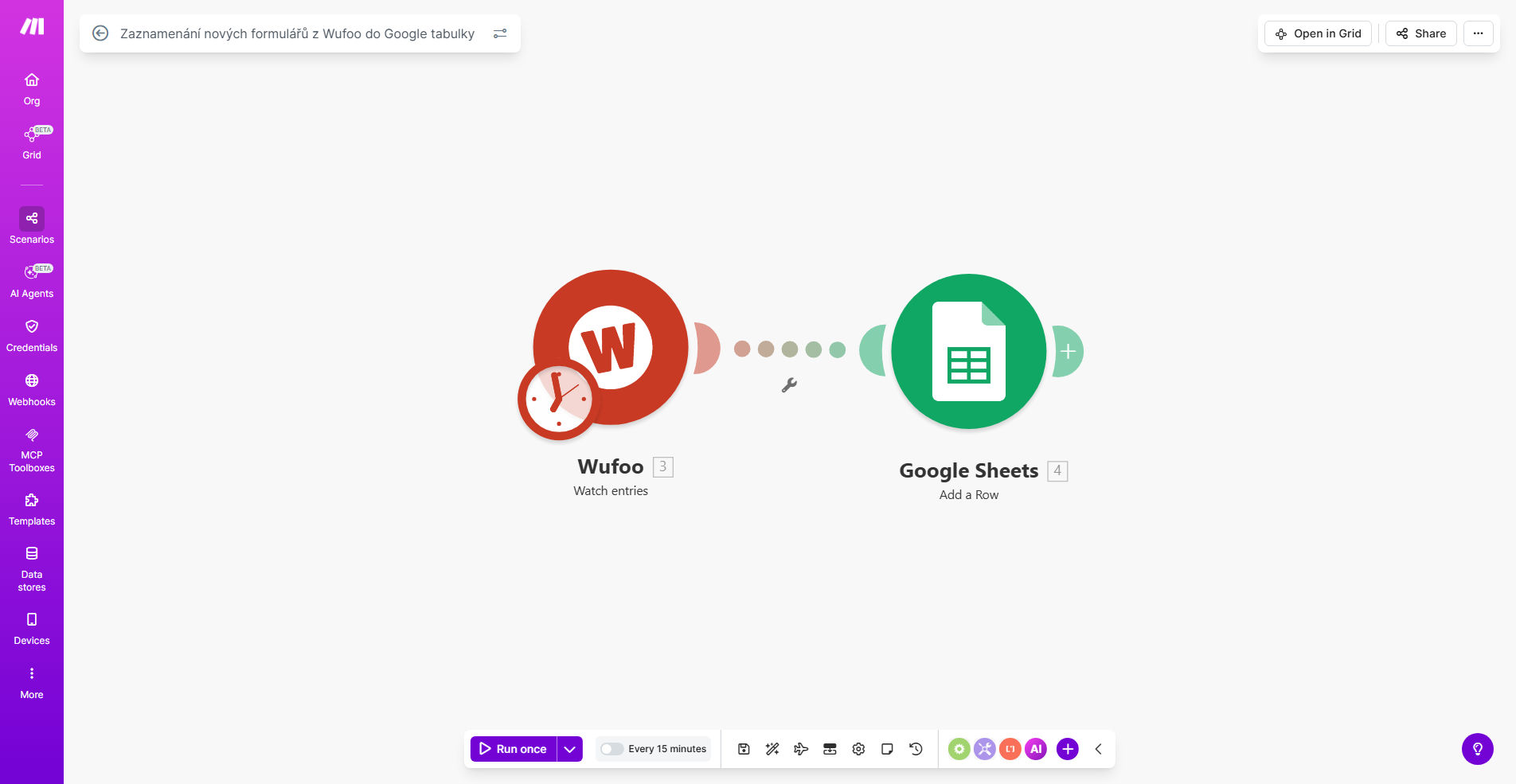
What This Workflow Does
This automation solves the tedious and error-prone process of manually copying data from Wufoo forms to spreadsheets. Every time someone submits your Wufoo form, the workflow instantly captures all their responses and adds them as a new row in your designated Google Sheets spreadsheet.
The template handles all the technical details of connecting Wufoo's API with Google Sheets, properly formatting different field types (text, checkboxes, dropdowns), and maintaining data integrity. You get a real-time, organized record of all submissions that's ready for analysis, reporting, or integration with other business tools.
How It Works
1. Trigger on new Wufoo submission
The workflow starts whenever someone completes your Wufoo form. Make.com instantly receives the submission data through Wufoo's API.
2. Map form fields to spreadsheet columns
The scenario automatically matches each form field (like name, email, or custom questions) to the correct column in your Google Sheet based on your initial setup.
3. Add new row with submission data
Make.com adds a fresh row to your spreadsheet with all the respondent's answers properly formatted. Checkbox selections appear as comma-separated lists, dates in consistent formats, etc.
4. Optional data processing
You can extend the workflow to calculate values, send notifications, or trigger other automations based on the form responses before they reach Sheets.
Pro tip: Add a timestamp column in your spreadsheet to track exactly when each submission was recorded, helping with response time analysis.
Who This Is For
This automation is perfect for:
- Service businesses collecting client intake forms
- Event organizers managing attendee registrations
- HR teams processing job applications
- Nonprofits tracking volunteer signups
- Educators gathering student feedback
- Any team that needs to analyze form data across multiple submissions
What You'll Need
- A Wufoo account with at least one active form
- A Google Sheets spreadsheet (new or existing)
- A Make.com account (free plan works for basic usage)
- Approximately 15 minutes for initial setup
Quick Setup Guide
- Clone the template in your Make.com account
- Connect your Wufoo account when prompted
- Select which form to monitor for submissions
- Connect your Google Sheets account
- Choose or create the destination spreadsheet
- Map form fields to spreadsheet columns
- Test with a sample form submission
- Activate the scenario
Key Benefits
Eliminate hours of manual data entry each month by automatically transferring form responses to your spreadsheet the moment they're submitted.
Reduce human error that comes from copying and pasting information between systems. The automation handles data transfer with 100% accuracy.
Create a searchable database of all form submissions that's easy to filter, sort, and analyze using Google Sheets' powerful functions.
Enable real-time team collaboration by giving multiple people access to the latest form data without needing Wufoo logins.
Build on this foundation by adding conditional logic, notifications, or connections to other apps like your CRM or project management tools.