CRM Automation Folk CRM Data Sync Make.com

Automate Company Status Updates in Folk CRM

Sync contact status changes to company records automatically - no manual data entry required

Get This Workflow → Make.com · Free Template
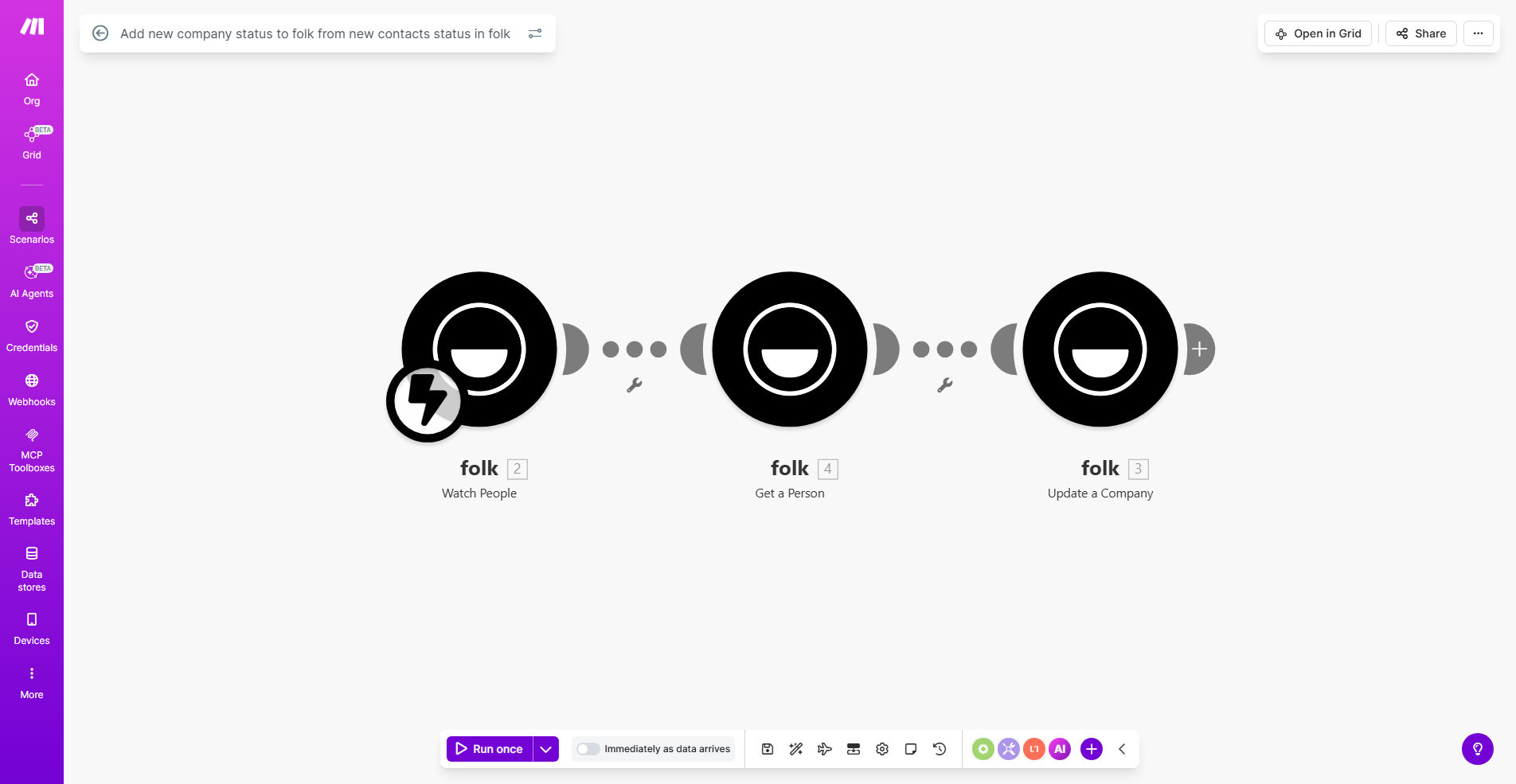
Make.com workflow diagram showing Folk CRM status synchronization

What This Workflow Does

This automation solves a common CRM data consistency challenge. When sales teams update a contact's status in Folk CRM, the associated company record doesn't automatically reflect this change. This workflow bridges that gap by instantly propagating status updates from contacts to their related company profiles.

Manual status updates are time-consuming and error-prone, especially when dealing with hundreds of contacts. This template eliminates duplicate data entry while ensuring your sales pipeline reporting always reflects current reality. Company-level dashboards will now accurately show the status of all associated contacts.

How It Works

1. Trigger: Contact Status Change

The workflow monitors Folk CRM for any changes to contact status fields. When a salesperson updates a lead stage, opportunity status, or customer lifecycle phase, the automation immediately captures this event.

2. Lookup: Find Related Company

The system identifies all company records linked to the updated contact using Folk's built-in relationship mapping. This handles one-to-many relationships where multiple contacts may belong to the same company.

3. Update: Sync Status to Company

The contact's new status value is propagated to all related company records. You can configure whether to overwrite existing company statuses or only update blank fields.

4. Logging: Audit Trail

Every automated update is logged with timestamp, user who triggered the change, and before/after status values for compliance and troubleshooting.

Pro tip: Combine this with lead scoring automation to trigger status changes based on engagement thresholds rather than manual updates.

Who This Is For

This automation delivers the most value for:

  • Sales teams using Folk CRM who manage complex B2B relationships
  • Companies with multiple contacts per client organization
  • Revenue operations managers needing accurate pipeline reporting
  • Teams experiencing data consistency issues between contact and company records

What You'll Need

  1. A Folk CRM account with administrator access
  2. Make.com account (free tier sufficient)
  3. Defined status values in both contact and company fields
  4. Properly linked contact-company relationships in Folk

Key Benefits

Eliminate manual data entry: Sales reps save 2-3 hours weekly by avoiding duplicate status updates across records.

Improve data accuracy: Company dashboards always reflect the current status of associated contacts.

Accelerate sales cycles: Timely status updates ensure no deal slips through cracks due to outdated information.

Enhance reporting: Accurate company-level status data powers more reliable pipeline analytics.

Frequently Asked Questions

Common questions about CRM status automation

Automating CRM status updates ensures data consistency across your contact and company records while saving sales teams 5-10 hours weekly on manual updates. This prevents missed opportunities from outdated status information.

Manual status tracking becomes unreliable at scale, especially when multiple team members update records. Automation creates a single source of truth that reflects the current state of every relationship in your pipeline.

Folk CRM automatically links contacts to their companies, but status fields don't sync by default. This automation bridges that gap by propagating status changes from contacts to their associated company records.

The native relationship mapping works well for organizational structure, but business-critical fields like opportunity stages often need separate maintenance. This workflow extends Folk's core functionality for operational use cases.

Key statuses to automate include lead stages (cold → warm → qualified), opportunity statuses (prospect → negotiation → closed-won), and customer lifecycle stages (onboarding → active → churned).

Focus first on statuses that impact pipeline reporting or trigger downstream actions. Less critical fields like "contact method preference" typically don't require automation.

Yes, the Make.com template allows configuring specific status transitions that should trigger company updates. You can map different contact statuses to corresponding company status values.

For complex scenarios, you might configure that only "Closed-Won" contact status updates the company record, while intermediate stages only update the contact.

The workflow includes error handling to retry failed updates and logs all changes. For mission-critical data, we recommend adding manual approval steps for certain status changes.

Implementation best practice is to start with non-critical fields, verify reliability, then expand to more sensitive data points once confidence is established.

Beyond status fields, consider automating contact ownership assignments, deal stage updates, activity logging, and data enrichment from external sources.

The most impactful automations typically involve fields that: (1) require frequent updates, (2) affect multiple records, or (3) trigger important business processes.

Absolutely! GrowwStacks specializes in tailored CRM automations that match your unique sales processes. We can build custom Folk CRM workflows with your specific field mappings, approval rules, and integration requirements.

Our solutions go beyond templates to address your exact data flow challenges, with dedicated support through implementation and ongoing optimization.

Need a Custom CRM Automation?

This free template is a starting point. Our team builds fully tailored automation systems for your specific business needs.