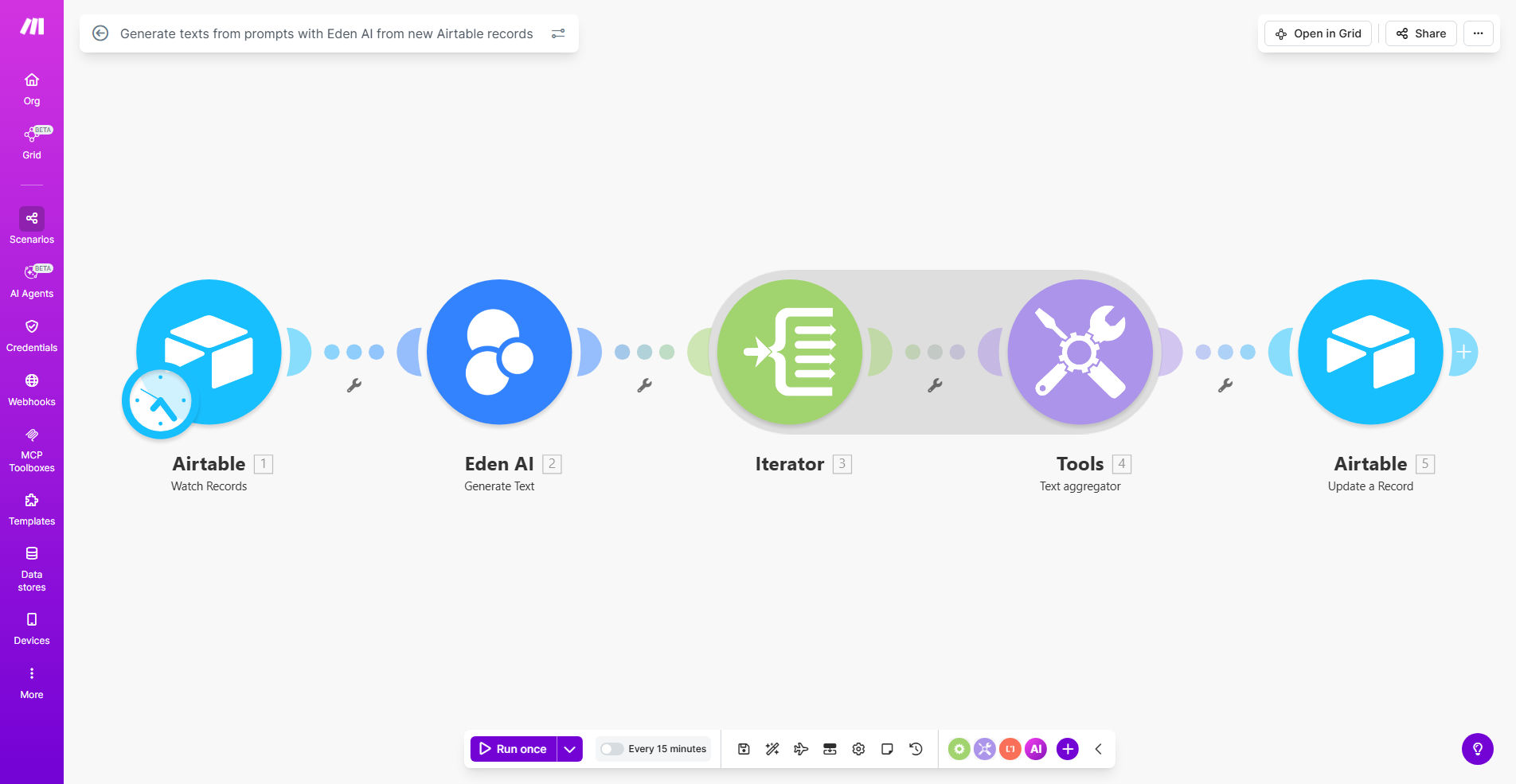
What This Workflow Does
This automation solves the challenge of creating consistent, high-quality content at scale by connecting Airtable with Eden AI's powerful text generation capabilities. When new records are added to your Airtable base, the workflow automatically generates multiple text variations based on your predefined prompts.
Businesses use this to streamline content creation for marketing campaigns, product descriptions, social media posts, and more. Instead of manually writing each piece of content, you can generate dozens of variations in seconds, then select the best options for your needs.
How It Works
1. New Record Trigger
The workflow monitors your Airtable base for new records containing content prompts or product information that needs text generation.
2. AI Processing
Each record's data is sent to Eden AI, which analyzes the prompt and generates multiple text variations using advanced natural language processing.
3. Quality Filtering
The system can be configured to automatically filter out low-quality outputs or flag content that needs human review based on your criteria.
4. Results Storage
Generated texts are saved back to Airtable or your preferred destination, organized by source prompt and generation parameters for easy reference.
Pro tip: Create a separate Airtable view for your best-performing prompts so you can easily reuse them across campaigns.
Who This Is For
This workflow is ideal for marketing teams, ecommerce businesses, content creators, and anyone who needs to produce large volumes of written content. It's particularly valuable for:
- Ecommerce stores needing hundreds of product descriptions
- Marketing agencies managing multiple client campaigns
- Content teams looking to scale their output without sacrificing quality
- Startups that need to create foundational content quickly
What You'll Need
- An Airtable account with your content prompts or product data
- Eden AI API access (free tier available)
- A Make.com account to run the automation
- Clear guidelines for your brand voice and content standards
Quick Setup Guide
- Duplicate the template in your Make.com account
- Connect your Airtable base and select the table to monitor
- Configure your Eden AI API settings and preferred text generation model
- Map the fields from Airtable to your AI prompt structure
- Test with sample data and refine your prompts as needed
Key Benefits
10x faster content creation: Generate dozens of text variations in the time it would take to write one manually.
Consistent brand voice: Maintain uniformity across all generated content by training the AI on your best examples.
Data-driven optimization: Track which prompts generate the most effective content and refine your approach over time.
24/7 operation: Your content generation system works around the clock, even when your team isn't.
Cost efficiency: Reduce reliance on freelance writers for routine content needs while maintaining quality.