Make.com Wave Accounting Accounts Receivable Payment Collection Email Automation

Send Overdue Wave Invoices to Customers

Automate overdue invoice reminders to improve payment collection and maintain customer relationships with timely follow-ups

Get This Workflow → Make.com · Wave · Free Template
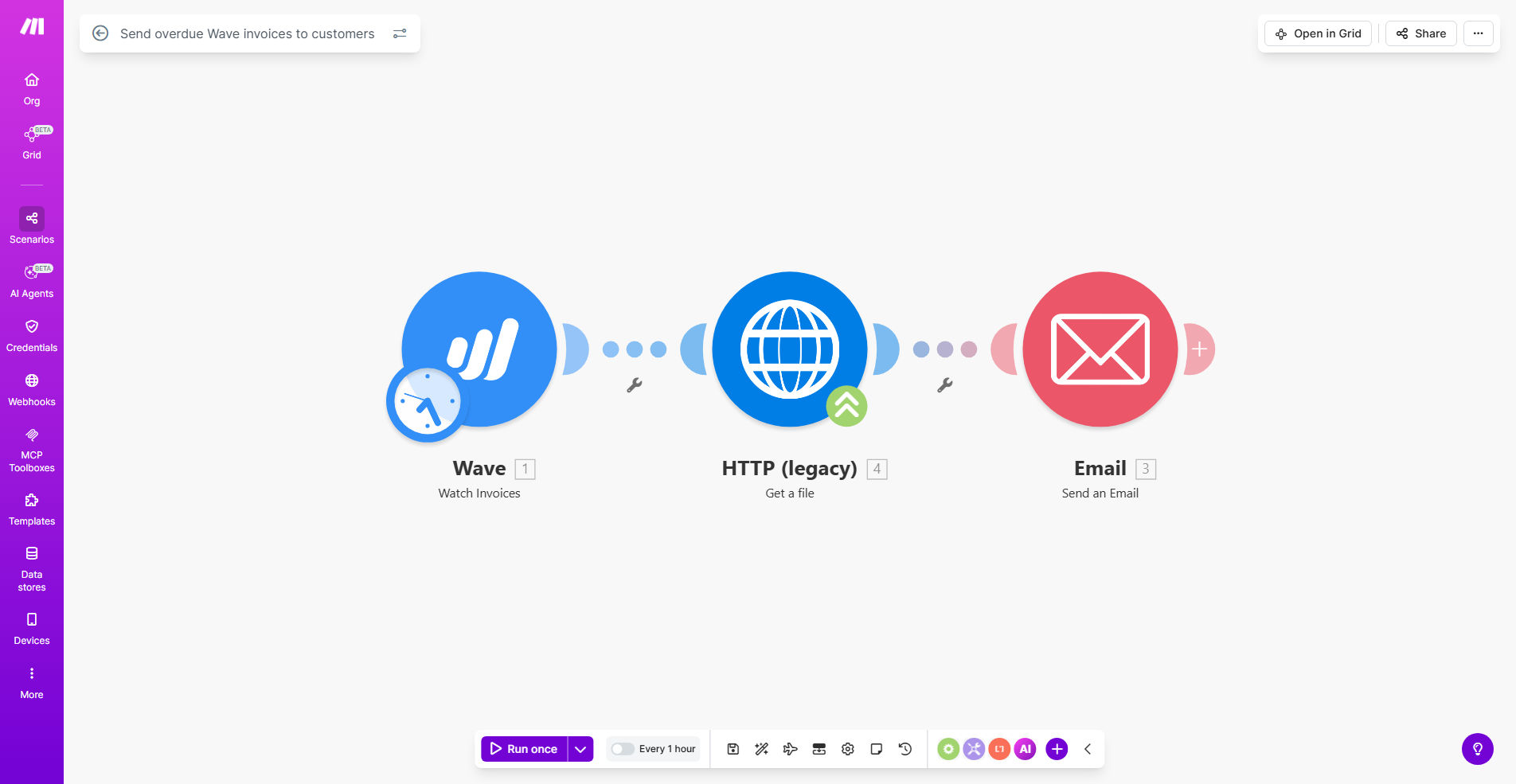
Make.com workflow diagram for sending overdue Wave invoices

What This Workflow Does

Late payments create cash flow challenges for businesses of all sizes. This automation solves the problem by automatically identifying and following up on overdue Wave invoices, ensuring you get paid faster without manual effort.

The workflow checks your Wave account daily for unpaid invoices past their due date, then sends professional, personalized reminders to clients via email. It maintains all the human touchpoints of manual follow-ups while eliminating the time-consuming tracking and sending process.

How It Works

1. Daily Invoice Status Check

The workflow connects to your Wave account each morning to scan for invoices that became overdue overnight or remain unpaid from previous days.

2. Smart Filtering

It intelligently filters invoices based on your configured grace period (e.g., only invoices 7+ days overdue) to avoid premature reminders.

3. Personalized Reminder Generation

For each overdue invoice, the system generates a customized email with the client's name, invoice details, and payment instructions pulled directly from Wave.

4. Automated Delivery

Reminders are sent through your connected email service with professional templates that maintain your brand voice while gently prompting payment.

5. Activity Logging

Each sent reminder is recorded with timestamps, allowing you to track follow-up history and identify chronic late payers.

Who This Is For

This automation delivers the most value for:

  • Freelancers and consultants using Wave for invoicing
  • Small businesses with 20+ monthly invoices
  • Service providers with recurring client billing
  • Companies experiencing 10%+ late payments
  • Teams without dedicated accounting staff

What You'll Need

  1. An active Wave account with invoices
  2. Make.com account (free tier works)
  3. Email service connected (Gmail, Outlook, etc.)
  4. 5 minutes to configure the workflow

Quick Setup Guide

  1. Click "Get This Workflow" to copy the template to your Make.com account
  2. Connect your Wave account in the Make.com dashboard
  3. Connect your preferred email service
  4. Set your overdue threshold (default is 7 days)
  5. Customize the email template if desired
  6. Activate the scenario

Key Benefits

Improve cash flow by 15-30%: Automated reminders significantly reduce days sales outstanding (DSO) by ensuring no overdue invoice slips through the cracks.

Save 5+ hours monthly: Eliminate manual tracking spreadsheets and repetitive email drafting that consume valuable time.

Maintain professional relationships: Consistent, polite reminders preserve client goodwill better than sporadic human follow-ups.

Reduce accounting stress: Never wonder if you remembered to follow up or worry about being too aggressive with reminders.

Gain payment visibility: Built-in logging creates an audit trail of all reminder activity for reporting and analysis.

Frequently Asked Questions

Common questions about Wave invoice automation and payment collection

Most businesses send overdue reminders 7-10 days after the due date, then follow up every 7-14 days. This template lets you customize the timing based on your payment terms and customer relationships. Too frequent reminders may annoy clients, while too infrequent reduces effectiveness.

The workflow includes smart interval controls to prevent sending multiple reminders too close together. You can set different schedules for first reminders versus follow-ups based on invoice amount or client history.

Effective reminders balance professionalism with urgency. Start with a polite tone, clearly reference the invoice number and amount, restate payment instructions, and offer assistance if there are issues. This template includes professionally crafted message templates you can customize.

We recommend including:

  • Subject line that gets attention ("Friendly reminder: Invoice #1234 overdue")
  • Clear due date and amount due
  • Convenient payment methods/links
  • Offer to answer questions

When done right, automation improves relationships by ensuring timely, consistent, and professional communication. Automated reminders eliminate human errors like forgetting to follow up or sending inconsistent messages. The key is personalizing templates and maintaining a helpful tone.

Our templates include placeholders for client-specific details that make each message feel personal. You can also set rules to escalate reminders differently for VIP clients versus new customers.

Businesses typically spend 2-5 hours weekly manually tracking and following up on late payments. This automation eliminates that completely, saving 8-20 hours monthly while improving collection rates by 15-30% through consistent follow-ups.

The time savings compound as your business grows - more invoices mean more manual work without automation. Many users reinvest this time in client service or business development instead of chasing payments.

Yes, the workflow logs all sent reminders with timestamps. You can view this data in Make.com or connect it to your CRM for comprehensive tracking. This helps identify chronic late payers and measure reminder effectiveness.

For advanced tracking, we can customize the workflow to:

  • Flag clients with multiple late payments
  • Calculate average days to pay
  • Generate collection reports

The template supports all payment methods available in Wave, including bank transfers, credit cards, PayPal, and checks. You can customize the reminder to highlight your preferred payment options and include direct payment links where available.

For best results:

  • List your top 2-3 payment methods first
  • Include clickable payment links when possible
  • Specify any payment processing deadlines

Absolutely! Our team at GrowwStacks specializes in building tailored accounting automations. We can create a custom solution that integrates Wave with your CRM, accounting system, and preferred communication channels for maximum efficiency.

Custom solutions might include:

  • Multi-channel reminders (SMS + email)
  • Escalation paths for severely overdue invoices
  • Integration with your existing tools
  • Custom reporting dashboards

Need a Custom Invoice Reminder System?

This free template is a starting point. Our team builds fully tailored automation systems for your specific business needs.