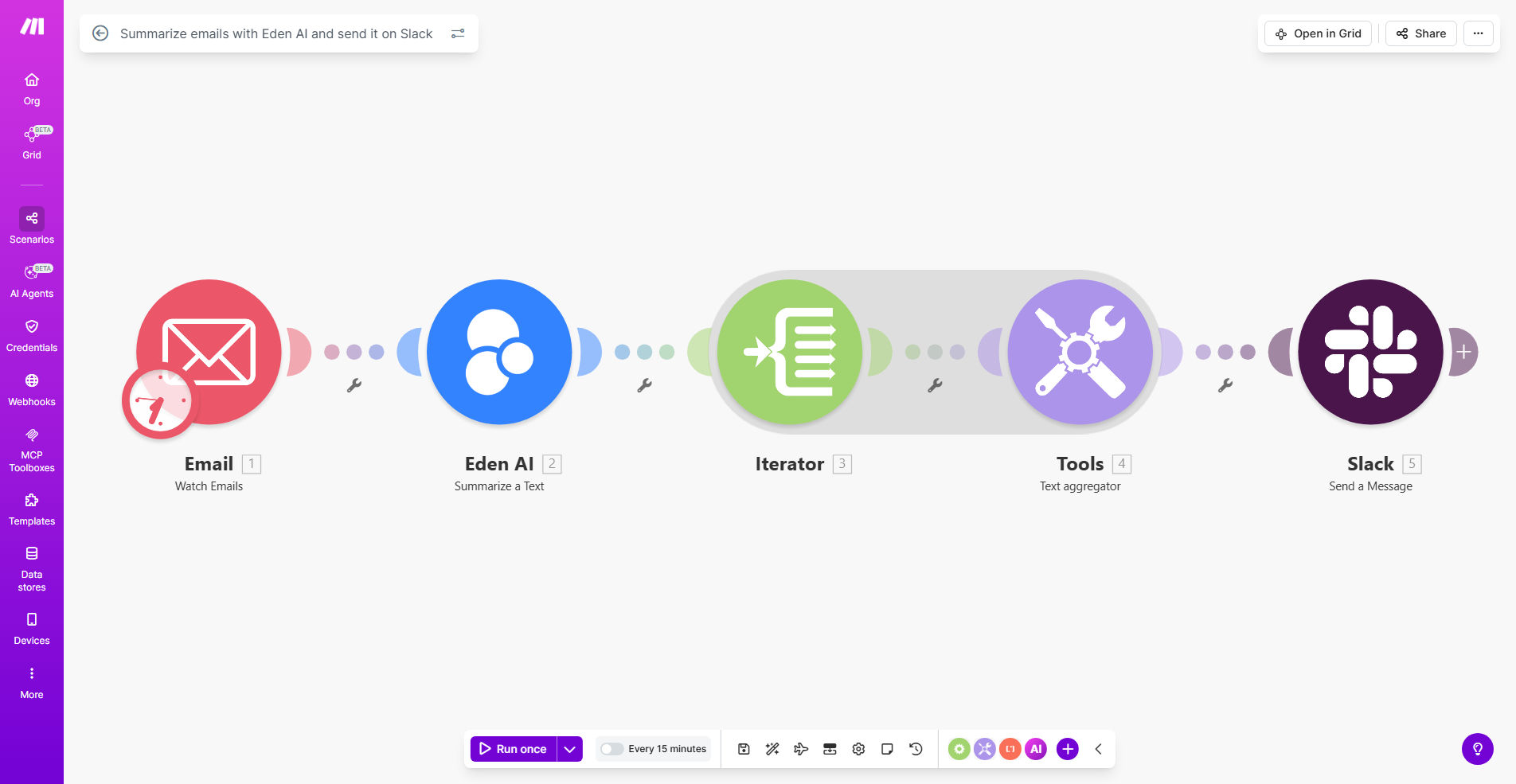
What This Workflow Does
This automation solves the growing problem of email overload by using Eden AI's natural language processing to extract key information from incoming messages. Instead of your team wasting time reading lengthy threads, they receive concise, actionable summaries directly in Slack where collaboration happens.
The system maintains context while removing redundant information, attachments, and signatures. It's particularly valuable for customer support teams, project managers, and executives who receive high volumes of information-dense emails but need to focus on decision-making rather than processing raw data.
How It Works
1. Email Trigger
The workflow monitors your specified email inbox(es) for new messages. You can filter by sender, subject keywords, or labels to focus on priority communications.
2. AI Processing
Eden AI analyzes the email content, identifying main topics, action items, and key details. The algorithm preserves critical context while typically reducing content length by 70-80%.
3. Slack Formatting
The summary gets formatted with clear section headers, bullet points, and optional emoji indicators. You can customize the template to highlight deadlines, requests, or sentiment.
4. Channel Routing
Based on rules you set, summaries get posted to specific Slack channels. For example, customer emails might go to #support while project updates route to relevant team channels.
Pro tip: Add a "summary quality" reaction button in Slack. Team members can quickly flag when summaries miss key points, helping train the AI over time.
Who This Is For
This automation delivers the most value for:
- Customer support teams who need to quickly identify issues in lengthy client emails
- Project managers coordinating multiple stakeholders via email threads
- Executives who receive status updates but only need key metrics and decisions
- Remote teams where email remains primary but collaboration happens in Slack
What You'll Need
- A Make.com account (free tier available)
- Eden AI API key (free credits included with template)
- Slack workspace with appropriate channel permissions
- Email account that supports IMAP/POP access
Quick Setup Guide
- Import the template to your Make.com account
- Connect your email account and specify filters
- Add your Eden AI API key (free trial available)
- Connect Slack and select target channels
- Test with sample emails and adjust summary length
- Activate the scenario and monitor initial summaries
Key Benefits
⏱️ Save 3-5 hours per week per team member by eliminating repetitive email reading while ensuring nothing important gets missed.
📈 Improve response times by 40% as team members immediately see key information rather than digging through threads.
🔍 Create searchable knowledge in Slack where summaries become referenceable assets rather than buried emails.
🔄 Standardize information sharing with consistent summary formats that help teams process updates faster.