Excel Automation Webhooks Data Integration

Add data to a Microsoft Excel worksheet received from a Webhook

Automatically import webhook data into Excel spreadsheets to streamline data collection and enhance productivity

Get This Workflow Make.com · Free Template
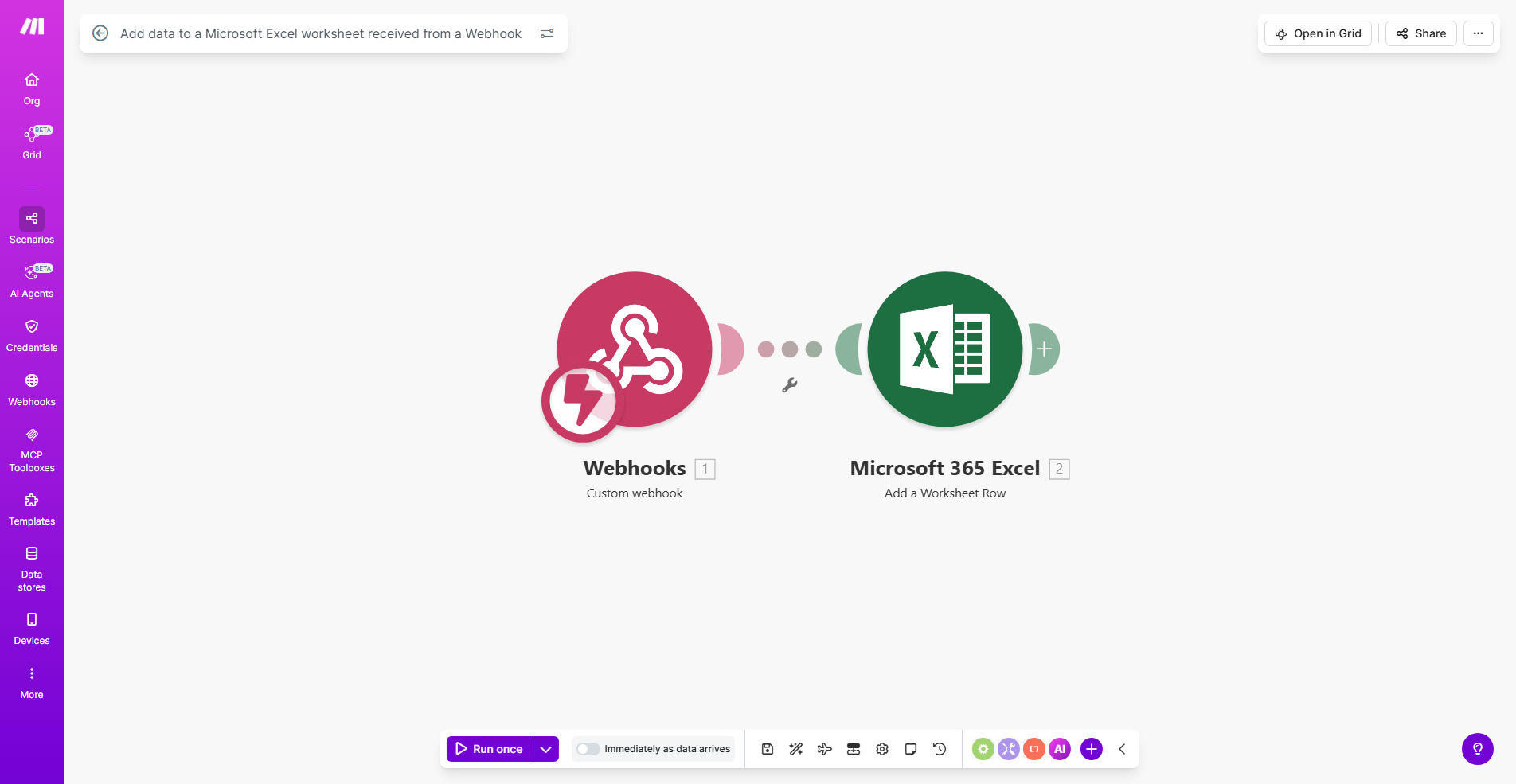
Make.com workflow diagram showing webhook data flowing into Excel spreadsheet

What This Workflow Does

This automation solution eliminates the tedious manual process of copying and pasting data from webhook notifications into Excel spreadsheets. When your application, service, or device sends data via webhook, this Make.com workflow automatically captures that information and organizes it into your specified Excel worksheet with proper column mapping.

Businesses using this template typically reduce data entry errors by 90% while saving 5-15 hours per week previously spent on manual spreadsheet updates. The system works with any webhook-enabled platform including e-commerce stores, form builders, IoT devices, and custom applications—transforming real-time notifications into structured Excel data ready for analysis.

How It Works

1. Webhook Trigger

The workflow activates whenever your configured webhook endpoint receives new data. Make.com provides a unique URL to receive POST requests from your connected applications.

2. Data Parsing

The system automatically extracts key values from JSON or XML webhook payloads, handling nested structures and array data with customizable mapping.

3. Excel Preparation

Before adding new rows, the workflow can check for existing files, create worksheets if needed, and verify column headers match your data structure requirements.

4. Data Insertion

New records append to your specified worksheet with proper data typing—converting timestamps to Excel date formats, numbers to numeric cells, and maintaining text formatting.

Pro tip: Add a "Received At" column mapped to the webhook timestamp to track when data arrived, helping audit real-time vs. processed times.

Who This Is For

This automation delivers the most value for:

  • E-commerce managers tracking orders/returns in Excel
  • Operations teams monitoring equipment sensor data
  • Marketing professionals capturing form submissions
  • Finance departments consolidating transactional data
  • Researchers collecting experimental or survey results

What You'll Need

  1. A Make.com account (free tier available)
  2. Microsoft Excel (desktop or cloud version)
  3. A webhook-enabled application or service
  4. Basic understanding of your data structure

Quick Setup Guide

  1. Copy this template to your Make.com account
  2. Configure your webhook URL in the source application
  3. Map payload fields to your Excel columns
  4. Specify your Excel file location (OneDrive, SharePoint, etc.)
  5. Test with sample data and verify formatting

Key Benefits

Real-time data availability: Instead of waiting for manual exports or scheduled reports, your Excel sheets update automatically as events occur in connected systems.

Error reduction: Automated data transfer eliminates typos, skipped rows, and formatting mistakes common in manual processes—especially valuable for financial or compliance data.

Process scalability: Handle hundreds or thousands of webhook events daily without additional staff time, perfect for growing businesses with increasing data volumes.

Historical tracking: Maintain complete records of all webhook events in a searchable, auditable format without worrying about data loss from missed notifications.

Frequently Asked Questions

Common questions about Excel webhook automation

Automating Excel data entry from webhooks eliminates manual copy-paste work, reduces human errors, and ensures real-time data availability. For example, e-commerce businesses can automatically track orders in Excel without manual intervention, saving 5-10 hours per week on data entry tasks while improving accuracy.

The automation also creates audit trails of when data arrived versus when it was processed, helping identify delays in operational workflows. Teams gain immediate visibility into incoming information without waiting for periodic reports.

Webhook data transmission is secure when using HTTPS protocols and proper authentication. The Make.com platform encrypts data in transit, and you can implement additional Excel worksheet protections like password security and cell locking to prevent unauthorized modifications to your imported data.

For sensitive information, consider adding a data filtering step in the workflow to redact or hash confidential fields before they reach Excel. The system can also log access events separately from the main data flow.

Nearly any structured data can be imported including order details, form submissions, CRM updates, IoT sensor readings, and API responses. The workflow maps webhook JSON or XML payloads to Excel columns, handling text, numbers, dates, and basic formatting while maintaining data relationships.

Complex nested data requires additional parsing but can be flattened into Excel-friendly formats. Binary attachments like images or PDFs typically need separate handling through file storage integrations.

Webhook data can update Excel in real-time as events occur, or you can configure batch processing intervals. Typical implementations update every few minutes for operational dashboards, while high-volume systems may aggregate hourly or daily to prevent performance issues with large Excel files.

Consider your Excel file's purpose—real-time monitoring requires frequent updates, while monthly reports might process data weekly. The workflow can throttle updates based on your performance needs.

Common mistakes include not testing webhook payload structures, failing to handle data type conversions, creating circular references, and not implementing error handling for missing data. Always validate your webhook sample data and include conditional logic to manage exceptions in the workflow.

Other pitfalls involve not considering Excel file locking during updates, forgetting to archive historical data, and not setting up notifications for failed imports. A well-designed workflow anticipates these scenarios.

Yes, Make.com provides data transformation tools to filter, enrich, reformat, or calculate values before they reach Excel. You can remove sensitive information, combine fields, convert units, or apply business rules—like calculating taxes or shipping costs—while keeping your Excel formulas simple.

Advanced transformations might include geocoding addresses, translating text, or adding derived metrics. These preprocessing steps often make the Excel data more immediately useful for analysis.

Absolutely! GrowwStacks specializes in custom automation solutions that connect webhooks to Excel with your specific business rules, data transformations, and reporting needs. Our consultants will design a system that fits your existing processes while adding error handling and notifications tailored to your operations.

We handle complex requirements like multi-step data validation, conditional formatting rules, automated reporting triggers, and integration with your existing business systems—all while ensuring your Excel data remains accurate and actionable.

Need a Custom Excel Webhook Automation?

This free template is a starting point. Our team builds fully tailored automation systems for your specific business needs.