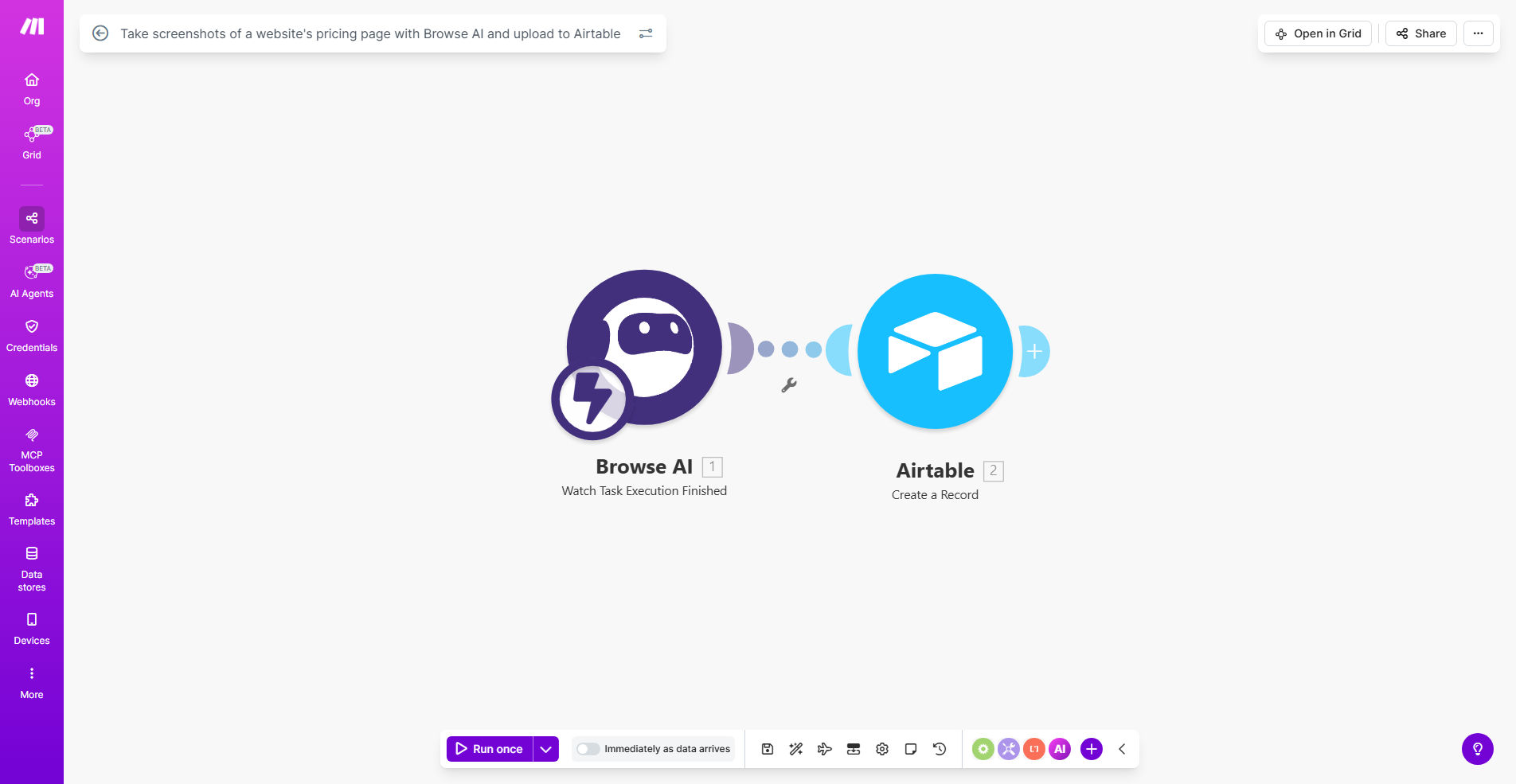
What This Workflow Does
This automation solves the time-consuming task of manually monitoring competitor pricing pages by automatically capturing screenshots and storing them in an organized Airtable database. It's designed for businesses that need to track pricing strategies, promotional offers, and feature changes across competitor websites.
The workflow uses Browse AI to visit specified URLs at scheduled intervals, capture full-page screenshots exactly as customers see them, and then uploads these visual records to Airtable with timestamps and metadata. This creates a searchable historical archive of pricing changes that can inform your own pricing strategy and market positioning.
How It Works
1. Configure Browse AI Monitoring
The workflow starts by connecting to your Browse AI account where you've set up a robot to monitor specific pricing page URLs. You can configure capture frequency, viewport settings, and handling of popups/cookie banners.
2. Automatic Screenshot Capture
At your scheduled intervals (daily, weekly, etc.), Browse AI visits each configured URL and captures a full-page screenshot, including all visible pricing tables, promotional banners, and feature lists.
3. Data Processing in Make
Make.com receives the screenshot images and associated metadata (timestamp, URL, page title) from Browse AI, then formats this information for storage in your Airtable base.
4. Organized Airtable Storage
Each screenshot is uploaded to Airtable with consistent naming conventions and linked to the corresponding competitor record. The system creates a visual timeline of pricing changes for easy comparison.
Pro tip: Add a "Notes" field in your Airtable to manually record observations about significant pricing changes or promotions that might affect your strategy.
Who This Is For
This automation is ideal for:
- Ecommerce managers tracking competitor pricing
- SaaS companies monitoring feature-based pricing tiers
- Marketing agencies providing competitive intelligence services
- Retail businesses preparing for seasonal promotions
- Startups benchmarking against established players
What You'll Need
- A Make.com account (free plan works for basic usage)
- Browse AI account with configured pricing page monitoring robots
- Airtable base with a table structure for storing screenshots
- List of competitor website URLs to monitor
Quick Setup Guide
- Clone the template in your Make.com account
- Connect your Browse AI account and configure your monitoring robots
- Set up your Airtable base with fields for URL, Date, Screenshot, and Notes
- Test the workflow with 1-2 URLs to verify image capture quality
- Schedule the automation to run at your desired frequency
Key Benefits
Save 2-3 hours weekly by eliminating manual screenshot tasks and creating an automated competitive intelligence system.
Never miss a price change with timestamped visual evidence that's automatically archived for historical comparison.
Improve pricing strategy with data-driven insights into how competitors adjust prices for different customer segments or seasons.
Reduce human error in competitive monitoring by automating the capture and documentation process.
Scale effortlessly by adding unlimited competitor URLs without increasing your workload.