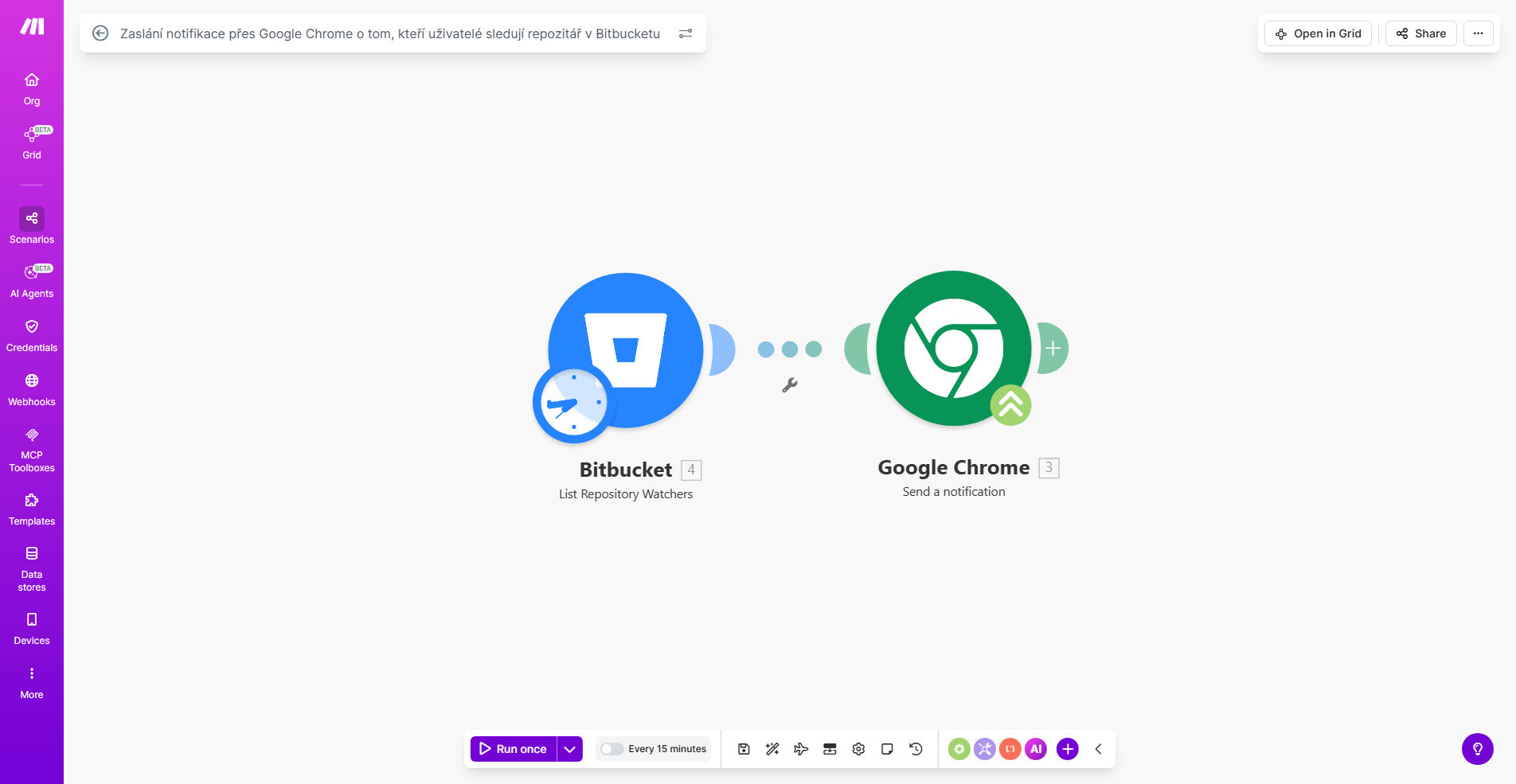
What This Workflow Does
This automation solves the visibility gap in code repository engagement by automatically sending Chrome push notifications whenever users watch your Bitbucket repositories. Development teams often miss important signals when stakeholders start monitoring their code, which can lead to delayed responses to feedback or missed collaboration opportunities.
The workflow connects Bitbucket's API with Chrome's notification system, creating a real-time alert mechanism that shows exactly who's watching your repositories. This is particularly valuable for engineering managers, open-source maintainers, and teams working on critical projects where code visibility matters.
How It Works
1. Repository Monitoring
The workflow periodically checks your specified Bitbucket repositories using API calls to identify all current watchers. You can configure the monitoring frequency based on your team's needs.
2. Watcher List Processing
Make.com processes the API response to extract relevant watcher information, including usernames and timestamps. The system compares this against previous checks to identify new watchers.
3. Notification Generation
When changes in watchers are detected, the workflow formats a clear notification message showing the repository name and list of watchers. The message is optimized for Chrome's notification system.
4. Push Delivery
The notification is sent through Chrome's push notification service, appearing instantly on authorized browsers. Team members can click the notification to jump directly to the repository.
Pro tip: Combine this with other Bitbucket automations to create a comprehensive code activity monitoring system that includes pull requests, commits, and branch updates.
Who This Is For
This workflow delivers the most value to:
- Engineering managers tracking team engagement with critical projects
- Open-source maintainers monitoring community interest
- DevOps teams overseeing multiple repositories
- Development teams working with external contributors
- Technical leads who need visibility into code review activity
What You'll Need
- A Bitbucket account with admin access to the repositories you want to monitor
- Make.com account (free tier works for basic monitoring)
- Google Chrome installed on team members' devices
- Notification permissions enabled in Chrome
- API credentials for Bitbucket with appropriate permissions
Quick Setup Guide
- Clone the template in your Make.com account
- Connect your Bitbucket account using OAuth
- Specify which repositories to monitor
- Set your preferred check frequency (we recommend 2-4 hour intervals)
- Test the notification flow with your team's Chrome browsers
- Deploy the scenario to begin monitoring
Key Benefits
Real-time visibility into code engagement without manual repository checks saves developers 30+ minutes daily that would otherwise be spent monitoring activity.
Improved response time to code reviews as teams are immediately notified when stakeholders start watching repositories, allowing them to prepare for incoming feedback.
Reduced context switching with browser-based notifications that don't require checking emails or separate tools, maintaining developer focus.
Better stakeholder communication by identifying interested parties early in the development process, facilitating timely collaboration.
Configurable monitoring allows teams to focus only on critical repositories, preventing notification overload while maintaining essential visibility.