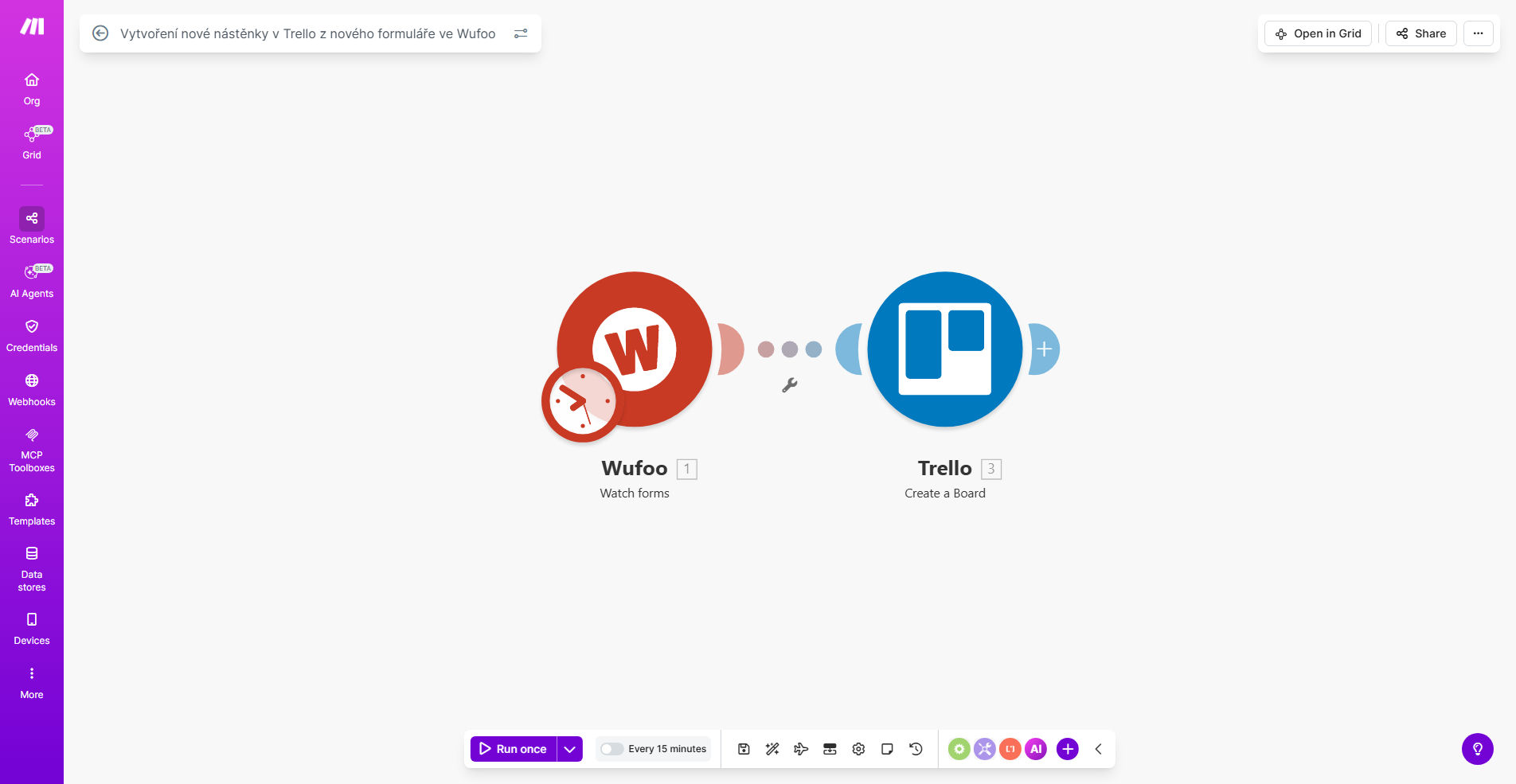
What This Workflow Does
This automation solves the common problem of form submissions getting lost in email inboxes or requiring manual data entry into project management tools. When clients submit Wufoo forms, this workflow instantly creates corresponding Trello boards with all submission details pre-populated.
The solution eliminates repetitive work for teams that use forms to initiate projects or service requests. Marketing agencies can automatically create client project boards, HR teams can process applications faster, and service businesses can ensure no customer inquiry falls through cracks.
How It Works
1. New form triggers the workflow
The automation monitors your Wufoo account for new form submissions. Each time form is completed, it instantly initiates the workflow without any manual intervention.
2 Data extracted from Wufoo
The workflow captures all submitted form fields - names, email addresses, project details, or whatever information your form collects. This data becomes available for mapping to Trello.
3 New Trello board created
Using the form data, workflow generates a new Trello board with: Custom board name based on form fields, Cards for each team member or task, Pre-filled checklists from form responses, and Labels for easy categorization.
4 Notification sent to team
Optionally, the workflow can notify your team via Slack, email, or other channels that a new project board has created with link for immediate access.
Who This Is For
This automation ideal for:
- Service businesses client intake forms
- Creative agencies managing client projects
- Event organizers processing registrations
- HR departments handling job applications
- Any team using forms to initiate workflows
What You'll Need
- Active Wufoo account with forms
- Trello account with edit permissions
- Make.com account (free tier works)
Quick Setup Guide
- Click "Get This Workflow" to copy the template
- Connect your Wufoo account in Make.com
- Connect your Trello account
- Map form fields to desired Trello board elements
- Test with sample form submission
- Activate the workflow
Pro tip: Use form hidden fields to pass additional metadata (like priority levels or service type) that can automatically organize your Trello boards.
Key Benefits
Eliminate manual data entry - Save 2-5 hours per week by automating the transfer of form data to project boards.
Never miss a submission - Every form response instantly creates a trackable project board with full history.
Standardize processes - Ensure every new project starts with same structure and required tasks.
Improve team visibility - Entire team sees new requests immediately without email forwarding.
Scale operations - Handle increased form volume without adding administrative staff.