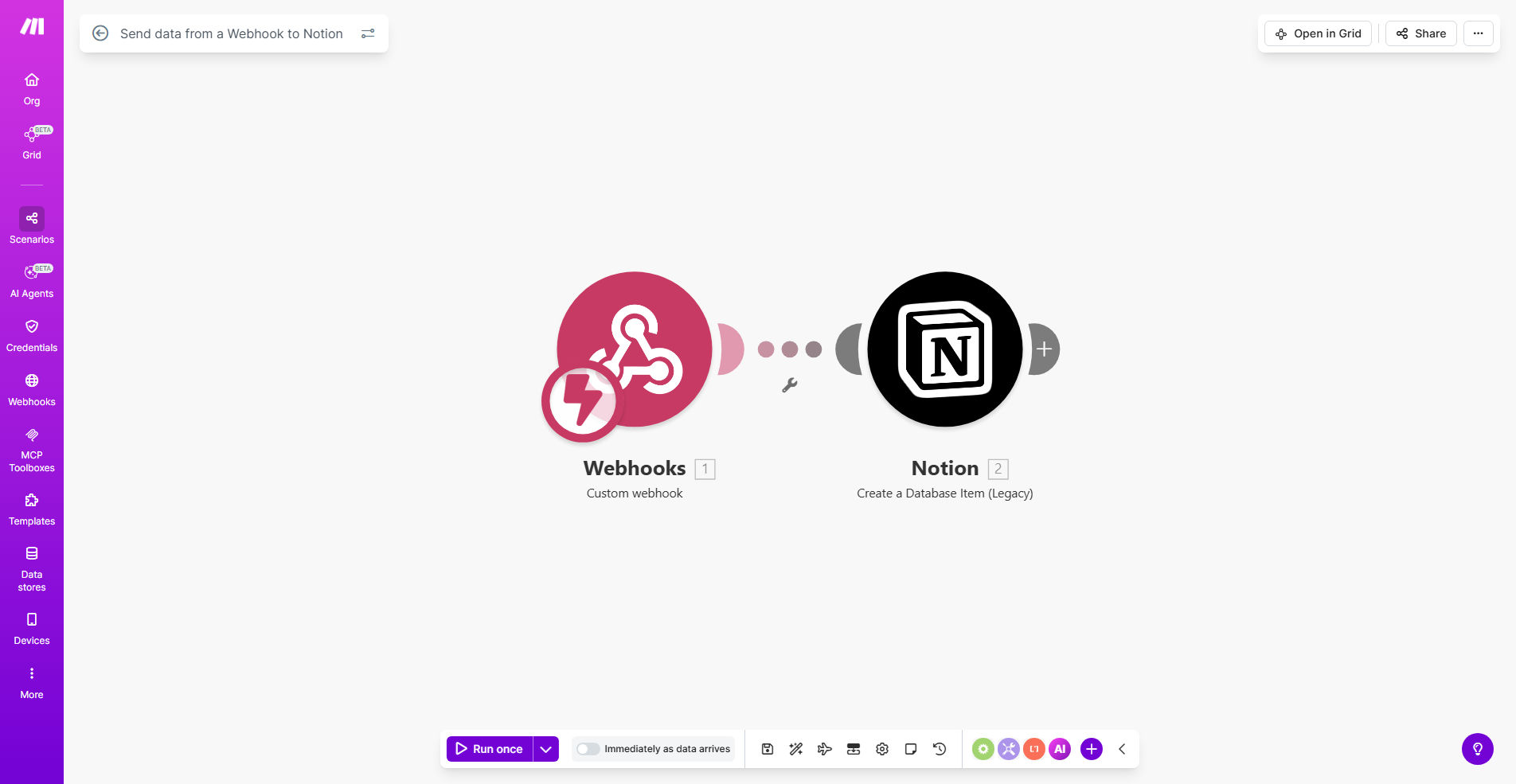
What This Workflow Does
This automation solves the common challenge of manually transferring data from various web services into Notion. Webhooks provide real-time notifications when events occur in external systems, but without automation, teams waste time copying and reformatting this information.
The workflow instantly captures webhook payloads from any source (forms, APIs, apps) and structures the data for seamless integration with Notion databases. It handles authentication, data mapping, and error recovery automatically, ensuring reliable information flow without manual intervention.
How It Works
1. Webhook Trigger
The workflow activates whenever your configured webhook endpoint receives data. Make.com provides a unique URL to receive POST requests from any service that supports webhooks.
2. Data Parsing
Incoming JSON or form data is automatically parsed and validated. The workflow extracts relevant fields while filtering out unnecessary information or malformed requests.
3. Notion Integration
Processed data maps directly to your Notion database structure. The workflow handles Notion's API authentication and formats properties according to your database schema (text, numbers, dates, relations).
Pro tip: Create a dedicated "Webhook Imports" database in Notion with columns matching your expected webhook data structure for easiest mapping.
Who This Is For
This workflow benefits any team using Notion as their central knowledge base that needs to:
- Capture form submissions from Typeform, Jotform, etc.
- Log customer support tickets from Help Scout or Zendesk
- Track e-commerce orders from Shopify or WooCommerce
- Monitor application events from custom software
- Centralize CRM updates from HubSpot or Salesforce
What You'll Need
- A Make.com account (free tier available)
- Notion workspace with edit permissions
- A webhook-capable service sending data
- Basic understanding of your webhook payload structure
Quick Setup Guide
- Clone the template in your Make.com account
- Configure your webhook endpoint URL in the triggering service
- Connect your Notion account and select the target database
- Map incoming webhook fields to Notion database properties
- Test with sample data and activate the scenario
Key Benefits
Eliminate manual data entry - Save 2-5 hours per week by automatically transferring information that would otherwise require copy-pasting between apps.
Real-time updates - Notion databases refresh within seconds of webhook events rather than waiting for batch imports or manual syncs.
Reduce errors - Automated mapping ensures consistent data formatting compared to manual transcription mistakes.
Centralize information - All team members access the same real-time data in Notion rather than checking multiple systems.