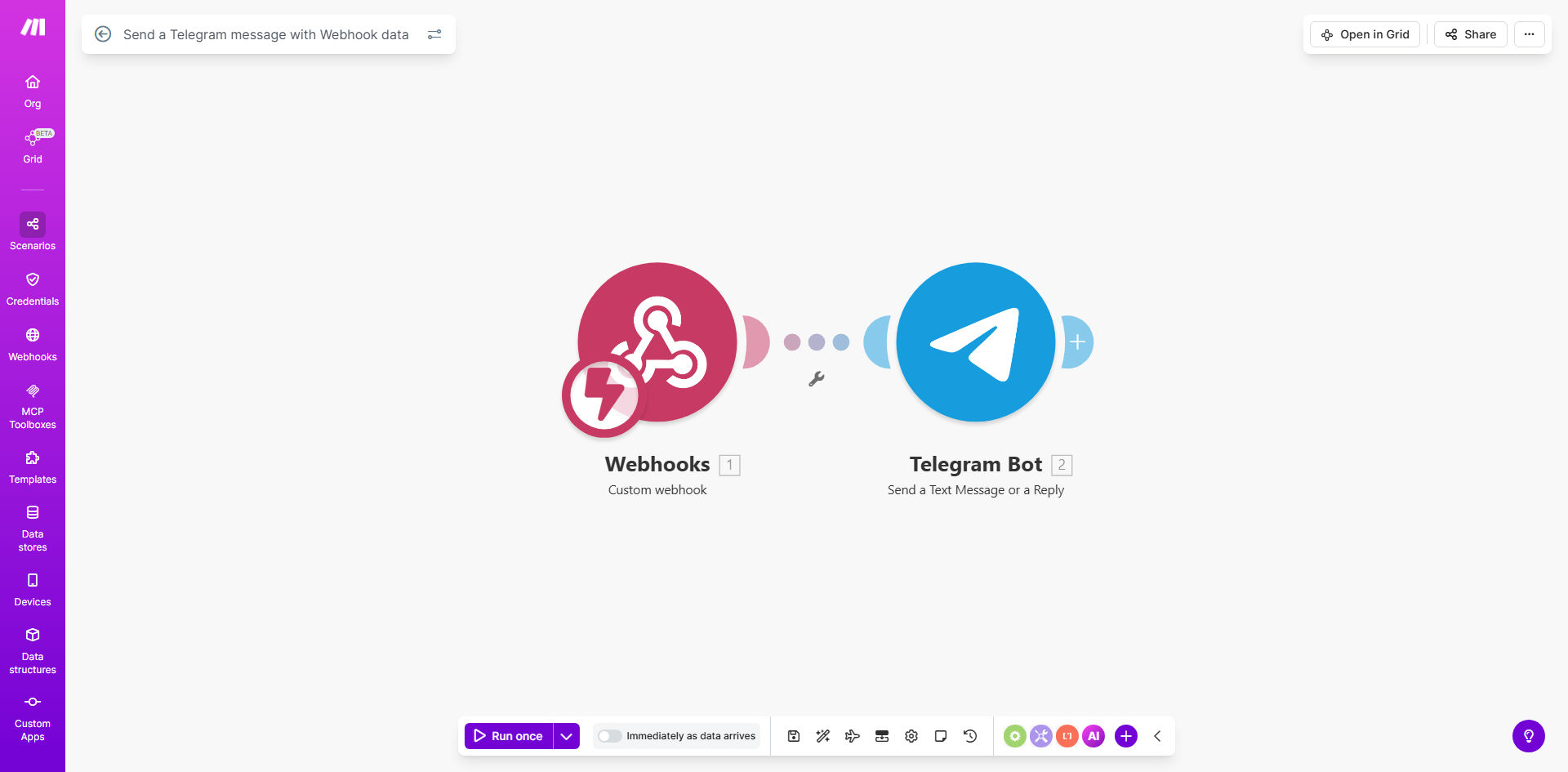
What This Workflow Does
This automation instantly relays important information from any webhook-enabled application directly to Telegram. Instead of manually copying notifications between systems, the workflow automatically formats and delivers messages to specified Telegram channels or private chats whenever triggered by incoming webhook data.
Businesses use this solution to create real-time alert systems for customer support tickets, order confirmations, form submissions, or system monitoring. The integration eliminates notification delays while maintaining message consistency across platforms.
How It Works
1. Webhook Trigger
The workflow activates when it receives data from a configured webhook URL. This could be from a form submission, payment processor, CRM update, or any application that can send HTTP POST requests.
2. Data Processing
Make.com parses the incoming webhook payload to extract relevant information. You can map specific data fields like customer names, order numbers, or alert details to use in your Telegram message.
3. Message Formatting
The template structures the notification with Markdown formatting for readability. You can customize the message template to include emojis, bold text, or bullet points as needed for your use case.
4. Telegram Delivery
Finally, the workflow sends the formatted message to your specified Telegram chat or channel using Telegram's Bot API. Recipients receive the notification instantly on their mobile devices or desktop clients.
Pro tip: Use Telegram's message threading feature to keep related notifications organized by adding a common hashtag to automated messages.
Who This Is For
This automation benefits any business or team that needs to:
- Receive instant alerts about important events in their apps
- Coordinate time-sensitive responses across distributed teams
- Monitor systems or processes with real-time notifications
- Streamline communication between different business platforms
- Reduce manual data entry between systems
What You'll Need
- A Make.com account (free plan available)
- A Telegram account with admin access to a channel or group
- A Telegram bot token (created via @BotFather)
- An application that can send webhook notifications
- Basic understanding of the data structure from your source app
Quick Setup Guide
- Create your Telegram bot and note the authentication token
- Add the bot to your Telegram channel or group as an admin
- Copy the template into your Make.com account
- Configure the webhook module with your expected data structure
- Map the relevant data fields to your Telegram message template
- Test with sample data to verify message formatting
- Deploy the webhook URL to your source application
Key Benefits
Instant notifications: Reduce response times by delivering alerts to team members' phones within seconds of triggering events.
Eliminate manual work: Automatically relay information between systems without copying, pasting, or retyping messages.
Flexible formatting: Present information clearly with Markdown formatting options not available in basic SMS alerts.
Centralized communication: Keep all team members informed through shared Telegram channels rather than individual messages.
Reliable delivery: Telegram's robust infrastructure ensures messages arrive even during intermittent internet connectivity.