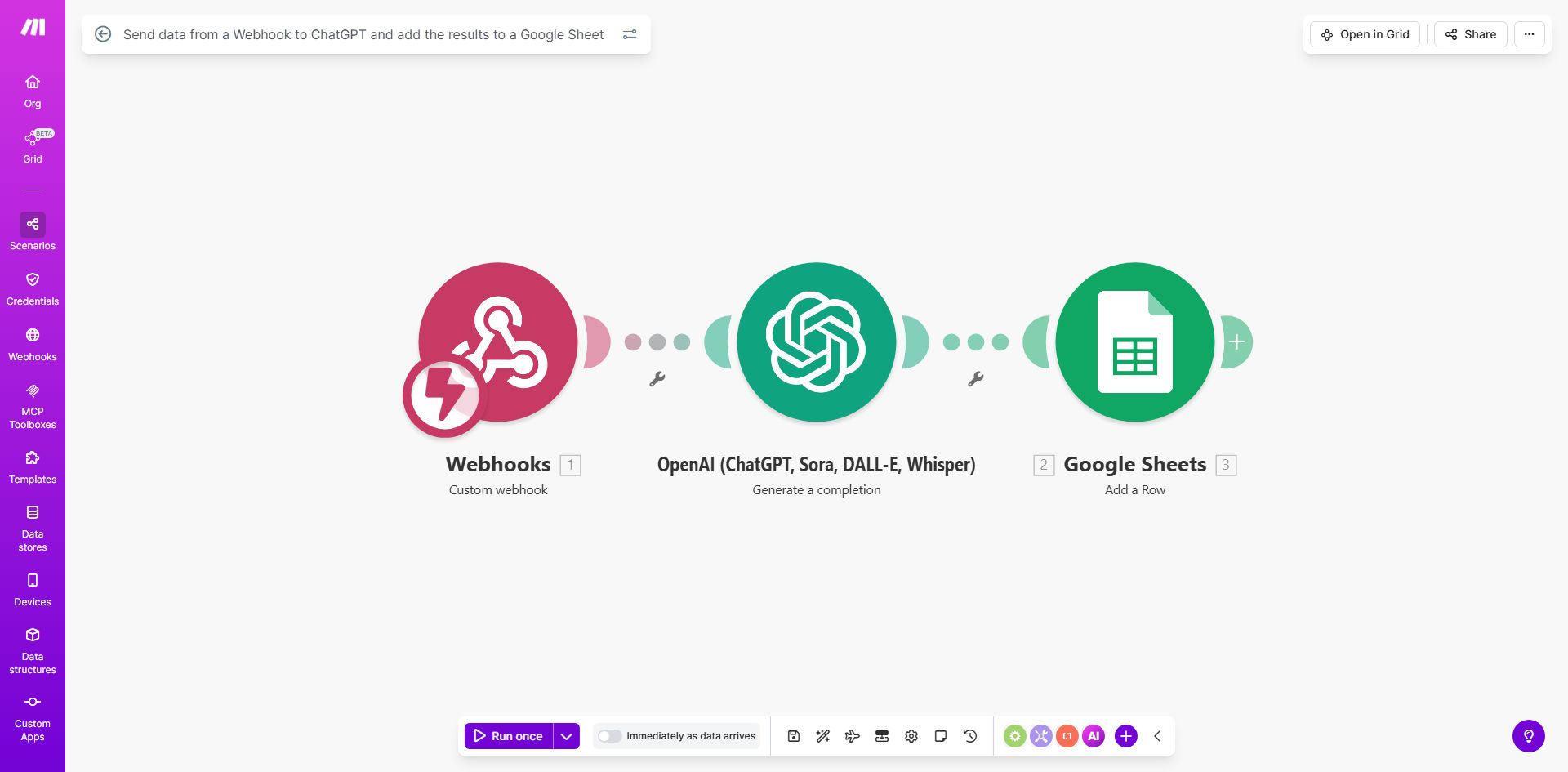
What This Workflow Does
This automation solves the common challenge of processing incoming webhook data efficiently. Instead of manually reviewing raw webhook payloads or writing complex parsing scripts, the workflow automatically sends data to ChatGPT for intelligent processing before storing the refined results in Google Sheets.
Businesses use this to handle customer feedback forms, survey responses, support tickets, or any API/webhook data that benefits from AI-powered structuring. The AI can extract key information, categorize content, summarize lengthy text, or transform data into spreadsheet-ready formats - saving hours of manual work while improving data quality.
How It Works
1. Webhook Trigger
The workflow activates whenever your configured webhook endpoint receives data. This could be from form submissions, CRM updates, payment processors, or any system that sends webhook notifications.
2. Data Preprocessing
Make.com prepares the webhook payload by extracting relevant fields, validating data formats, and handling authentication. This ensures only properly formatted data proceeds to the AI step.
3. ChatGPT Processing
The workflow sends the cleaned data to ChatGPT with your customized instructions. You define exactly how the AI should process the information - whether that's sentiment analysis, entity extraction, summarization, or data transformation.
4. Results Formatting
ChatGPT's output gets structured into a consistent format suitable for spreadsheet logging. The workflow handles error cases where AI processing might fail or return unexpected results.
5. Google Sheets Update
The final processed data gets appended to your specified Google Sheet, with timestamps and source identifiers. You can configure multiple tabs, data validation, or conditional formatting as needed.
Pro tip: Use separate ChatGPT instructions for different webhook sources to create specialized processing pipelines all logging to the same master spreadsheet.
Who This Is For
This template benefits any business receiving regular data via webhooks that needs transformation before analysis. Common use cases include:
- Marketing teams processing survey responses or lead form submissions
- Support teams categorizing and prioritizing incoming tickets
- Product teams analyzing user feedback from various sources
- Operations teams monitoring system alerts or IoT device data
- Researchers collecting and structuring qualitative data
What You'll Need
- A Make.com account (free tier available)
- Access to the webhook source you want to process
- OpenAI API key for ChatGPT access
- Google Sheets with edit permissions
- Basic understanding of your data structure
Quick Setup Guide
- Clone the template in your Make.com account
- Configure your webhook endpoint URL in the first module
- Connect your OpenAI API account in the ChatGPT module
- Customize the ChatGPT instructions for your specific data
- Connect your Google Sheets account and select the target spreadsheet
- Test with sample data and refine the processing logic as needed
- Activate the scenario and monitor initial runs
Key Benefits
80% faster data processing: What used to take hours of manual review now happens instantly with AI, letting your team focus on insights rather than data wrangling.
Higher quality outputs: ChatGPT consistently applies your processing rules without human fatigue or inconsistency, improving data reliability.
Centralized data hub: All your processed webhook data lives in one searchable, analyzable Google Sheet instead of scattered across systems.
Scalable solution: The workflow automatically handles spikes in webhook volume without additional staffing needs.
Customizable AI: Easily modify the ChatGPT instructions as your processing needs evolve without changing core automation logic.