Make.com Airtable Telegram Notifications Team Communication

Send Telegram Messages from Airtable

Automatically notify your team via Telegram whenever new records are added to your Airtable base

Get This Workflow Make.com · Airtable · Free Template
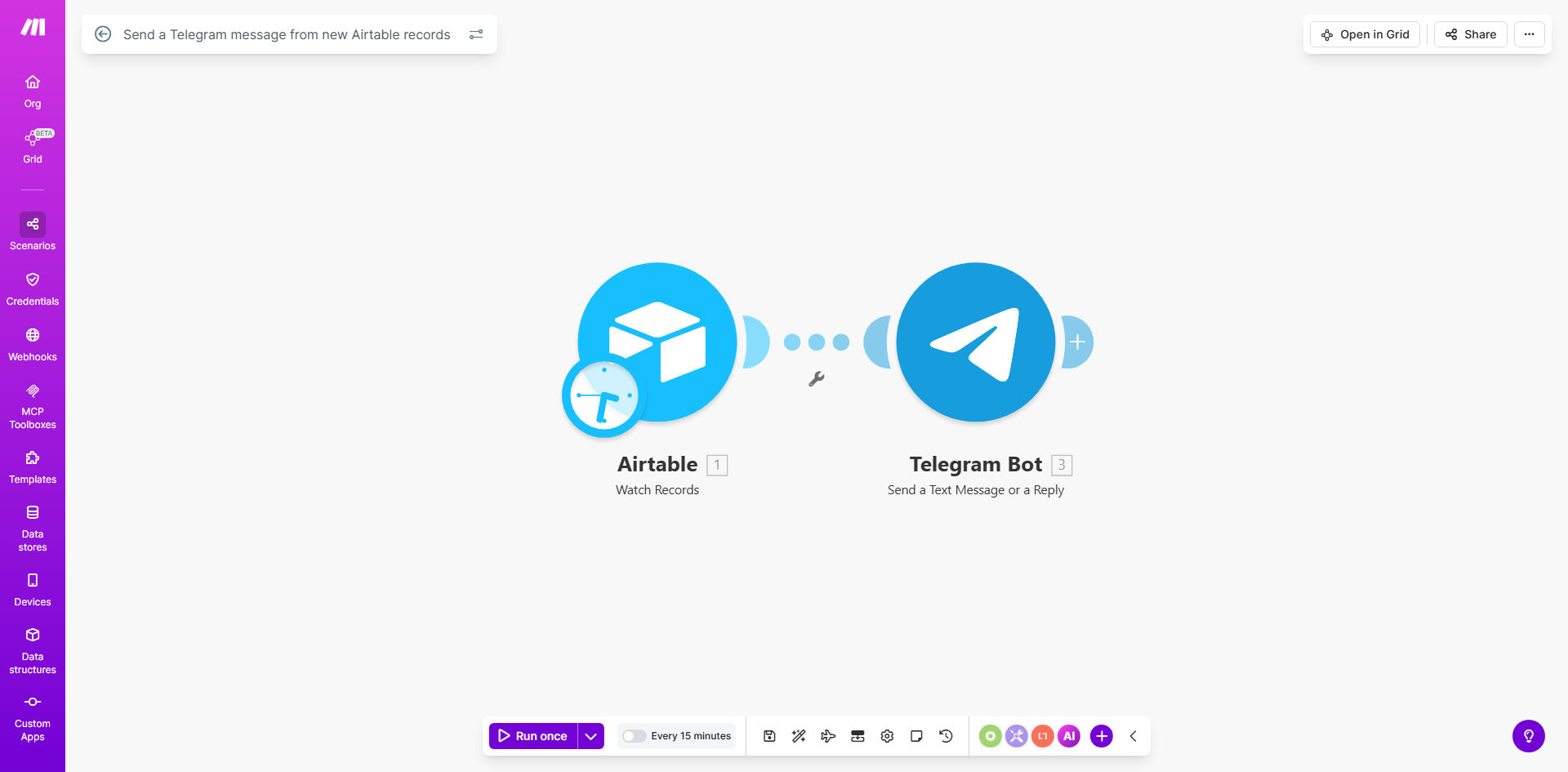
Airtable to Telegram automation workflow diagram showing data flow

What This Workflow Does

This automation bridges the gap between your Airtable database and Telegram messaging, creating an instant notification system for your team. Whenever a new record is added to your specified Airtable base, the workflow automatically sends a customized Telegram message to your chosen channel or group.

For businesses using Airtable as a CRM, project management tool, or operations tracker, this solution eliminates the need for manual notifications. Team members receive mobile alerts in real-time, ensuring they never miss important updates while away from their computers.

How It Works

1. New Record Detection

The workflow constantly monitors your Airtable base for new records using Make.com's Airtable module. It can watch specific tables and even filter for certain record types if needed.

2. Data Extraction

When a new record is detected, the automation extracts relevant fields you specify - this could be customer names, project details, task assignments, or any other important information from your Airtable structure.

3. Message Formatting

The workflow then formats this data into a Telegram-friendly message. You can customize the template to include emojis, field labels, and even conditional formatting based on record values.

4. Telegram Delivery

Finally, the formatted message is sent to your pre-configured Telegram channel or group. The automation handles all the API connections behind the scenes.

Pro tip: Add a "Priority" field in Airtable to trigger different message formats - use ⚠️ for urgent items and ✅ for routine updates.

Who This Is For

This automation delivers the most value for teams that:

  • Use Airtable as their primary data management tool
  • Have team members who need mobile access to updates
  • Work with time-sensitive information requiring quick responses
  • Manage distributed teams across different locations
  • Want to reduce email clutter by moving notifications to Telegram

What You'll Need

  1. An Airtable account with a base containing the data you want to monitor
  2. A Telegram account with admin access to the channel/group where messages should be sent
  3. A Make.com account (free plan available)
  4. Basic familiarity with Airtable field structure

Quick Setup Guide

  1. Copy this template to your Make.com account
  2. Connect your Airtable account and select the base/table to monitor
  3. Set up your Telegram bot (template includes instructions)
  4. Customize the message template with your preferred fields and formatting
  5. Test with a new Airtable record to verify delivery
  6. Schedule the workflow to run continuously

Key Benefits

90% faster notifications: Team members receive alerts within seconds of record creation instead of waiting for manual updates or email notifications.

Mobile-first communication: Telegram's mobile app ensures your team stays informed even when away from their desks, with push notifications that demand attention.

Customizable alerts: Different record types can trigger differently formatted messages, helping your team prioritize their responses at a glance.

Reduced human error: Automated notifications eliminate the risk of forgetting to alert team members about important updates.

Scalable solution: The system handles any volume of records without additional work from your team, growing seamlessly with your business.

Frequently Asked Questions

Common questions about Airtable-Telegram automation and integration

Connecting Airtable with Telegram provides real-time alerts when important data changes, ensuring your team stays informed without manually checking spreadsheets. This is especially valuable for time-sensitive updates like new customer inquiries, project milestones, or inventory changes that require immediate attention.

For example, a sales team can receive instant notifications when new leads are added to their Airtable CRM, allowing them to respond while the inquiry is still fresh. The mobile nature of Telegram means these alerts reach team members wherever they are.

High-value records that require immediate action work best, such as new customer leads, support tickets, project tasks, or inventory alerts. The system works with any Airtable record type, but delivers most value when used for time-sensitive information that benefits from instant mobile notifications.

Consider automating notifications for: urgent client requests, system alerts, time-sensitive approvals, or any record where delayed awareness could impact your business operations or customer experience.

Yes, you can fully customize the message format to include specific fields from your Airtable records. Common customizations include adding emojis for visual scanning, including clickable links, or formatting messages differently for different record types to make them instantly recognizable.

For instance, you might format sales leads with dollar sign emojis ($) and support tickets with warning signs (⚠️). You can also include buttons that link directly back to the Airtable record for quick access.

The automation is highly reliable when properly configured, with Make.com's infrastructure ensuring message delivery. We recommend setting up error handling to catch any rare delivery failures and implementing message read receipts for critical notifications where confirmation is required.

In production environments, these automations typically achieve 99.9%+ delivery rates. For mission-critical notifications, you can add fallback delivery methods (like SMS) for the rare cases when Telegram might be unavailable.

Automating these notifications can reduce response times by 80-90% compared to manual processes, ensuring your team acts on important information immediately. It also eliminates the risk of human error in notification processes and frees up significant time previously spent on manual communication tasks.

For customer-facing teams, faster response times directly impact customer satisfaction scores. Internal teams benefit from improved coordination and reduced "I didn't know about that" moments that delay projects.

Yes, you can configure the automation to send messages to multiple Telegram recipients based on conditions in your Airtable data. For example, you might route different notification types to different department channels or escalate critical alerts to management groups while sending routine updates to team channels.

The template includes examples of conditional routing logic. You can expand this to create sophisticated notification hierarchies that match your organizational structure and escalation protocols.

Absolutely. Our team at GrowwStacks specializes in building custom automation solutions that connect Airtable with Telegram and other communication tools. We can create tailored workflows that match your specific business processes, data structures, and notification requirements.

Custom solutions might include: multi-level approval workflows, intelligent message routing based on record content, integration with additional apps beyond Airtable and Telegram, or advanced error handling for mission-critical notifications.

  • Free consultation to assess your needs
  • Turnkey implementation in 3-5 business days
  • Ongoing support and optimization

Need a Custom Airtable-Telegram Automation?

This free template is a starting point. Our team builds fully tailored automation systems for your specific business needs.