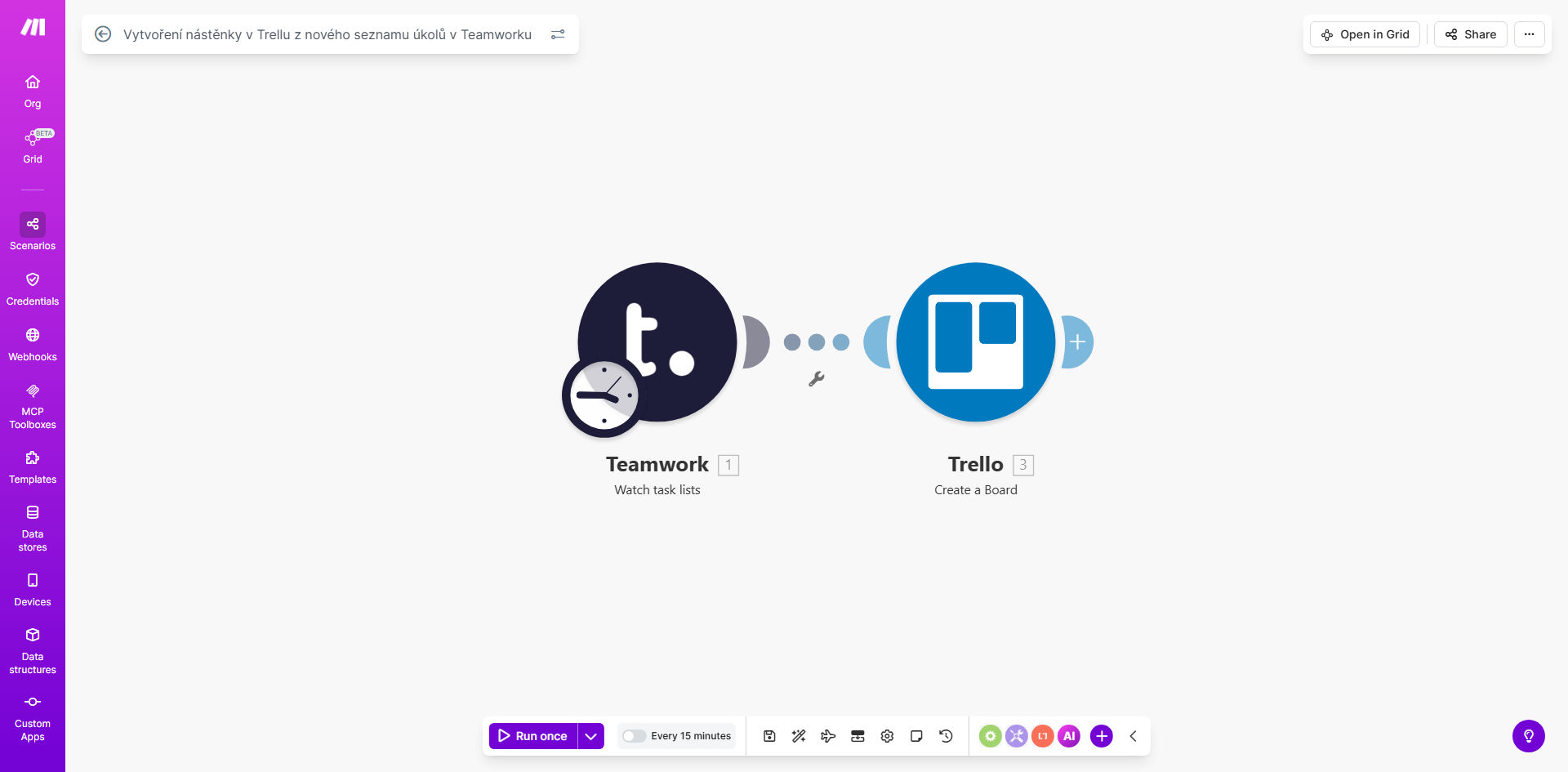
What This Workflow Does
This automation bridges two powerful project management tools - Teamwork for detailed task management and Trello for visual workflow tracking. Every time your team creates a new task list in Teamwork, this workflow automatically generates a corresponding board in Trello with the same name and structure.
Teams often struggle with maintaining parallel systems or manually recreating project elements across platforms. This solution eliminates duplicate work while giving team members the flexibility to work in their preferred environment. Project managers get a unified view while team members can choose between Teamwork's robust features or Trello's intuitive kanban interface.
How It Works
1. Detects new Teamwork task lists
The workflow constantly monitors your specified Teamwork projects for newly created task lists using Make.com's Teamwork integration.
2. Extracts relevant task list details
When a new list appears, the automation gathers key information including the list name, project context, and any configured metadata.
3. Creates matching Trello board
Using Trello's API, the workflow generates a new board with the same name as the Teamwork task list, placed in your designated Trello team workspace.
4. Configures board settings
The automation applies your predefined board preferences - background colors, default lists (To Do, Doing, Done), permissions, and labels matching Teamwork's priority system.
Who This Is For
This integration delivers the most value for:
- Marketing teams managing campaigns in Teamwork but preferring Trello for content calendars
- Development teams tracking sprints in Teamwork while visualizing workflow in Trello
- Remote teams where some members prefer Teamwork's structure and others favor Trello's simplicity
- Agencies that need to provide clients with Trello access while maintaining internal Teamwork systems
What You'll Need
- Active accounts with admin access in both Teamwork and Trello
- Make.com account (free tier sufficient for basic usage)
- API keys for both Teamwork and Trello (available in each platform's settings)
- Clear mapping between Teamwork projects and Trello teams/workspaces
Quick Setup Guide
- Install the template in your Make.com account
- Connect your Teamwork account via OAuth
- Connect your Trello account via OAuth
- Specify which Teamwork projects to monitor
- Set the default Trello team for new boards
- Configure board naming conventions if desired
- Test by creating a new task list in Teamwork
Pro tip: Create a naming convention prefix (like "TW-") for auto-generated boards so team members can easily identify synced content versus manually created Trello boards.
Key Benefits
Saves 3-5 hours per week by eliminating manual board creation and task copying between platforms. What used to be a tedious administrative task now happens instantly in the background.
Reduces human error by automatically maintaining perfect synchronization between systems. No more missed tasks or outdated information in one platform.
Improves team flexibility by letting members work in their preferred environment while maintaining a unified project structure behind the scenes.
Enhances visibility for stakeholders who may only have access to one platform, ensuring everyone sees the complete picture regardless of which tool they use.
Scales effortlessly as your team grows - the automation handles 10 boards or 1000 boards with equal reliability.