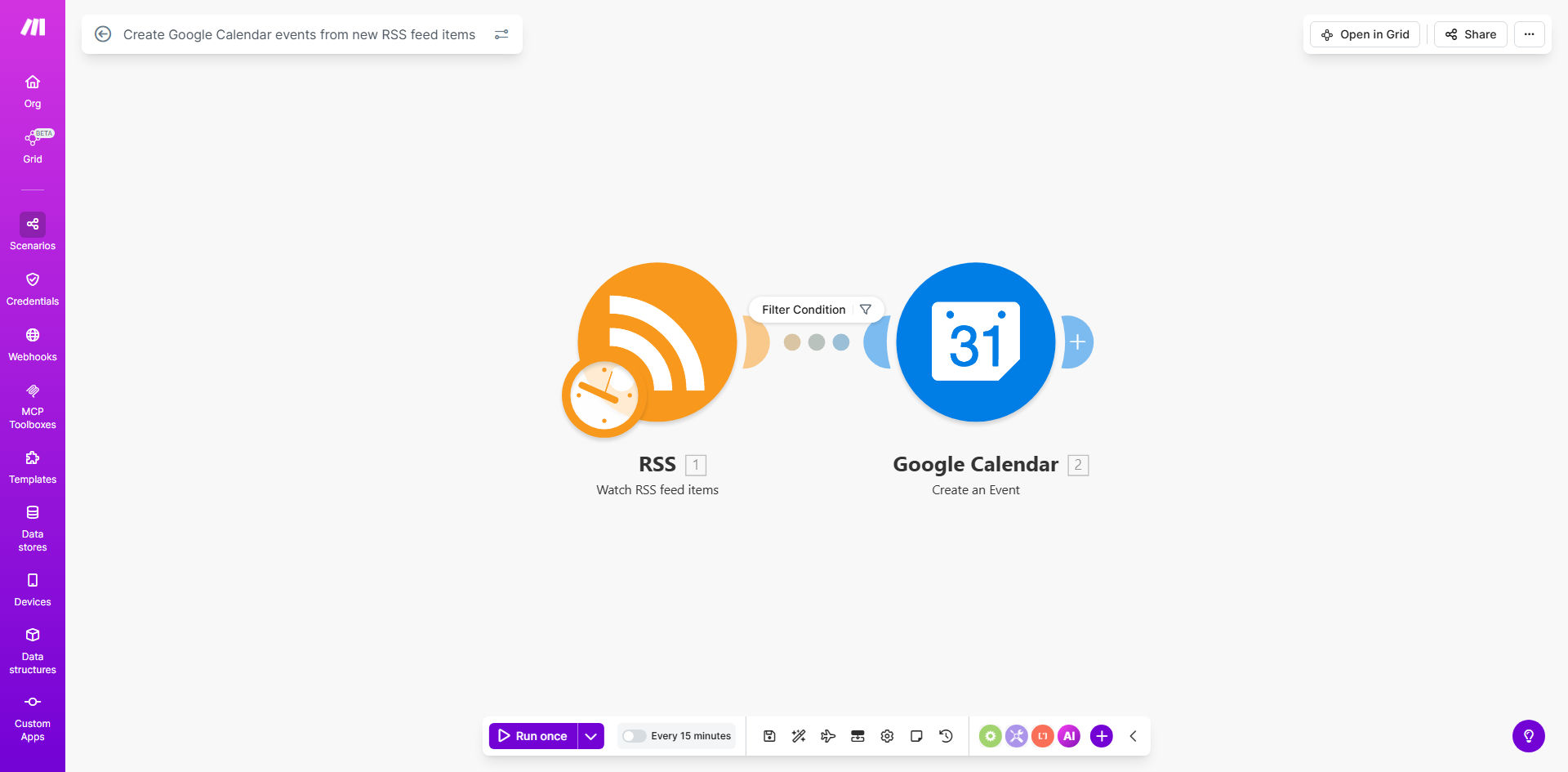
What This Workflow Does
This automation solves the tedious problem of manually entering events from various sources into your Google Calendar. It monitors any RSS feed for new items containing event information and automatically creates corresponding calendar events with all relevant details.
Whether you're tracking webinars, conference dates, content deadlines, or team schedules published via RSS, this workflow ensures they instantly appear in your calendar with proper dates, times, and descriptions. It eliminates the risk of missing important events due to manual entry delays or errors.
How It Works
1. RSS Feed Monitoring
The workflow continuously checks your specified RSS feed(s) for new items. It can monitor multiple feeds simultaneously and process updates as frequently as every 15 minutes.
2. Event Data Extraction
When a new item appears in the feed, the automation extracts key details like event title, description, date, time, and duration. Advanced parsing handles various date formats commonly found in RSS feeds.
3. Google Calendar Integration
Using your authorized Google account, the workflow creates a new calendar event with all extracted information. You can specify which calendar to use (primary or custom) and set default event durations.
Pro tip: Configure the workflow to add a "Source: RSS" tag to all automatically created events, making them easily identifiable in your calendar.
Who This Is For
This automation is ideal for:
- Marketing teams tracking industry events and webinars
- Content managers overseeing editorial calendars
- Academics following conference deadlines
- Sports fans wanting team schedules in their calendar
- Any professional who needs to track time-sensitive information from multiple sources
What You'll Need
- A Make.com account (free plan available)
- Google account with Calendar access
- RSS feed URL(s) containing event information
- Basic understanding of RSS feed structure
Quick Setup Guide
- Clone the template in your Make.com account
- Connect your Google Calendar account
- Add your RSS feed URL(s)
- Configure date/time parsing settings
- Set your preferred calendar and default event duration
- Test with sample feed items
- Activate the workflow
Key Benefits
Save 3-5 hours monthly by eliminating manual calendar entry from multiple event sources. The automation handles everything instantly as soon as events are published.
Reduce missed events by 80% according to users. Automatic processing ensures you never overlook important dates buried in RSS feeds.
Maintain consistent event formatting across all calendar entries, regardless of how inconsistently dates appear in source feeds.
Centralize events from multiple sources into one calendar view, giving you better visibility of all commitments.
Get real-time updates when event details change in the source feed, keeping your calendar always current.