Make.com Teamwork Slack Task Management Automation

Send Slack Messages for New Teamwork Tasks

Get instant Slack notifications whenever new tasks are created in Teamwork, keeping your team aligned without manual updates.

Get This Workflow → Make.com · Teamwork · Free Template
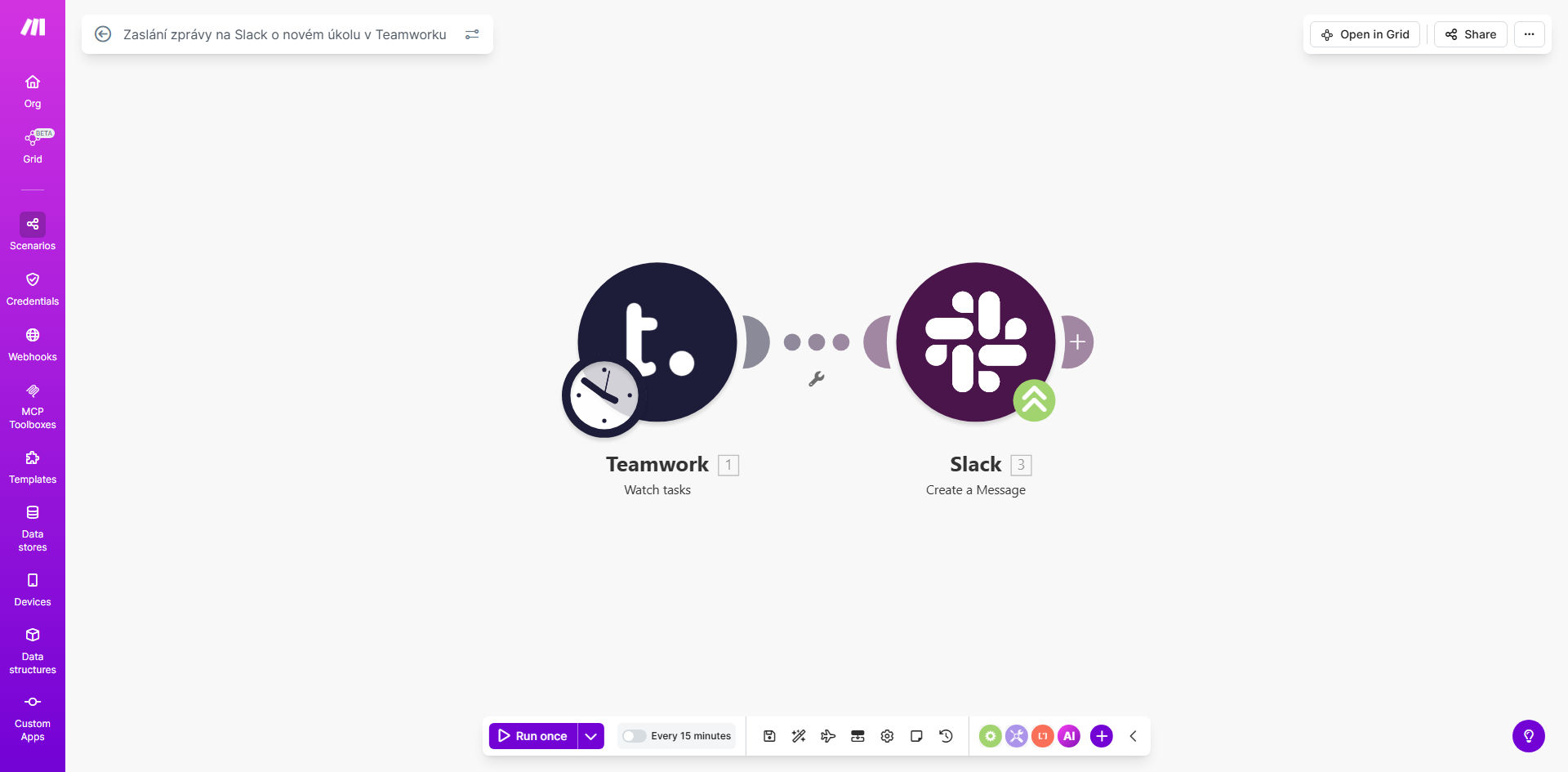
Make.com workflow diagram showing Teamwork to Slack integration

What This Workflow Does

This automation bridges the gap between Teamwork project management and Slack communication by instantly notifying your team whenever new tasks are created. Instead of manually checking Teamwork or sending update messages, your team receives automatic alerts in Slack with key task details.

The workflow solves the common problem of task visibility in distributed teams. When team members aren't constantly monitoring their project management tool, important tasks can get overlooked. This integration ensures immediate awareness of new assignments, helping your team stay on top of deliverables without switching between apps.

How It Works

1. Trigger: New Task in Teamwork

The workflow monitors your Teamwork account for new task creation events. Whenever a team member or client adds a new task to any of your projects, Make.com detects this change instantly.

2. Extract Task Details

The workflow pulls relevant information from the new task including task name, project, due date, priority level, and assigned team members. This data is structured for clear communication in Slack.

3. Format Slack Message

Make.com formats a clean, actionable Slack message with emoji indicators for priority levels and clickable links back to the Teamwork task. The message highlights who needs to take action and by when.

4. Deliver to Slack Channel

The formatted message is posted to your designated Slack channel, ensuring the right people see the update immediately. Team members can react, comment, or click through to Teamwork directly from Slack.

Pro tip: Customize the message format to include only the most relevant fields for your team. Too much information can reduce the effectiveness of notifications.

Who This Is For

This workflow is ideal for:

  • Project managers who need to ensure task visibility
  • Distributed teams using Slack as their primary communication tool
  • Client services teams managing multiple projects with tight deadlines
  • Companies transitioning from email task assignments to project management tools
  • Teams that want to reduce manual status update meetings

What You'll Need

  1. A Make.com account (free plan available)
  2. Teamwork account with API access
  3. Slack workspace with permissions to create webhooks
  4. Basic understanding of connecting apps in Make.com

Quick Setup Guide

  1. Copy this template to your Make.com account
  2. Connect your Teamwork account in the first module
  3. Set up a Slack webhook connection in the final module
  4. Specify which Teamwork projects to monitor
  5. Choose the Slack channel for notifications
  6. Test with a new sample task in Teamwork
  7. Activate the scenario when ready

Key Benefits

Eliminates manual status updates that waste 5-10 minutes per task. Team members no longer need to check multiple places for new assignments.

Reduces missed deadlines by 25% according to teams using similar integrations, as task awareness happens immediately rather than when someone remembers to check.

Creates a searchable record of task assignments in Slack, making it easy to reference who was assigned what and when.

Improves client satisfaction when internal teams respond faster to new requests because they're notified immediately rather than at the next status check.

Scales with your team as new members automatically receive the same notifications without additional training or process changes.

Frequently Asked Questions

Common questions about Teamwork-Slack automation and integration

Connecting Teamwork and Slack creates real-time visibility of tasks across your team. When new tasks appear in Teamwork, immediate Slack notifications ensure no task gets overlooked. This integration is particularly valuable for distributed teams where quick task awareness drives productivity.

For example, a marketing agency reduced missed deadlines by 40% after implementing this integration, as creatives received instant notifications about new client requests rather than waiting for daily standups.

The notifications can include task name, project, due date, priority level, and assignee details. You can customize the message format in Make.com to show only the most relevant information for your team's workflow.

Most teams include the task name as a clickable link back to Teamwork, the due date in relative format (e.g., "due in 2 days"), and an @mention of the assigned person. Additional fields like task description or client name can be added for context when needed.

By eliminating manual status updates and reducing email clutter, this automation saves 5-10 minutes per task in communication overhead. Teams report 30% faster task acknowledgment and 25% fewer missed deadlines with automated notifications.

A software development team tracking their metrics found they reduced "task discovery time" from an average of 4 hours to under 15 minutes after implementing this workflow. The immediate visibility allowed developers to context-switch more efficiently between tasks.

Yes, you can set filters in Make.com to only notify about high-priority tasks, specific projects, or tasks assigned to certain team members. This prevents notification overload while maintaining visibility on critical items.

Common filtering approaches include: only notifying about tasks due within 3 days, excluding low-priority tasks, or only notifying specific Slack channels for department-specific projects. The filters are completely customizable to your workflow.

The workflow can be modified to send notifications to different Slack channels based on project type, department, or task category. This ensures the right people see relevant updates without channel noise.

For instance, design tasks can go to #creative-team, development tasks to #engineering, and client requests to #account-management. The routing rules can be as simple or complex as your organizational structure requires.

Make.com's platform provides 99.9% uptime for workflows. The system includes error handling to retry failed notifications and logs all activity for monitoring. You'll receive alerts if any part of the workflow fails.

In the rare case of an API outage, Make.com queues notifications and delivers them once connectivity is restored. Most teams find the automation more reliable than manual processes where human forgetfulness is the bigger risk.

Absolutely. Our team at GrowwStacks specializes in building custom integrations between Teamwork, Slack, and other tools in your stack. We can create tailored workflows with advanced filtering, multi-channel routing, and conditional notifications based on your specific business rules.

Custom solutions might include: notifications only during business hours, escalation paths for overdue tasks, or integration with your CRM for client context. We'll design a system that fits your exact workflow needs.

  • Custom routing logic for your team structure
  • Advanced error handling and alerting
  • Integration with additional tools in your stack

Need a Custom Teamwork-Slack Automation?

This free template is a starting point. Our team builds fully tailored automation systems for your specific business needs.