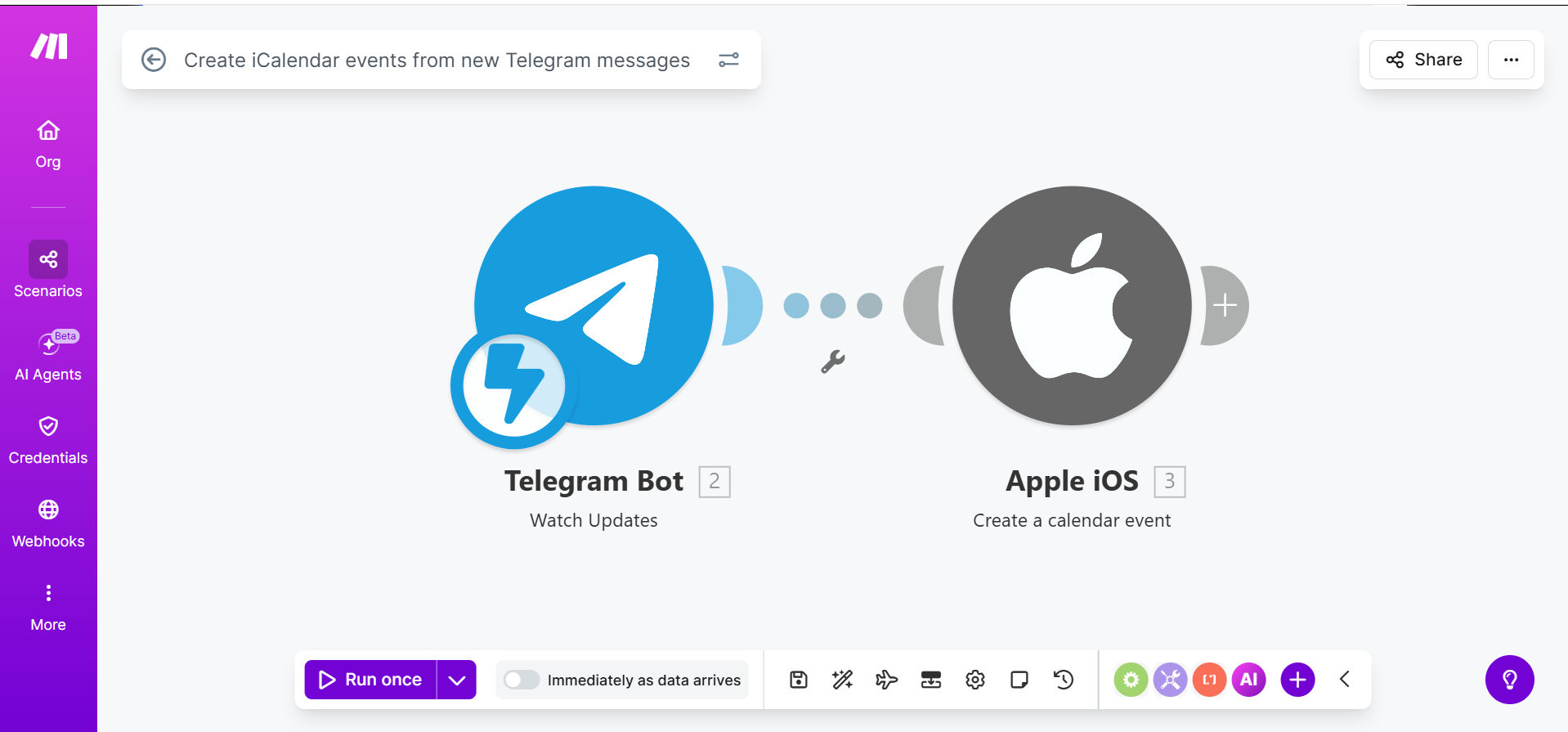
What This Workflow Does
How many times has your team agreed on a meeting time in a Telegram group, only for someone to forget to add it to the calendar? Manual scheduling from chat is a major source of missed appointments and administrative drag. This automation solves that by creating a direct pipeline from conversation to calendar.
This Make.com workflow listens for new messages in your specified Telegram chat or channel. When a message containing event details is detected, it automatically parses the information, creates a properly formatted iCalendar (.ics) event, and delivers it to your chosen destination. It turns informal planning into formal, trackable appointments without you lifting a finger.
The business value is clear: reduced scheduling errors, eliminated manual data entry, and guaranteed that every agreed-upon task or meeting is captured in your central scheduling system. It brings structure to the fluid nature of team messaging.
How It Works
The workflow operates on a simple trigger-process-deliver model, seamlessly connecting Telegram to your calendar ecosystem.
Step 1: Monitoring Telegram
The scenario starts by watching a specific Telegram chat, group, or channel for new messages. You can set filters to trigger only on messages from certain users, containing keywords like "meeting" or "deadline," or sent to a dedicated planning bot.
Step 2: Parsing Event Details
When a trigger message arrives, the workflow extracts the relevant data. Using text parsing modules, it can identify dates, times, titles, and descriptions from the message content. For more complex messages, you can integrate AI modules to understand natural language and extract structured data accurately.
Pro tip: Use a consistent format in your Telegram messages (e.g., "Meeting: Project Sync on Friday at 3 PM") to make parsing incredibly reliable and easy to set up.
Step 3: Building the iCalendar Event
The extracted details are fed into an "Create an iCalendar file" module. This module constructs a standard .ics file with all necessary event properties: start/end time, title, description, location, and even attendee emails if provided. The iCalendar format is universally accepted by all major calendar services.
Step 4: Delivering the Event
The final step is delivering the generated .ics file. This can be done by emailing it as an attachment to yourself or your team, uploading it to a cloud storage folder that syncs with your calendar, or sending it directly to a calendar API. The event then appears in calendars like Google Calendar or Outlook.
Who This Is For
This automation is a game-changer for any team or individual that uses Telegram for coordination. It's ideal for remote teams, project managers, community organizers, freelancers coordinating with clients, and small businesses that operate through group chats. If your planning happens in conversation, this workflow ensures those plans don't get lost.
What You'll Need
- A Make.com account (free tier available).
- A Telegram account and access to the chat you want to monitor.
- A Telegram Bot Token (created via @BotFather on Telegram) to grant Make.com secure access to your messages.
- A destination for the iCalendar files, such as an email address or a cloud storage service (Google Drive, Dropbox) connected in Make.com.
Quick Setup Guide
You can have this automation running in under 15 minutes by following these steps.
- Get the Template: Click the "Get This Workflow" button to copy the ready-made scenario into your Make.com account.
- Connect Telegram: In the first module, authenticate using your Telegram Bot Token. Select the specific chat or channel you want the workflow to watch.
- Set Your Trigger: Configure the trigger filter. Start simple by watching all new messages, or add a keyword filter (e.g., "event:" or "schedule:") to avoid creating events from unrelated chats.
- Map Your Data: In the iCalendar module, map the data from the Telegram message to the event fields. Connect the message text to the event title, and use parsers to extract the date and time into the correct fields.
- Choose Your Output: Connect the final module to your delivery method. The easiest is the "Send an Email" module with the .ics file attached, sent to your own email which will auto-add it to your calendar.
- Test & Activate: Turn on the scenario and send a test message to your Telegram chat. Check your email or calendar within a minute to confirm the event was created successfully.
Key Benefits
Eliminate manual calendar entry entirely. This workflow can save each team member 30-60 minutes per week previously spent copying details from chat to calendar, time that can be redirected to high-value work.
Reduce scheduling errors and missed meetings by nearly 100%. When the event creation is automatic, there's no risk of typos in dates, forgotten invites, or time zone confusion, leading to more reliable team coordination.
Create a single source of truth for schedules. By funneling all Telegram-planned events into your main calendar, you eliminate fragmented planning and ensure everyone is looking at the same updated schedule.
Scale your team's planning without adding administrative overhead. As your team grows and more conversations happen, this automation scales effortlessly, handling event creation for 10 or 1000 messages without additional effort.
Improve accountability and follow-through. Automatic event creation ensures that every discussed action item or deadline that is date-specific is formally scheduled, increasing project accountability and on-time delivery.