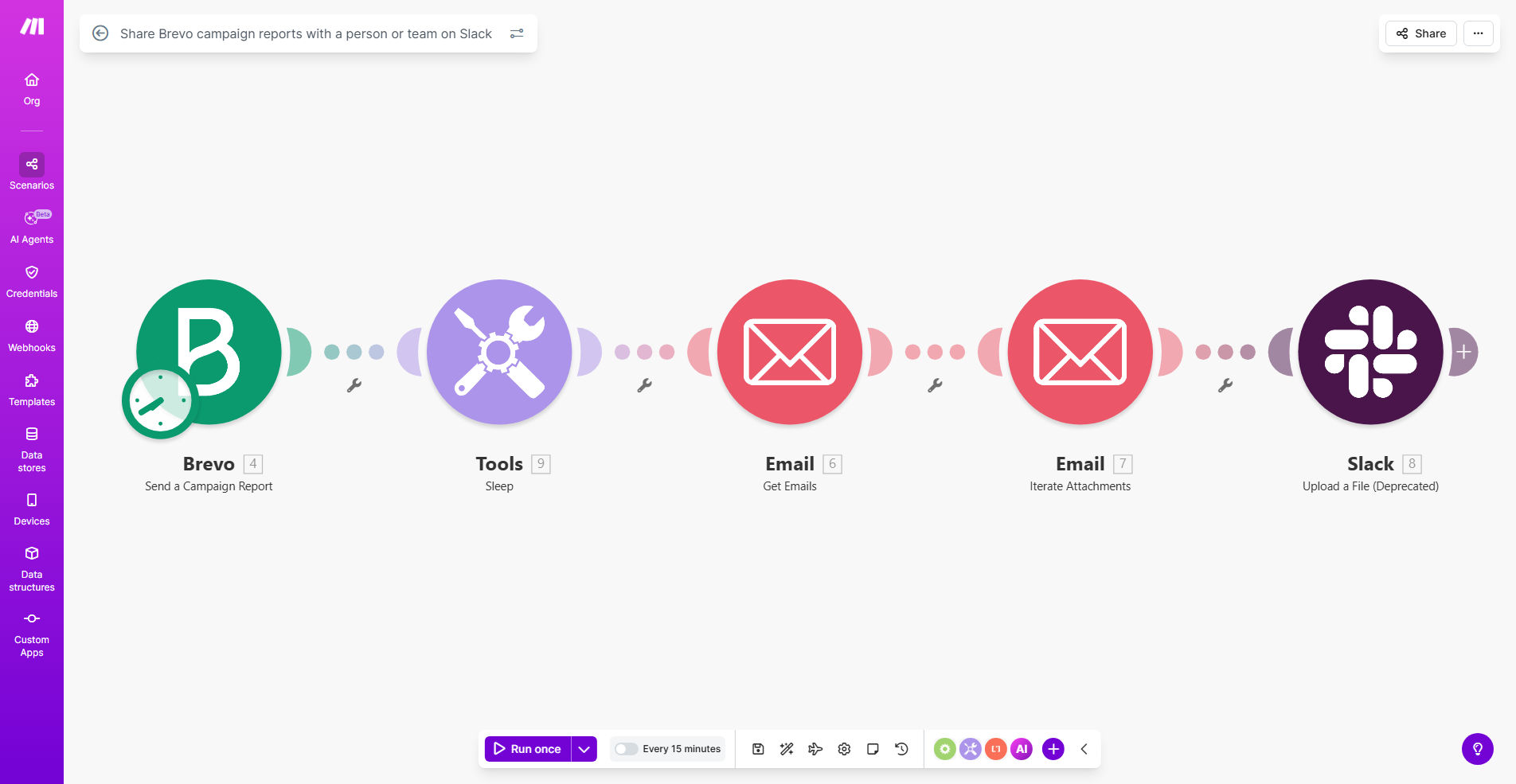
What This Workflow Does
Marketing teams often struggle with information silos. After an email campaign finishes in Brevo (formerly Sendinblue), the performance report typically lands in one person's inbox. Sharing these insights manually with the rest of the team—via email, screenshots, or meetings—is slow, inconsistent, and eats up valuable time. This delay means missed opportunities to quickly celebrate wins, diagnose problems, and adjust strategy for the next campaign.
This automation workflow solves that by instantly connecting Brevo to Slack. Whenever a campaign concludes, its key analytics—open rates, clicks, conversions, revenue—are automatically formatted into a clear message and posted to a designated Slack channel or sent directly to a team member. This creates a live, shared dashboard of marketing performance within the team's primary communication tool, fostering transparency, alignment, and faster decision-making.
Beyond simple notification, this workflow ensures that data-driven insights become a natural part of your team's daily conversation. It turns post-campaign analysis from a delayed, manual task into an immediate, automated trigger for collaboration and strategic discussion.
How It Works
Step 1: Trigger from Brevo Campaign Completion
The workflow is triggered automatically when a Brevo email campaign reaches its scheduled end time or is manually marked as completed. Make.com watches for this event, capturing the campaign ID and all associated performance data.
Step 2: Fetch Detailed Campaign Analytics
Using the campaign ID, the workflow calls Brevo's API to retrieve the full campaign report. This includes metrics like total sends, unique opens, click-through rate (CTR), unsubscribes, generated revenue, and more. The system gathers the raw data needed for the summary.
Step 3: Format the Data for Slack
The raw numbers are processed and formatted into a human-readable message. Critical metrics are highlighted, and a performance summary (e.g., "Campaign exceeded open rate goal") is generated. A direct link to the full Brevo report is also included for deeper analysis.
Step 4: Deliver to Slack Channel or User
The formatted message is sent to Slack via a webhook or the Slack app. You can configure it to post to a public channel like #marketing-performance, a private team channel, or even send it as a direct message to a specific stakeholder, such as the Head of Marketing or Sales Lead.
Who This Is For
This workflow is ideal for marketing teams, agencies, and growth-focused companies that use Brevo for email marketing and Slack for internal communication.
- Marketing Managers & Directors: Who need to keep their teams informed and aligned on campaign performance without spending time on manual reporting.
- Growth Teams & Startups: Where speed and data transparency are critical for iterative campaign optimization.
- Digital Agencies: Managing multiple client campaigns who need to efficiently share results with internal teams or client stakeholders.
- Sales Teams: That rely on marketing campaign outcomes to understand lead quality and follow-up priorities.
- Leadership & Executives: Who want high-level performance updates delivered directly to them without requesting reports.
What You'll Need
- A Make.com account (free or paid plan) to build and run the automation.
- A Brevo account with active email campaigns and API access enabled.
- A Slack workspace with the appropriate channels set up and permissions to create incoming webhooks or install the Slack app in Make.com.
- Basic understanding of which Slack channel(s) or user(s) should receive the reports.
- Knowledge of the key Brevo campaign metrics most important for your team's decision-making.
Pro tip: Start by sharing reports to a single, dedicated channel like #marketing-data. This creates a centralized performance log the whole team can reference. Later, you can branch the workflow to send specific alerts (e.g., for exceptionally high CTR) to a leadership channel.
Quick Setup Guide
- Clone the Template: Use the "Get This Workflow" button above to copy the template into your Make.com account.
- Connect Your Brevo Account: In the Make.com scenario, add your Brevo API connection by providing your API key from your Brevo settings.
- Connect Your Slack: Set up the Slack module by either creating an incoming webhook for your target channel or authorizing the official Slack app.
- Configure the Trigger: Set the Brevo module to watch for "Campaign Sent" or "Campaign Completed" events. You can filter by campaign name or type if needed.
- Customize the Message: Edit the text module that formats the Slack message. Include the metrics your team cares about most and adjust the tone (e.g., celebratory for wins, analytical for reviews).
- Test and Activate: Run a test with a past Brevo campaign to ensure the data flows correctly and the message appears in Slack as intended. Then activate the scenario.
Key Benefits
Instant Team Alignment: Campaign results are shared in seconds, not hours. Your entire marketing and sales team sees performance data simultaneously, eliminating information gaps and enabling immediate, collaborative discussion on next steps.
Save 5–10 Hours per Month: Eliminate the manual process of extracting data from Brevo, compiling it into an email or presentation, and distributing it. This automation reclaims significant time for your marketers to focus on strategy and creation.
Data-Driven Culture: By making performance metrics a regular, visible part of team communication, you reinforce a culture where decisions are based on data, not guesses. This leads to more effective campaigns and better resource allocation.
Flexible Reporting: The workflow can be easily modified to route reports based on conditions. For example, send exceptional performance reports to a leadership channel, and standard reports to the marketing team channel, ensuring the right audience gets the right insights.
Improved Campaign Agility: With real-time insights delivered directly to the team's communication hub, you can identify underperforming campaigns faster and pivot strategy or tactics more quickly, maximizing the ROI of your marketing efforts.