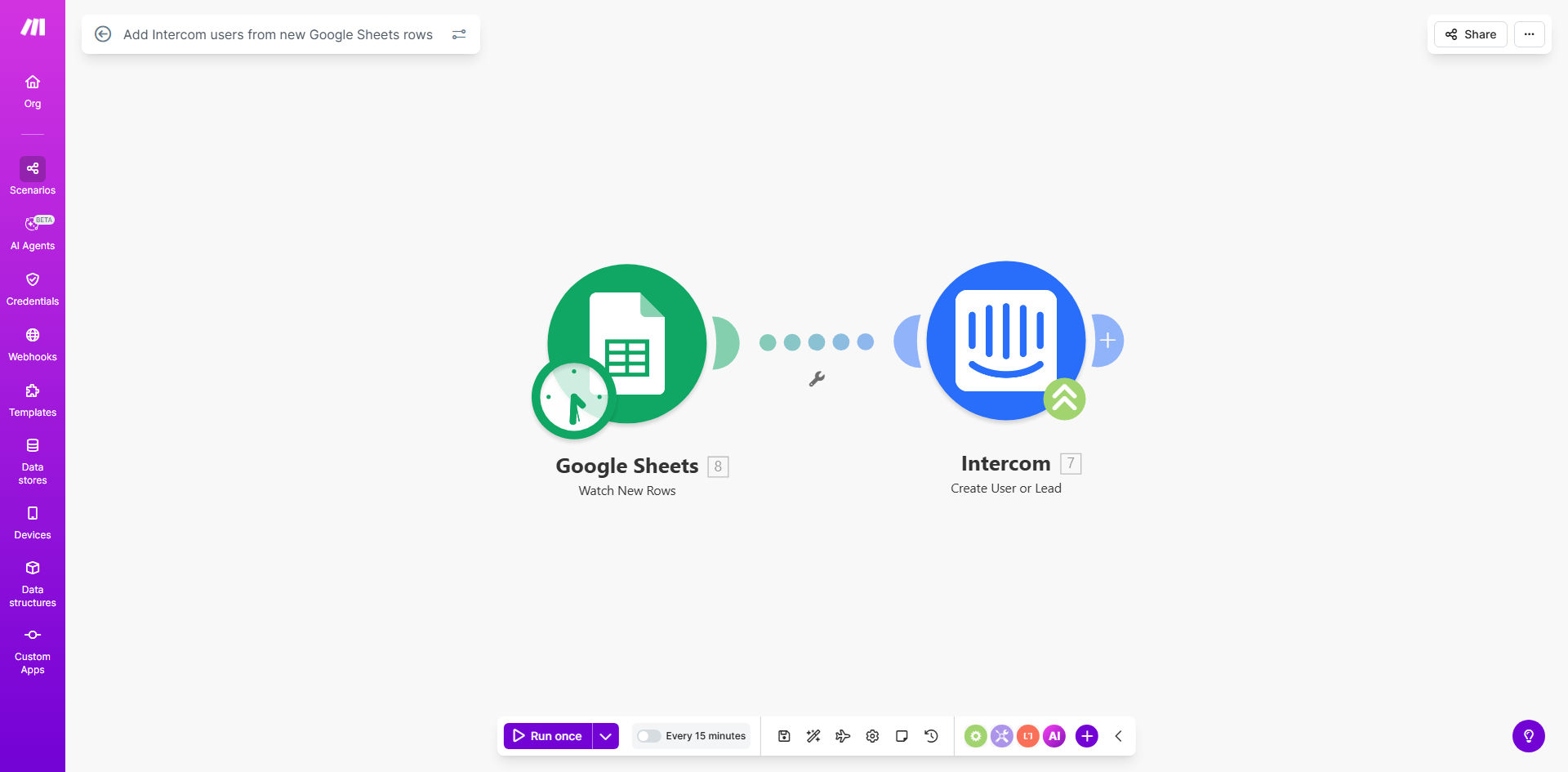
What This Workflow Does
This automation eliminates the tedious manual process of transferring customer data from spreadsheets to your Intercom CRM. Whenever your sales or support teams add new customer information to a designated Google Sheet, the workflow instantly creates corresponding user profiles in Intercom with all relevant details.
The template handles field mapping automatically, ensuring spreadsheet columns are correctly matched to Intercom user attributes. It's particularly valuable for businesses onboarding new customers, managing lead lists, or coordinating between teams that use different tools.
How It Works
1. New row detection
The workflow monitors your Google Sheet for new rows added to a specified worksheet. You can configure it to watch specific columns or the entire sheet.
2. Data validation
Each new row is checked for required fields (like email) and formatted correctly before being sent to Intercom. Invalid entries can be flagged for review.
3. Intercom user creation
Validated data is used to create new user profiles in Intercom, with customizable field mapping to ensure data lands in the right places.
Pro tip: Add a "Status" column to your sheet to track which rows have been processed. The workflow can update this automatically upon successful Intercom creation.
Who This Is For
This workflow is ideal for:
- Sales teams managing lead lists in Sheets that need to sync with Intercom
- Support teams onboarding new customers from spreadsheets
- Marketing teams running campaigns that generate lead lists
- Operations teams bridging gaps between different department tools
What You'll Need
- A Google Sheets spreadsheet with your customer data
- An Intercom account with admin permissions
- A Make.com account (free plan works)
- Basic understanding of your customer data structure
Quick Setup Guide
- Copy the template to your Make.com account
- Connect your Google Sheets and Intercom accounts
- Specify which sheet and columns to monitor
- Map spreadsheet columns to Intercom user fields
- Test with sample data and activate the workflow
Key Benefits
Eliminate manual data entry: Save 2-5 hours per week by automating what was previously a tedious copy-paste process between systems.
Reduce errors: Automated field mapping prevents the typos and misplacements common in manual transfers.
Real-time updates: New customers appear in Intercom within minutes of being added to your sheet, improving response times.
Scalable solution: Handles 10 or 10,000 new users with equal reliability, growing with your business needs.