Make.com Intercom Pipedrive CRM Automation Lead Management

Create Pipedrive Deals for New Intercom Users

Automatically convert Intercom signups into Pipedrive deals to streamline your sales pipeline

Get This Workflow Make.com · CRM · Free Template
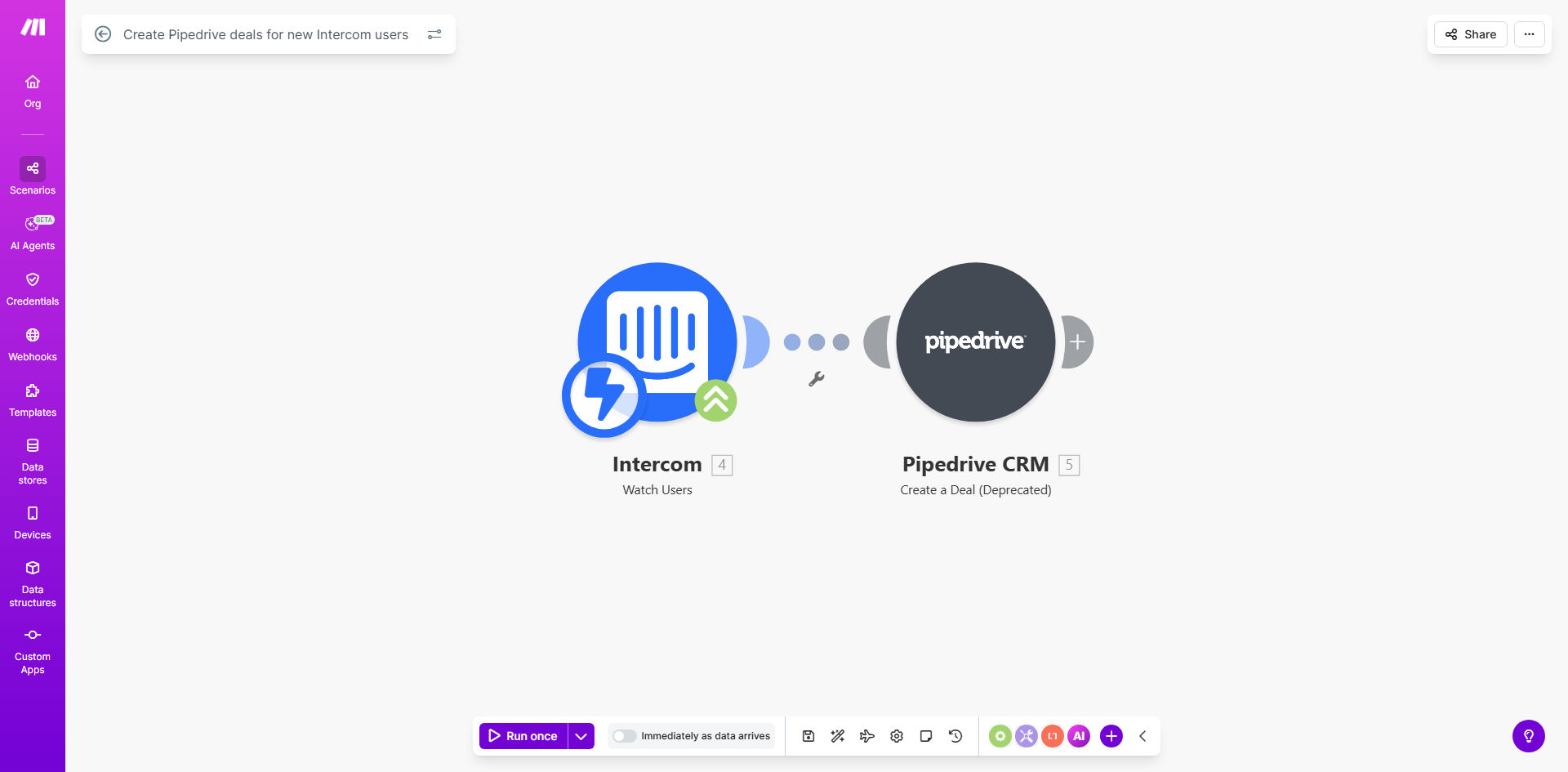
Automation workflow diagram showing Intercom to Pipedrive integration

What This Workflow Does

This automation bridges the gap between your customer support and sales teams by automatically creating Pipedrive deals whenever new users sign up through Intercom. It eliminates the manual work of copying user information between systems and ensures your sales team never misses a potential lead.

The workflow triggers the moment a new user is created in Intercom, capturing all relevant contact information and creating a corresponding deal in Pipedrive with the appropriate pipeline, stage, and custom fields. This creates a seamless handoff between teams while maintaining data accuracy and consistency across platforms.

How It Works

1. New user detection in Intercom

The workflow monitors Intercom for new user creation events. When triggered, it captures the user's name, email, company, and any custom attributes you've configured in Intercom.

2. Data processing and enrichment

Make processes the incoming user data, formatting it appropriately for Pipedrive and optionally enriching it with additional information from other connected apps or databases.

3. Deal creation in Pipedrive

The workflow creates a new deal in your specified Pipedrive pipeline, mapping all relevant fields from Intercom to the corresponding Pipedrive deal and contact fields.

4. Error handling and logging

The automation includes built-in error handling to manage cases where required fields are missing or API connections fail, with detailed logging for troubleshooting.

Who This Is For

This automation is ideal for businesses that use Intercom for customer communication and Pipedrive as their CRM. It's particularly valuable for:

  • SaaS companies with free trial signups through Intercom
  • Sales teams that want faster lead follow-up
  • Companies struggling with manual data entry between support and sales
  • Businesses looking to improve lead conversion rates
  • Teams wanting better visibility into their sales pipeline

What You'll Need

  1. An active Intercom account with admin access
  2. A Pipedrive account with API access enabled
  3. A Make.com account (free plan sufficient for basic setup)
  4. Clear mapping of which Intercom fields should go to which Pipedrive fields
  5. Decide on your default Pipedrive pipeline and stage for new deals

Quick Setup Guide

  1. Clone the template from Make.com to your account
  2. Connect your Intercom account in the first module
  3. Connect your Pipedrive account in the deal creation module
  4. Map the field values from Intercom to Pipedrive
  5. Set your default pipeline and stage for new deals
  6. Test with a sample user to verify the flow
  7. Activate the scenario and monitor initial executions

Pro tip: Add conditional logic to route different types of users to different pipelines. For example, free trial users might go to a "Nurture" pipeline while paid signups go directly to "Qualified Leads."

Key Benefits

Eliminate manual data entry - Save 5-10 minutes per lead that would otherwise be spent copying information between systems.

Faster lead response times - Studies show responding within 5 minutes increases conversion rates by 10x compared to waiting 30 minutes.

Never miss a potential customer - Automated deal creation ensures every Intercom signup gets tracked in your CRM.

Improved data accuracy - Remove human error from the data transfer process between systems.

Better sales visibility - Get complete reporting on your lead sources and conversion rates.

Frequently Asked Questions

Common questions about Intercom-Pipedrive automation and integration

Connecting Intercom with Pipedrive creates a seamless handoff between customer support and sales teams. When a new user signs up via Intercom, your sales team immediately gets a deal created in Pipedrive with all relevant user information, eliminating manual data entry and ensuring no leads fall through the cracks.

This integration is particularly valuable for SaaS companies and businesses with high-touch sales processes where timely follow-up significantly impacts conversion rates. The automation maintains data consistency across platforms while freeing your team to focus on selling rather than administrative tasks.

This automation typically transfers the user's name, email, company, signup date, and any custom attributes you configure. You can map additional fields like user segments, conversation history, or product usage data to provide your sales team with valuable context before they reach out.

The exact fields transferred depend on your Intercom setup and Pipedrive configuration. Common additional mappings include lead source tags, initial message content, pricing plan selected, and any custom properties you track in Intercom like company size or industry.

The deal creation happens in near real-time, typically within 1-2 minutes of the user signing up in Intercom. This ensures your sales team can follow up while the lead is still warm, significantly improving conversion rates compared to manual processes.

Make.com polls Intercom for new users at regular intervals, with the shortest being every minute on paid plans. For time-sensitive sales processes, consider upgrading to a paid Make plan for more frequent checks and immediate processing.

Yes, you can configure the automation to create deals in specific Pipedrive pipelines and stages based on user attributes. For example, you might create deals in different pipelines for free trial users versus paid customers, or set different initial stages based on the user's industry or company size.

The template includes conditional routing logic that you can customize to match your sales process. You can also set different deal titles, values, and custom fields based on the user's characteristics or behavior in Intercom.

The automation includes deduplication logic to prevent creating duplicate deals. It checks for existing contacts in Pipedrive before creating a new deal, and can either update the existing record or skip creation based on your configuration preferences.

You can customize the deduplication behavior - some businesses prefer to create new deals for repeat signups (tracking renewed interest), while others update the existing deal with new information. The template supports both approaches through configurable settings.

By eliminating manual data entry, sales reps save 5-10 minutes per lead while ensuring complete and accurate information. The automation also enables faster follow-up, with studies showing response times under 5 minutes increase conversion rates by 10x compared to responses after 30 minutes.

Additional productivity benefits include automatic lead scoring based on Intercom data, reduced context switching between platforms, and elimination of missed leads from manual processes. Sales managers gain better visibility into lead sources and conversion metrics.

  • No more copy-pasting contact details
  • Automatic lead qualification based on signup source
  • Consistent data formatting across all deals

Absolutely! Our team at GrowwStacks specializes in building tailored automation solutions that match your unique sales processes. We can customize field mappings, add conditional logic, integrate additional data sources, and optimize the workflow for your specific business needs and CRM setup.

Beyond basic integration, we can add features like lead scoring based on Intercom conversations, automatic task creation for sales reps, notifications for high-value leads, and synchronization of deal updates back to Intercom. Our solutions are designed to grow with your business and adapt to changing processes.

  • Custom lead qualification rules
  • Multi-step nurturing sequences
  • Integration with your marketing stack

Need a Custom Intercom-Pipedrive Automation?

This free template is a starting point. Our team builds fully tailored automation systems for your specific business needs.