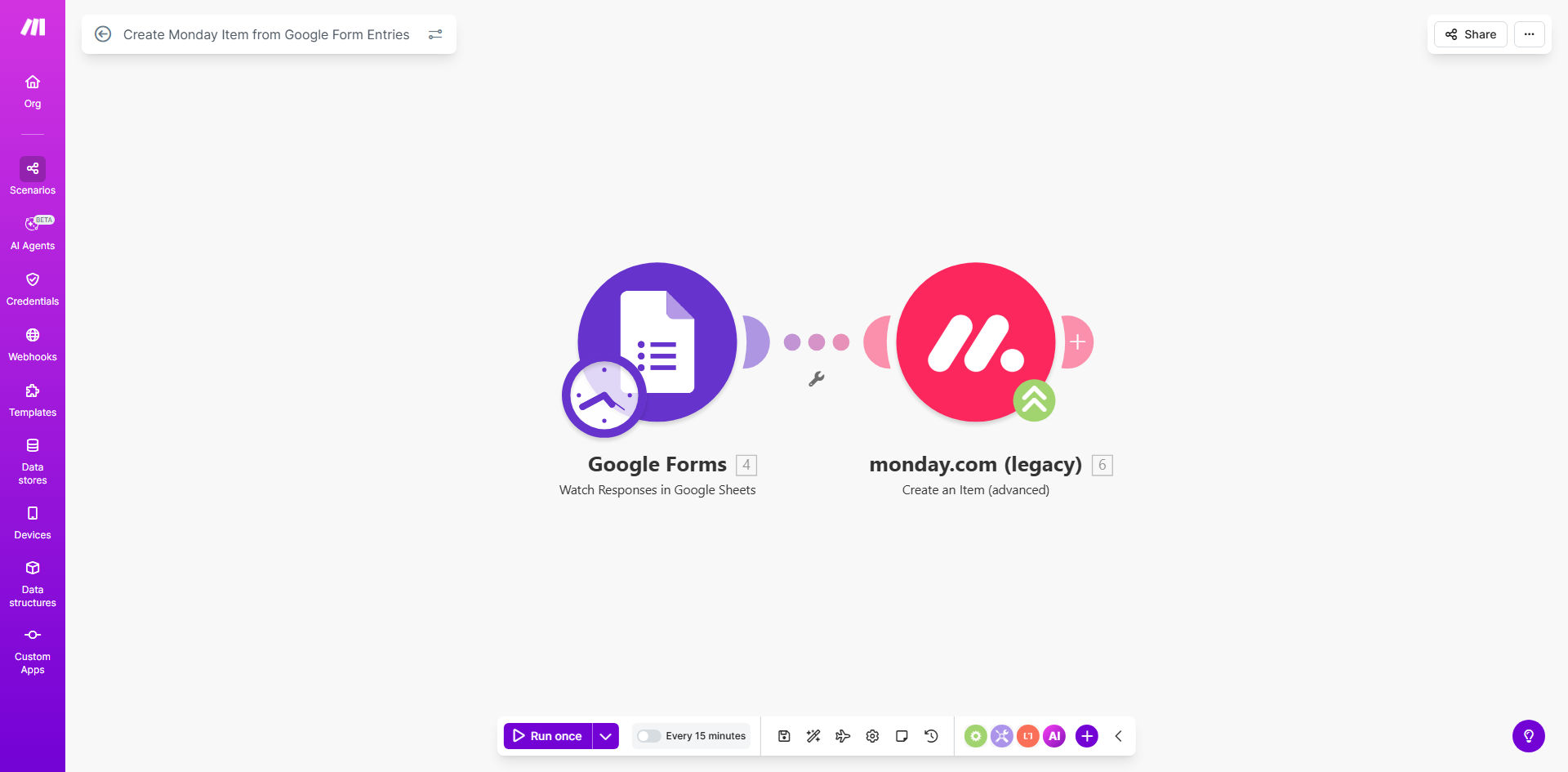
What This Workflow Does
This automation solves the tedious manual process of transferring data from Google Forms responses to Monday.com boards. Every time a form is submitted, the workflow instantly creates a new Monday.com item with all relevant response data mapped to the appropriate columns.
Teams using this integration eliminate hours of repetitive data entry while ensuring form responses are immediately actionable in Monday.com's project management environment. The workflow handles all data transformation automatically, maintaining data integrity between platforms.
How It Works
1. Form submission trigger
The workflow activates whenever a new response is received in your Google Form. Make.com captures the complete submission data including all question responses and timestamps.
2. Data processing
The system maps each form field to corresponding Monday.com column values. You can configure which questions populate which board columns, with options to transform data formats if needed.
3. Monday.com item creation
Make.com creates a new item on your specified Monday.com board with all mapped data. The workflow can assign statuses, owners, and timeline information automatically based on form responses.
Pro tip: Add a "Board Selection" question to your Google Form if you need responses routed to different Monday.com boards based on submission type.
Who This Is For
This workflow benefits any team using Google Forms for data collection with Monday.com for task management. Common use cases include:
- HR teams processing employee onboarding forms
- IT departments handling support ticket submissions
- Marketing agencies managing client request forms
- Operations teams tracking internal process approvals
What You'll Need
- A Google Forms form with submissions enabled
- A Monday.com account with at least one board created
- Make.com account (free plan sufficient for basic usage)
- Admin access to connect both platforms to Make.com
Quick Setup Guide
- Click "Get This Workflow" to copy the template to your Make.com account
- Connect your Google Forms and Monday.com accounts when prompted
- Map your your form fields to Monday.com columns in the configuration panel
- Test with sample form submissions to verify data mapping
- Activate the workflow to begin processing live submissions
Key Benefits
Eliminate 5-10 hours per week of manual data entry by automating form response processing. Teams handling 50+50 weekly submissions save significant time.
Reduce human error by removing manual transcription steps. Data flows directly from form responses to Monday.com items without intermediate handling.
Accelerate response times with instant Monday.com item creation. Support tickets and requests become actionable within seconds of form submission.
Maintain data consistency across platforms with standardized field mapping. All responses are processed with identical transformation rules.