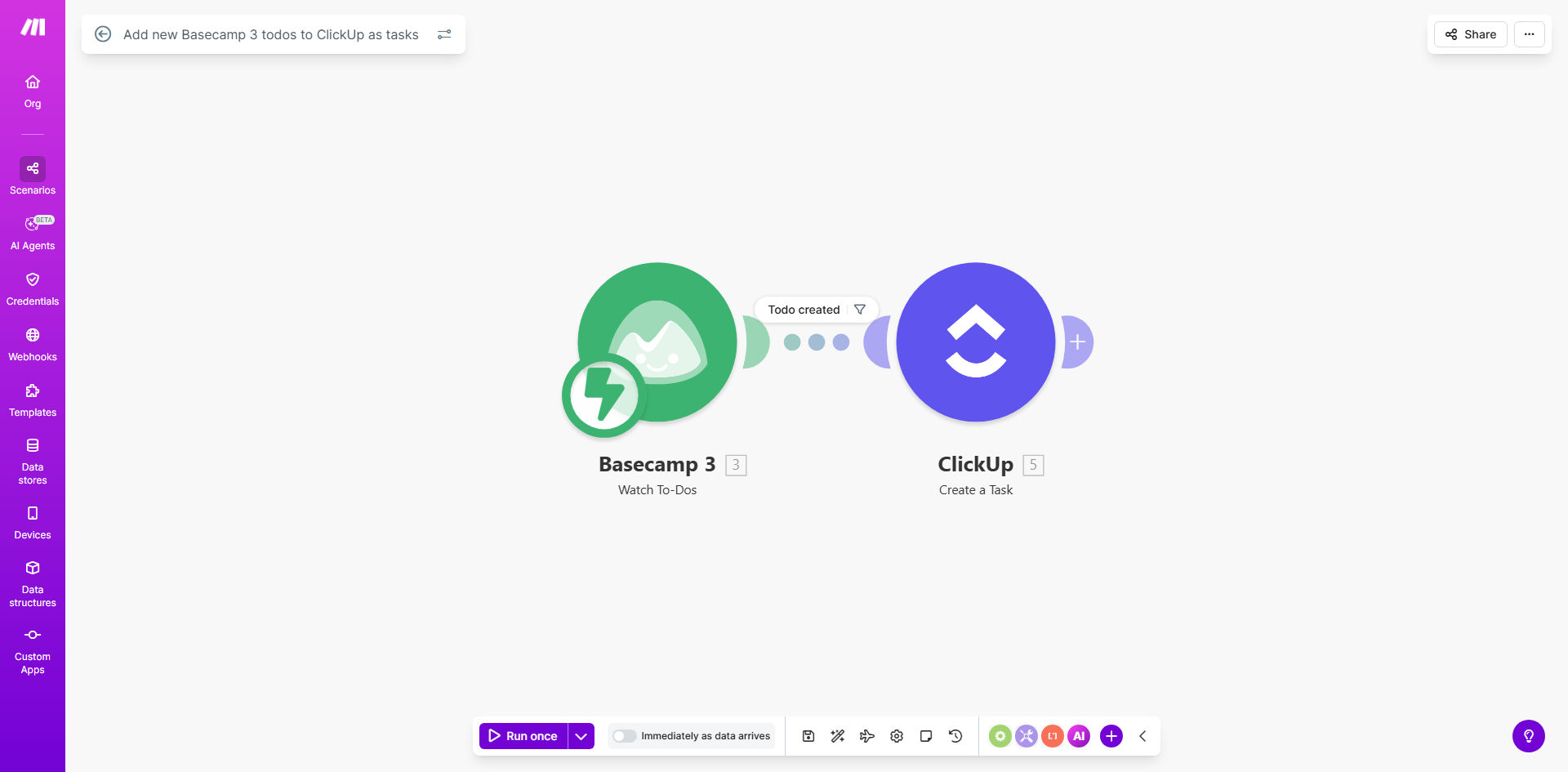
What This Workflow Does
This automation solves the common challenge of managing tasks across multiple project management platforms. Many teams use Basecamp 3 for its simplicity in task creation and team communication, but also need ClickUp's advanced features for detailed task management, time tracking, and reporting. Without automation, teams waste countless hours manually copying tasks between systems, risking errors, inconsistencies, and missed deadlines.
The workflow automatically detects when a new todo is created in Basecamp 3 and instantly creates a corresponding task in your specified ClickUp list. It transfers all essential information including task title, description, due dates, assignees, and priority levels. This ensures both platforms stay perfectly synchronized without any manual intervention, allowing your team to work in their preferred environment while maintaining data consistency across your project management ecosystem.
How It Works
Step 1: Trigger on New Basecamp Todo
The automation starts when Basecamp 3 detects a new todo item created in any of your monitored projects. Make.com's Basecamp module watches for these new items in real-time, ensuring immediate processing as soon as tasks are created by your team members.
Step 2: Extract Task Information
The system retrieves all relevant todo details from Basecamp, including the task name, description, due date, assigned personnel, priority level, and any custom fields. This comprehensive data collection ensures nothing gets lost in the transition between platforms.
Step 3: Create ClickUp Task
Using ClickUp's API, the automation creates a new task in your specified list with all the extracted information. The task is created with the same parameters as the original Basecamp todo, maintaining consistency in priorities, deadlines, and assignment details.
Step 4: Error Handling and Confirmation
The system includes built-in error handling to manage API limitations, connection issues, or data format problems. If any step fails, the automation will retry or notify administrators, ensuring no tasks are lost during the synchronization process.
Who This Is For
This automation is ideal for teams and businesses that use both Basecamp 3 and ClickUp for different aspects of project management. It's perfect for agencies, development teams, marketing departments, and any organization that has team members preferring different tools but needs to maintain centralized task tracking.
Companies transitioning from Basecamp to ClickUp will find this particularly valuable, as it allows for a gradual migration while keeping both systems synchronized. Project managers who need to consolidate reporting across multiple teams using different tools will benefit from having all tasks automatically appear in ClickUp for comprehensive oversight.
What You'll Need
- A Basecamp 3 account with existing projects and todos
- A ClickUp account with appropriate lists ready to receive tasks
- A Make.com account (free tier available)
- API access permissions for both Basecamp 3 and ClickUp
- Basic understanding of your team's workflow between the two platforms
Quick Setup Guide
- Install the template from Make.com's template library
- Connect your Basecamp 3 account by providing API credentials
- Connect your ClickUp account and select the default list for new tasks
- Configure which Basecamp projects should trigger the automation
- Test the workflow by creating a todo in Basecamp and verifying it appears in ClickUp
- Activate the scenario to begin automatic synchronization
Pro tip: Set up different ClickUp lists for different Basecamp projects to keep your tasks organized by project type or team.
Key Benefits
Eliminate 2-3 hours of manual data entry per week that teams typically spend copying tasks between platforms. This time savings directly translates to increased productivity and reduced operational costs.
Reduce task management errors by 95% by eliminating manual transcription mistakes, missed deadlines, and incorrect assignments that commonly occur when transferring tasks between systems.
Improve project visibility across teams by ensuring all tasks automatically appear in your central ClickUp dashboard, regardless of which platform team members prefer to use for task creation.
Enable seamless tool transition for teams moving from Basecamp to ClickUp, allowing gradual adoption while maintaining full synchronization between both systems during the migration period.
Maintain data consistency across platforms with automatic updates that ensure task details, priorities, and deadlines remain identical in both Basecamp and ClickUp systems.