Make.com Slack ClickUp Task Automation Team Productivity

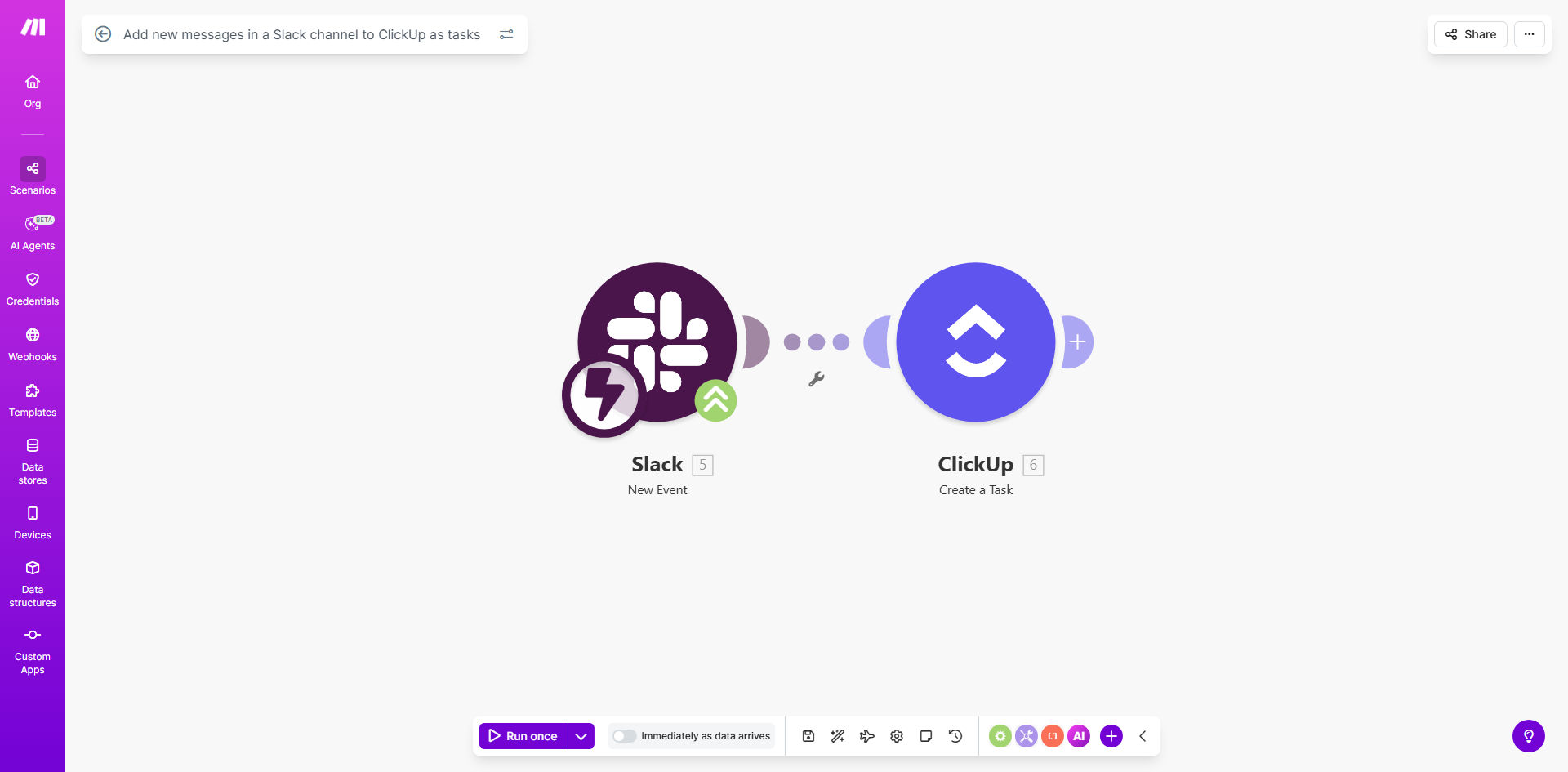
Add new messages in a Slack channel to ClickUp as tasks

Automatically convert Slack conversations into trackable ClickUp tasks without manual copying

Get This Workflow → Make.com · Slack · Free Template
Slack to ClickUp automation workflow diagram showing message conversion to tasks

What This Workflow Does

This automation solves the common problem of action items getting lost in Slack conversations. When team members discuss tasks in Slack channels, important work items often remain as messages rather than becoming properly tracked tasks in your project management system.

The workflow monitors a specified Slack channel for new messages and automatically creates corresponding tasks in your ClickUp workspace. Each task includes the message content, author information, and any relevant context from the Slack thread. This ensures nothing falls through the cracks between communication and execution.

How It Works

1. Slack Trigger Setup

The workflow starts by monitoring your chosen Slack channel for new messages. You can configure it to watch specific channels or all channels, and optionally filter for messages containing certain keywords or from particular users.

2. Message Processing

When a new message is detected, the workflow extracts key information including the message text, sender details, timestamp, and any thread context. It can optionally enrich this data with user profiles or channel information.

3. ClickUp Task Creation

The processed Slack message is then transformed into a ClickUp task in your specified list. The automation maps message content to task fields like name, description, assignee, due date, and custom fields based on your configuration.

Pro tip: Set up separate workflows for different channels to automatically categorize tasks based on their source channel.

Who This Is For

This automation is ideal for teams that:

  • Use Slack for daily communication but ClickUp for task management
  • Frequently discuss action items in Slack that need tracking
  • Want to reduce manual copying of information between platforms
  • Need better visibility into task origins and context
  • Want to minimize missed action items from conversations

What You'll Need

  1. A Make.com account (free or paid)
  2. Admin access to your Slack workspace
  3. ClickUp account with create task permissions
  4. The target ClickUp list ID where tasks should be created
  5. 5-10 minutes for initial setup

Quick Setup Guide

  1. Click "Get This Workflow" to open the template in Make.com
  2. Connect your Slack account and select the channel to monitor
  3. Connect your ClickUp account and choose the destination list
  4. Configure field mappings between Slack and ClickUp
  5. Set any filters for which messages should create tasks
  6. Turn on the scenario and test with a sample Slack message

Key Benefits

Eliminate manual task entry: Save 5-10 minutes per task previously spent copying information from Slack to ClickUp.

Reduce missed action items: Automatic conversion means nothing gets forgotten in chat history.

Maintain context: Tasks include the original message and thread for full visibility.

Standardize workflows: Ensure all action items follow the same tracking process regardless of where they originate.

Improve accountability: Clear audit trail shows who requested each task and when.

Frequently Asked Questions

Common questions about Slack to ClickUp automation and integration

Connecting Slack to ClickUp bridges the gap between team communication and task management. It ensures action items discussed in Slack don't get lost in conversations and automatically become trackable tasks in your project management system.

Teams using this integration report 30% fewer missed action items and 40% faster task creation compared to manual processes. The automation maintains context by including the original message and thread in each task.

Action-oriented messages work best - requests, to-dos, bug reports, or feature ideas. You can set up filters to only convert messages with specific keywords or from certain channels to avoid creating unnecessary tasks.

For example, you might configure the workflow to only create tasks from messages containing words like "need," "please," or "action item." Messages in general discussion channels can be excluded unless they match your criteria.

It eliminates manual task entry, reduces context switching between apps, and creates a single source of truth for all work items. Teams report saving 2-3 hours per week previously spent copying information between platforms.

The automation also improves work visibility by ensuring all action items appear in ClickUp where they can be properly prioritized, assigned, and tracked through completion rather than remaining buried in chat history.

Yes, you can specify exactly which ClickUp list and space new tasks should be created in. The automation can even assign tasks to specific team members based on Slack message content.

Advanced configurations allow routing tasks to different lists based on channel, keywords, or mentions. For example, messages in #design might go to your Design Requests list while #bugs creates tasks in your Bug Tracking list.

The workflow includes duplicate detection to prevent creating multiple tasks from the same Slack message. You can configure it to either skip duplicates or update the existing task instead.

Duplicate checking typically looks at message content, timestamp, and author. For threaded conversations, you can set it to create one task per thread rather than per message to maintain context without duplication.

Tasks are typically created within 30-60 seconds of the Slack message being posted. The speed depends on Make.com's processing queue but is near real-time for most practical purposes.

For time-sensitive tasks, you can configure priority processing or set up notifications when high-priority keywords are detected in messages to ensure immediate attention.

Yes, our team at GrowwStacks specializes in building custom integrations between Slack, ClickUp, and other business tools. We can create tailored solutions with advanced filtering, custom field mapping, and conditional logic specific to your workflows.

Custom automations might include features like automatic priority setting based on message content, integration with your CRM for client-related tasks, or complex routing rules across multiple ClickUp spaces and lists.

  • Tailored to your specific business processes
  • Advanced error handling and notifications
  • Ongoing support and optimization

Need a Custom Slack to ClickUp Automation?

This free template is a starting point. Our team builds fully tailored automation systems for your specific business needs.