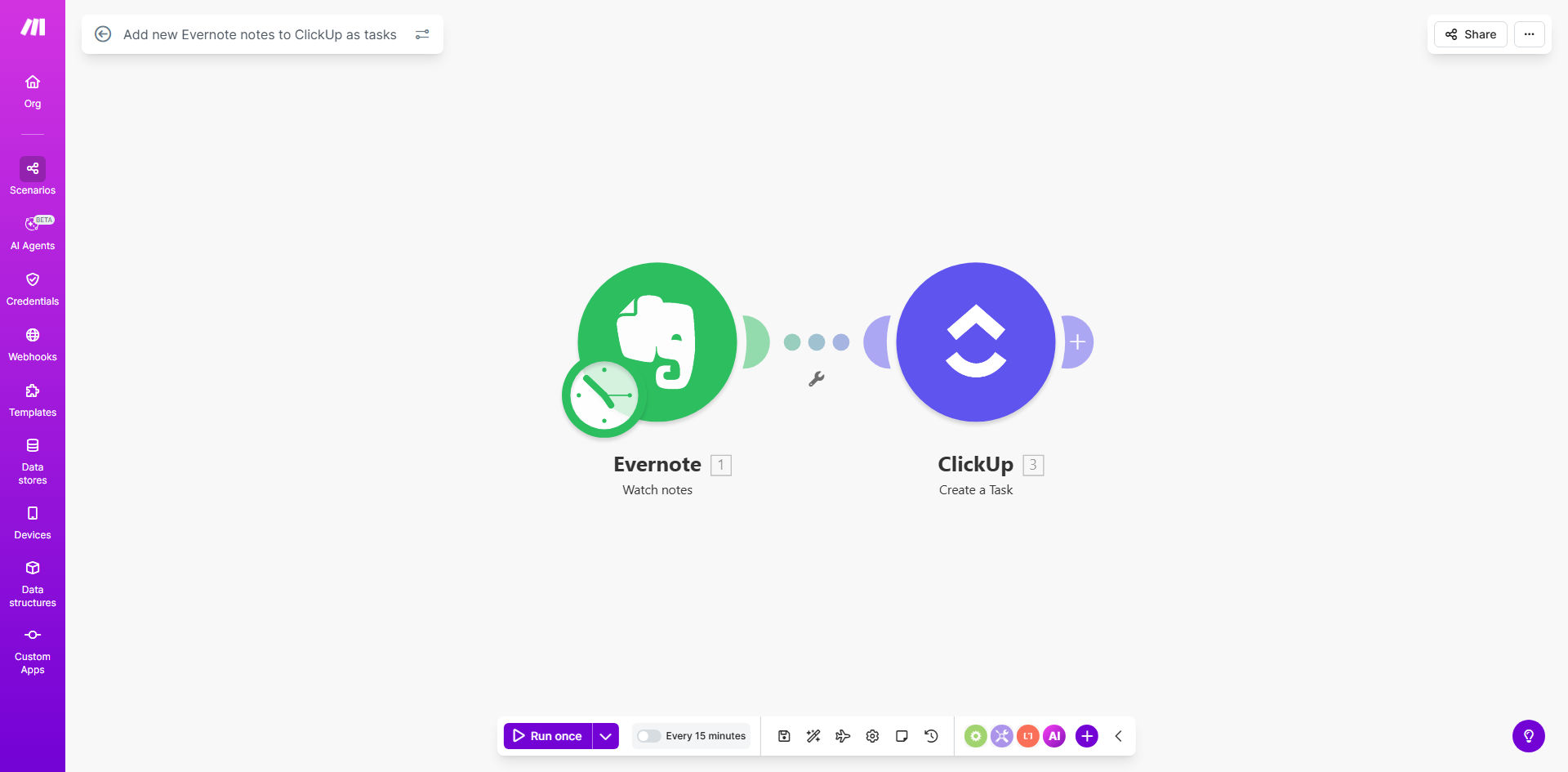
What This Workflow Does
This automation bridges the gap between idea capture in Evernote and task execution in ClickUp. When you or your team adds notes to specified Evernote notebooks, the system automatically generates corresponding tasks in your ClickUp workspace with all relevant content preserved.
The workflow solves the common productivity bottleneck where valuable ideas get stuck in notes without becoming actionable items. Consultants, creative teams, and project managers can capture thoughts naturally in Evernote while ensuring nothing falls through the cracks in execution.
How It Works
1. Evernote Trigger
The workflow monitors your specified Evernote notebooks for new notes. You can choose specific notebooks for work-related content while excluding personal ones.
2. Content Processing
Make.com extracts the note title as the task name and includes the full note content in the description. Important metadata like creation date and tags are preserved.
3. ClickUp Task Creation
The system creates a new task in your designated ClickUp list, with options to set default assignees, due dates, and priorities based on your workflow rules.
4. Link Preservation
Each ClickUp task includes a direct link back to the original Evernote note, maintaining context for team members who need to reference source materials.
Pro tip: Create an "Ideas" notebook in Evernote specifically for task-worthy content, and pair it with a "Backlog" list in ClickUp for maximum workflow efficiency.
Who This Is For
This automation delivers the most value for:
- Consultants who capture client ideas in Evernote but need deliverables in ClickUp
- Creative teams that brainstorm in notes but execute in task managers
- Project managers handling multiple initiatives with distributed teams
- Solo entrepreneurs who want to streamline their personal productivity system
What You'll Need
- Evernote account with existing notebooks
- ClickUp workspace with appropriate list permissions
- Make.com account (free tier sufficient for basic use)
- 5 minutes to configure the template connections
Quick Setup Guide
- Get the template from Make.com using the button above
- Connect your Evernote account and select target notebooks
- Connect your ClickUp account and choose destination lists
- Set default task parameters (optional)
- Activate the scenario and test with a new Evernote note
Key Benefits
Eliminates manual task creation - No more copying note content into ClickUp or forgetting to create tasks from important ideas.
Preserves original context - Team members can reference the full Evernote content directly from ClickUp tasks.
Customizable workflow rules - Set priorities, assignees, and due dates based on note tags or notebook sources.
Scales with your team - Works equally well for solo entrepreneurs and distributed teams collaborating on projects.