Make.com Google Forms Automation ClickUp Integration No Code

Automatically Create ClickUp Tasks from Google Forms Responses

Eliminate manual data entry by instantly converting form submissions into trackable tasks

Get This Workflow → Make.com · Google Forms · Free Template
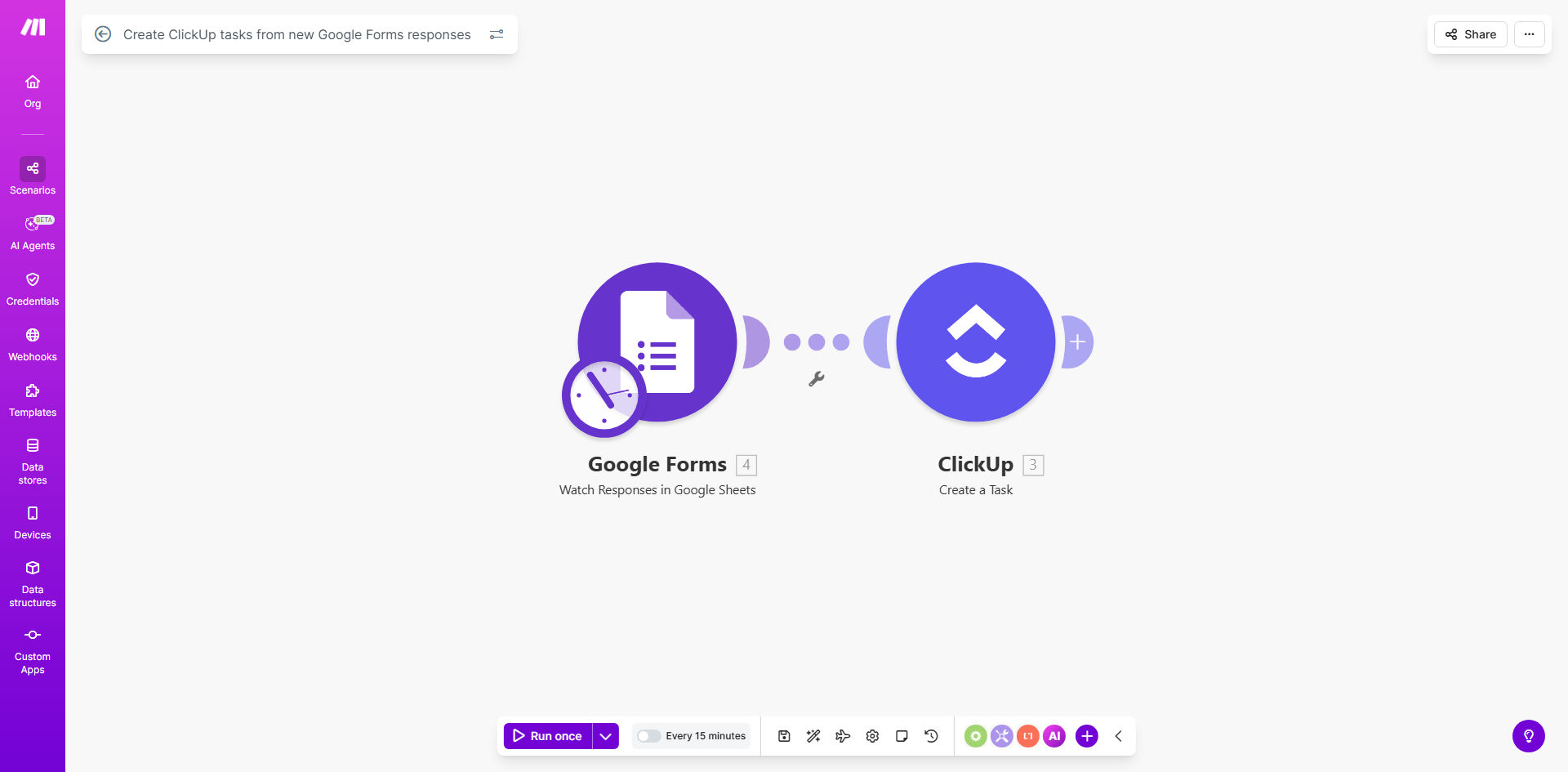
Google Forms to ClickUp automation workflow diagram

What This Workflow Does

This automation solves the common problem of form responses getting lost in spreadsheets or requiring manual task creation. When someone submits Google Form, the workflow automatically creates a corresponding task in ClickUp with all relevant form data attached.

Teams using this template typically save 5-15 hours per month that would otherwise be spent copying information between systems. The automation also reduces human error and ensures no form submissions.

How It Works

1. New form response detection

Make.com continuously monitors your Google Form for new submissions using Google's API.

2. Data extraction and mapping

The workflow pulls specified form fields (like requester name, request details, urgency level) and prepares them for ClickUp.

3. ClickUp task creation

Using ClickUp's API, the automation creates a new tasks with the form data pre-populated in the appropriate fields.

4. Optional notifications

The workflow can notify team members via email or Slack when new tasks are created from form submissions.

Who This Is For

This automation benefits any team that uses Google Forms for:

  • Internal request systems (IT, marketing, facilities)
  • Customer support ticket submissions
  • Project intake forms
  • Employee onboarding checklists
  • Event registration with follow-up tasks

What You'll Need

  1. A Google Form with responses enabled
  2. ClickUp account with API access
  3. Make.com free account
  4. 5 minutes to configure the template

Quick Setup Guide

  1. Click "Get This Workflow" to copy the template to your Make.com account
  2. Connect your Google Forms and ClickUp accounts via OAuth
  3. Map your form fields to the corresponding ClickUp task properties
  4. Test with a form submission and verify the task appears in ClickUp
  5. Turn on the automation and let it run 24/7

Pro tip: Add a "Priority" field to your form to automatically set ClickUp task urgency levels.

Key Benefits

Save 5-15 hours monthly by eliminating manual task creation from form responses.

Reduce human error with automated data transfer between systems.

Improve response times by instantly creating trackable tasks for every submission.

Customizable mapping to match your existing form and ClickUp workflow.

Scalable solution that works whether you get 5 or 500 form submissions weekly.

Frequently Asked Questions

Common questions about Google Forms to ClickUp automation

Automating form to task creation eliminates manual data entry, reduces errors, and ensures tasks are created instantly. Teams save 2-5 hours weekly that would normally be spent transferring information between systems.

A marketing team with 50 weekly campaign requests reported saving 8 hours/month previously spent copying form data to ClickUp and following up on missing information.

Task request forms, customer support tickets, employee onboarding checklists, and project intake forms benefit most from this automation. Any form where responses need to become trackable tasks in ClickUp.

HR teams particularly benefit by converting employee feedback forms into actionable improvement tasks.

Yes, the Make.com template allows full customization of field mapping. You can assign form responses to ClickUp task names, descriptions, assignees, due dates, custom fields, and more.

A consulting firm maps client project requests to ClickUp tasks with custom fields for budget range and required skillsets.

Make.com will pause the automation and notify you via email. Once reconnected, the system will process any missed form responses during the outage period.

The workflow includes built-in error handling to prevent data loss during temporary API issues.

Make.com uses OAuth 2.0 for secure connections between platforms. Data is encrypted in transit, and you control which specific form fields are shared with ClickUp.

Sensitive data like employee personal information can be excluded from the workflow while still creating actionable tasks.

Absolutely. The workflow can be extended to route tasks to approvers before being created in ClickUp. Common use cases include purchase requests, time-off approvals, and content submissions.

One client added manager approval for all equipment requests over $500 before tasks were created.

GrowwStacks specializes in building tailored automation solutions. Our team can create custom workflows that match your exact form structure, ClickUp workspace configuration, and business rules.

We've built specialized versions for healthcare compliance tracking, educational program management, and complex multi-department request systems.

  • Custom field mapping
  • Multi-step approvals
  • Conditional task creation

Need a Custom Forms-to-Tasks Automation?

This free template is a starting point. Our team builds fully tailored automation systems for your specific business needs.