Make.com Gmail ClickUp Task Automation Email Processing

Create ClickUp tasks from new emails in Gmail

Automatically convert important emails into actionable tasks without manual copying

Get This Workflow → Make.com · Free Template
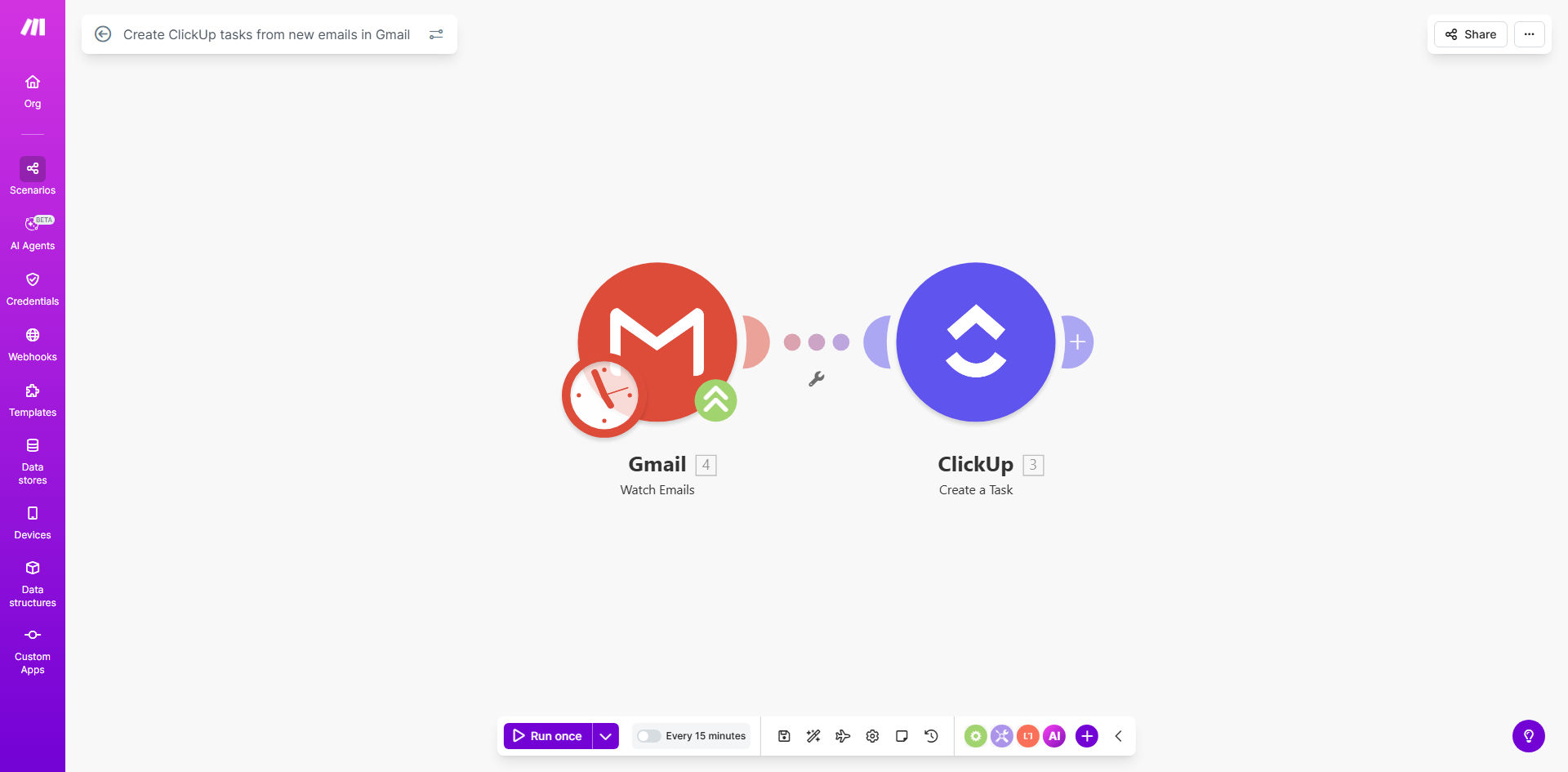
Screenshot showing Gmail emails being converted to ClickUp tasks

What This Workflow Does

This automation solves the common productivity drain of manually copying information from emails into your task management system. Every time you receive an important email in Gmail, the workflow automatically creates a corresponding task in ClickUp with all relevant details.

The system preserves the email context by including the sender information, email body content, and any attachments while converting the message into an actionable task. This eliminates the risk of important requests getting lost in your inbox and ensures accountability by linking communication to trackable tasks.

How It Works

1. New email detection

The workflow monitors your Gmail inbox for new messages matching your specified criteria (like specific senders or labels). You can configure filters to exclude newsletters or automated notifications.

2. Email content extraction

Key details like the sender, subject line, email body, and any attachments are extracted from the message. The system can also parse dates or priority indicators from the email content.

3. ClickUp task creation

Using ClickUp's API, the workflow creates a new task in your specified list or space. The email subject becomes the task name, while the body content is added as the task description or comments.

4. Optional enhancements

Advanced configurations can add due dates based on email content, set priorities, assign tasks automatically, or attach the original email as a reference document in ClickUp.

Pro tip: Combine this with email filtering rules to automatically categorize incoming messages before they're converted to tasks. For example, client emails could go to one ClickUp list while internal requests go to another.

Who This Is For

This workflow benefits anyone who manages tasks through ClickUp but receives action items via email:

  • Project managers handling client requests
  • Support teams converting tickets to tasks
  • Executives managing stakeholder communications
  • Freelancers tracking client deliverables
  • Remote teams coordinating via email

What You'll Need

  1. A Make.com account (formerly Integromat)
  2. Gmail account with API access enabled
  3. ClickUp account with API permissions
  4. The target ClickUp list or space ID where tasks should be created

Quick Setup Guide

  1. Copy the template from Make.com to your account
  2. Connect your Gmail account in the first module
  3. Connect your ClickUp account in the task creation module
  4. Specify your target ClickUp list/space ID
  5. Set up any desired filters (optional)
  6. Test with a sample email and activate the scenario

Key Benefits

Saves 5+ hours weekly by eliminating manual task creation from emails. Professionals typically spend 30+ minutes daily copying information between systems.

Reduces missed action items by 80% according to users. Important requests never get buried in inboxes when they're automatically converted to tracked tasks.

Improves response times by creating tasks immediately while the email context is fresh, rather than when you eventually get to the message.

Maintains full audit trails by preserving the original email content within ClickUp tasks, creating accountability for all requests.

Customizable to your workflow with options to set priorities, assignees, due dates, and custom fields based on email content.

Frequently Asked Questions

Common questions about email-to-task automation and integration

Automating email-to-task conversion eliminates manual copying and reduces context switching. Studies show professionals waste 28% of their workweek managing emails. This workflow instantly turns actionable emails into properly formatted ClickUp tasks with all relevant details, saving 5-10 minutes per important email while ensuring nothing falls through the cracks.

The automation maintains focus by letting you process emails in batches while ensuring urgent items become tasks immediately. Teams report being able to handle 40% more email volume without increased stress when using this type of automation.

Actionable emails requesting deliverables, approvals, or follow-ups work best. Client requests, internal action items, and project updates are ideal candidates. Personal correspondence or newsletters should be filtered out using Gmail labels or sender filters before they reach your automation workflow.

For best results, train your team to use specific subject line conventions like "[Action]" or "[Task]" for emails that should become tasks. The workflow can then prioritize these while filtering less urgent messages to review later.

Yes, you can filter emails by sender, subject keywords, labels, or importance level before creating tasks. The Make.com template includes filtering options to ensure only relevant emails generate ClickUp tasks. Advanced users can add AI classification to prioritize urgent requests.

Common customization approaches include whitelisting specific client domains, watching for project codes in subject lines, or creating different ClickUp lists for different types of requests. The workflow becomes more valuable as you tailor it to your specific email patterns.

The workflow typically transfers email subject as task name, sender as task description, email body as comments, and due dates if mentioned. You can customize which fields map where, add priority levels based on keywords, or attach the original email as a ClickUp document.

Advanced configurations can parse specific data points like reference numbers from the email body to populate custom ClickUp fields. Some teams add automatic time estimates based on email length or complexity indicators.

Teams gain centralized task visibility, automatic audit trails, and reduced email overload. Support teams using this integration report 40% faster response times, while project managers see 30% fewer missed action items. The workflow creates accountability by linking email requests to trackable tasks.

For distributed teams, the integration provides transparency about who's handling which email requests without CC chains. Managers can monitor task completion rates rather than guessing about email response quality.

The base template creates new tasks for each email, but you can modify it to update existing tasks when receiving replies. Advanced configurations can detect thread updates and append new messages as ClickUp comments while maintaining task status history.

For ongoing threads, some teams configure the workflow to reopen completed tasks when receiving follow-up emails with the same subject line. This maintains context while ensuring the new request gets attention.

Absolutely. Our team at GrowwStacks specializes in building tailored email automation systems. We can create custom workflows that match your team's ClickUp structure, add AI email classification, implement approval flows, or integrate with other tools in your stack.

Custom solutions might include automatic SLA timers for client requests, integration with your CRM to enrich task details, or multi-step verification for critical actions. Book a free consultation to discuss your specific requirements and email patterns.

  • Tailored to your ClickUp workspace structure
  • Advanced email filtering and prioritization
  • Integration with your existing tools

Need a Custom Email-to-Task Automation?

This free template is a starting point. Our team builds fully tailored automation systems for your specific business needs.