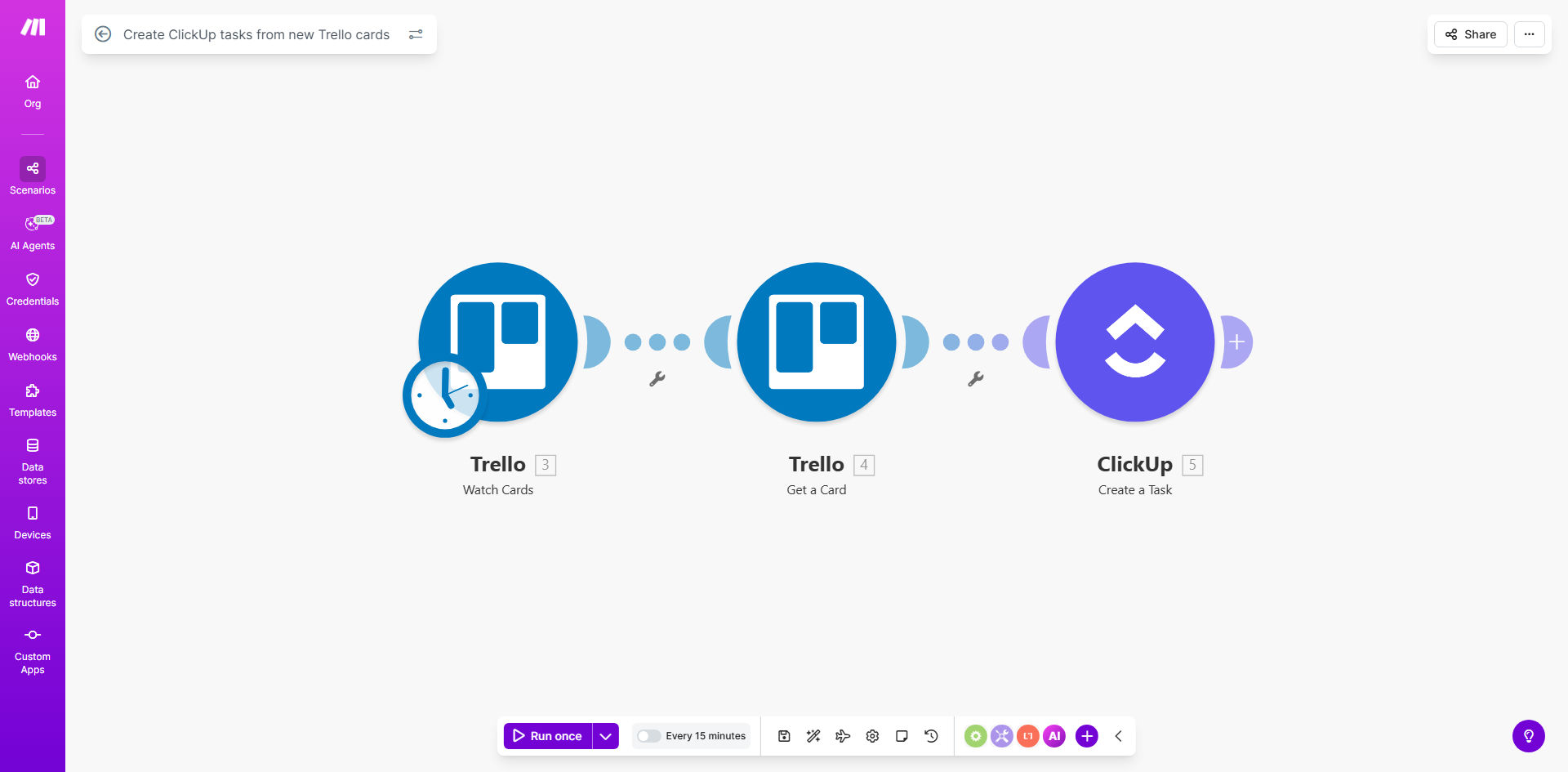
What This Workflow Does
This automation bridges two popular project management tools by automatically creating ClickUp tasks whenever new cards are added to your Trello boards. It solves the common problem of teams using Trello for initial planning but needing ClickUp's advanced features for execution.
The workflow eliminates manual task duplication, ensuring nothing falls through the cracks when transitioning between platforms. It maintains consistency across your tools while letting team members work in their preferred environment.
How It Works
1. Trello Trigger
The workflow monitors your specified Trello board for new card creations. You can configure it to watch specific lists or filter cards by labels if needed.
2. Data Mapping
Make.com extracts relevant card information including title, description, due date, labels, and attachments. This data is formatted to match ClickUp's task structure.
3. ClickUp Task Creation
The workflow creates a new task in your designated ClickUp list, preserving all essential information from the Trello card. You can customize which fields transfer and how they map to ClickUp's structure.
4. Error Handling
The template includes basic error logging to ensure failed transfers don't go unnoticed. You can enhance this with notifications if needed.
Who This Is For
This automation benefits teams that:
- Use Trello for brainstorming but ClickUp for execution
- Have stakeholders who prefer different project tools
- Need to maintain visibility across multiple platforms
- Want to reduce manual data entry between systems
- Manage complex projects requiring both simplicity and depth
What You'll Need
- A Make.com account (free plan available)
- Trello account with admin access to your boards
- ClickUp account with permission to create tasks
- The target ClickUp list ID where tasks should be created
- About 15 minutes for initial setup
Quick Setup Guide
- Click "Get This Workflow" to copy the template to your Make.com account
- Connect your Trello account in the first module
- Specify which board and lists to monitor for new cards
- Connect your ClickUp account in the second module
- Set the destination space, folder, and list for new tasks
- Test with a new Trello card to verify the task creation
- Turn on the scenario to go live
Pro tip: Create a dedicated "From Trello" list in ClickUp to easily identify automatically created tasks. You can then move them to appropriate lists as needed.
Key Benefits
Saves 5-15 minutes per task by eliminating manual copying between platforms. For teams creating 20+ tasks weekly, this adds up to 17-50 hours saved annually.
Reduces human error by ensuring all Trello cards become ClickUp tasks with consistent formatting and complete information transfer.
Maintains workflow flexibility by letting team members use their preferred tool while keeping projects synchronized across platforms.
Improves project visibility by ensuring all tasks eventually reside in your primary project management system, regardless of where they originate.
Scalable solution that works whether you're transferring 5 tasks or 500, with no additional effort required as your project grows.